Take a headshot-3 character in CC5, adjust it in CC5 then export it as a fbx to Max. Import it into Max via Reallusion import. Launch reallusion CC auto setup then choose “face rig”. It shows up ready to go but moving the controls do not affect the character. Enabling it does nothing. The “Body rig” works fine. The “face rig” is dead on arrival. Any facial rigging will have to be done in CC5 prior to export. Headshot 2 characters are not disabled. FWIW
Hi meah2016,
We will replicate your workflow on our end to see if we can reproduce the issue. We’ll keep you updated on any findings or progress.
Regards,
Hi meah2016,
We’ve confirmed with our technical team that our 3ds Max autosetup doesn’t support the HD profile (CC5) just yet. In the meantime, please use Extended or Standard characters.
Regards
Since you have confirmed that Headshot 3 is broken in 3ds max, will a fix occur within 30 days? Or should i void my payment for headshot 3, uninstall it, and use Headshot 2 (which does work in 3ds max)?
I think it is the facial profile causing the issue. Try changing the facial profile to a non-HD one, like Extended, before exporting.
Just to be clear on what my steps are. I open Headshot 3. I drag and drop a 2365 x 3068 (3.75 mb) face image cropped from the original to just include the head, hair, etc. This brings up the Headshot 3 dialogue. I leave everything at default. I then switch to “Body” and choose female. Everything is left at default. I hit “generate”. I wait for it to generate. I then export as a fbx and choose clothed character. 3ds max. current pose. I deselect “first frame pose type”. I hit “export”. It exports as a fbx. I then open 3ds max and import the fbx file through the realluison “cc auto setup”. I choose “collect textures” and then “browse fbx” . I import the model. I select the model and then go to the reallusion button and choose cc auto setup. I choose “face rig”. The character does not respond to the face rig. Enabling the face rig changes nothing. When you say, “Try changing the facial profile to a non-HD one, like extended, before exporting.” I have no idea what you are referring to. The character is automatically a HD Neutral female. I have nothing to say about that.
CC characters can have different facial profiles applied. basically that is what facial expressions, visemes, and expression corrective morphs the character has. The HD profile is the newest, but not compatible with the 3DS Max auto setup. You will find the Extended and Standard profiles in the “Facial Profile” folder in the “Characters” folder in the “Free Resources” in your Content Manager. “Characters”, not “CC5 Characters” for the older profiles.
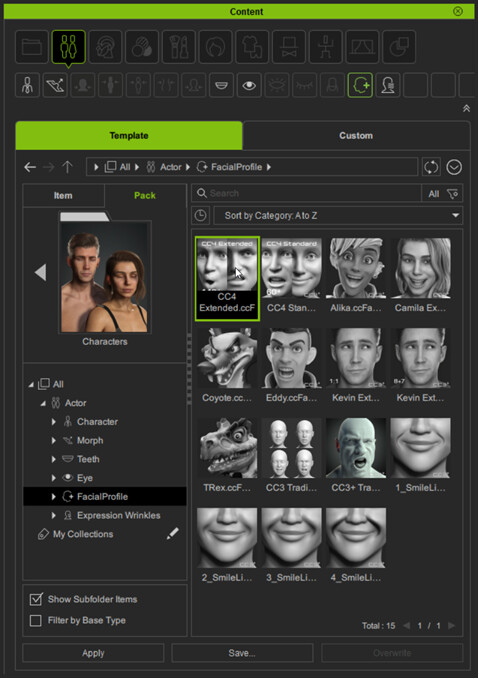
So with your character in the scene, double-click the profile, or drag and drop it onto the character. Then export your FBX. See here for more on the Extended profile.
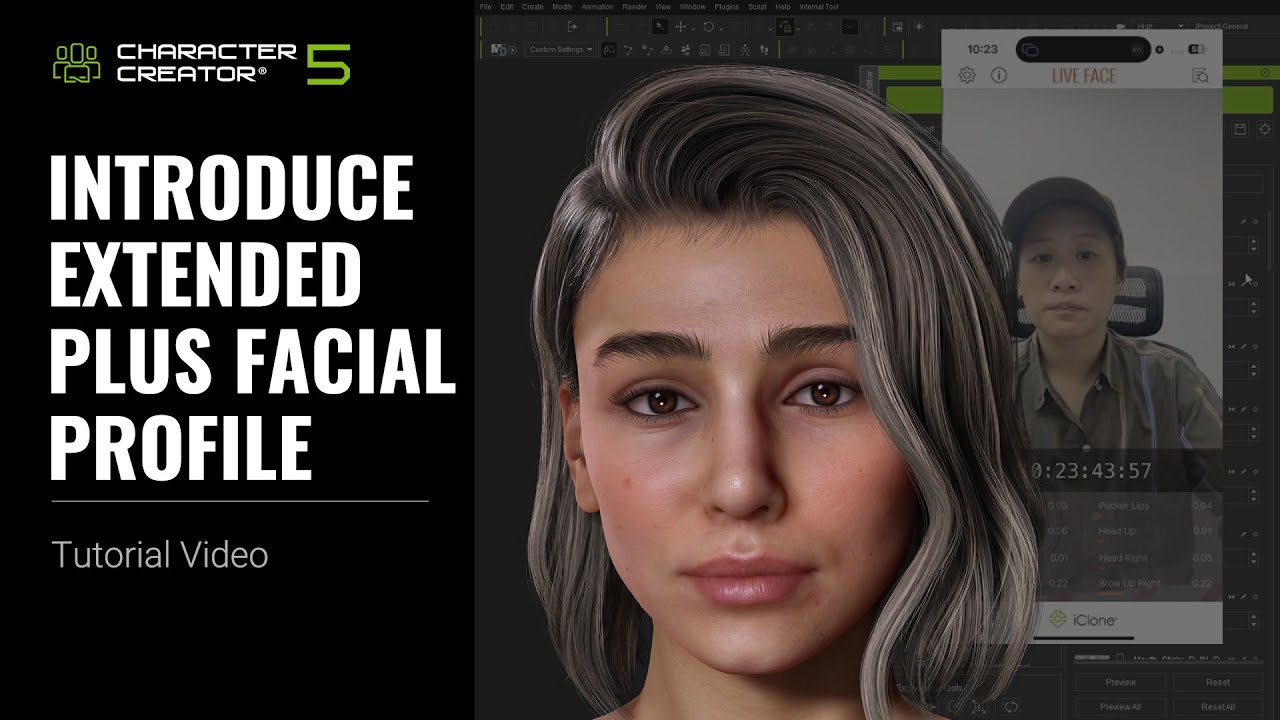
1 Like
The screen shot and the video were very helpful.
I had no idea corrective measures like this existed in CC5. Never had the need to use it until this Headshot 3 addition.
Thanks.
I’m sure an upcoming release of the 3DS Max auto setup will support the HD facial profile as well. But all the different profile options are good. You can totally customize your own as well.
It is worth checking out all the facial tutorials:
1 Like
Got it. Thanks.