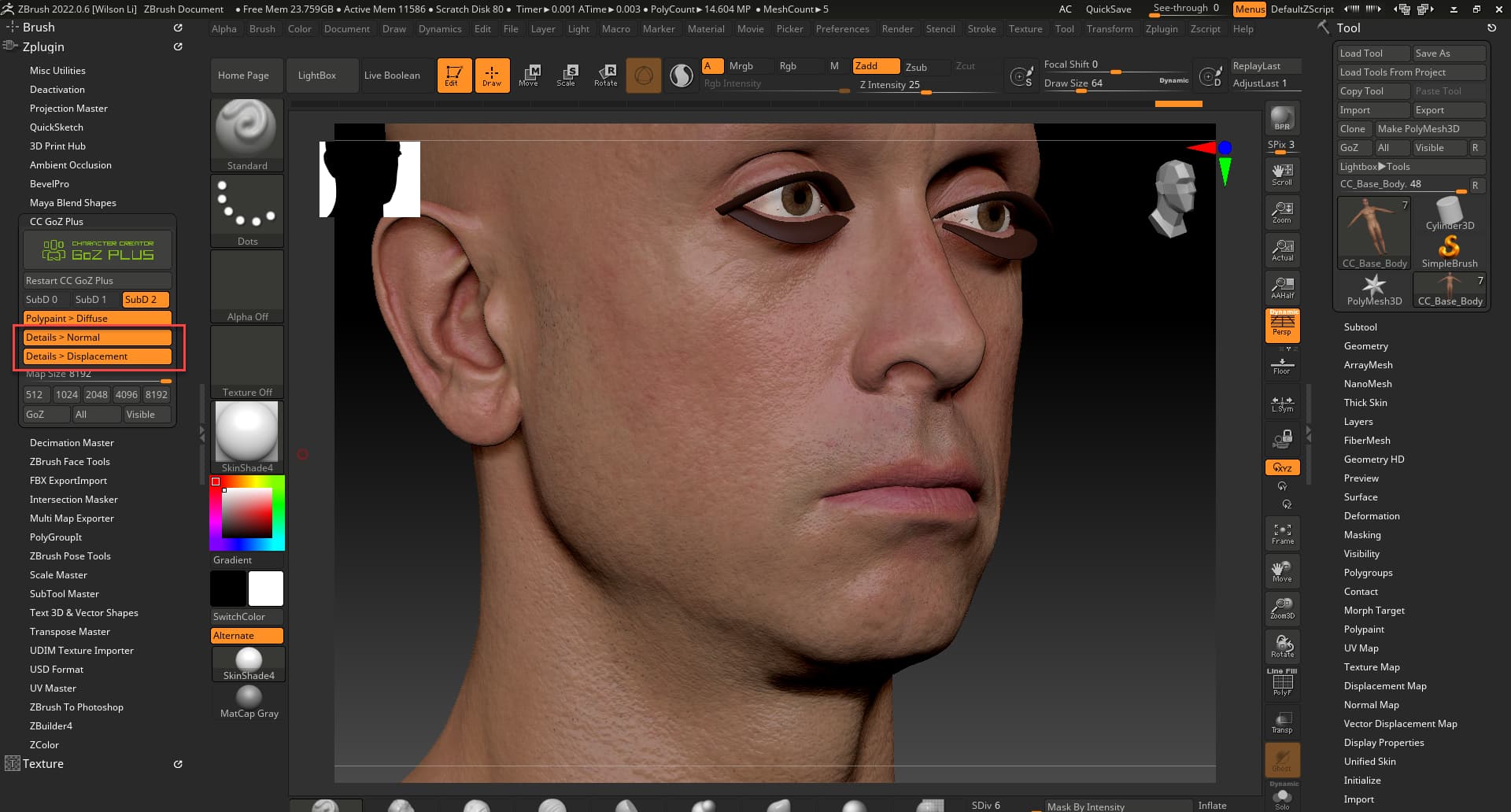
Hey, I’m using zbrush 2022.0.8 (perpetual license).
Transfer from character creator to zbrush seems good except the normal map and displacement gets messed up on hand off somehow.
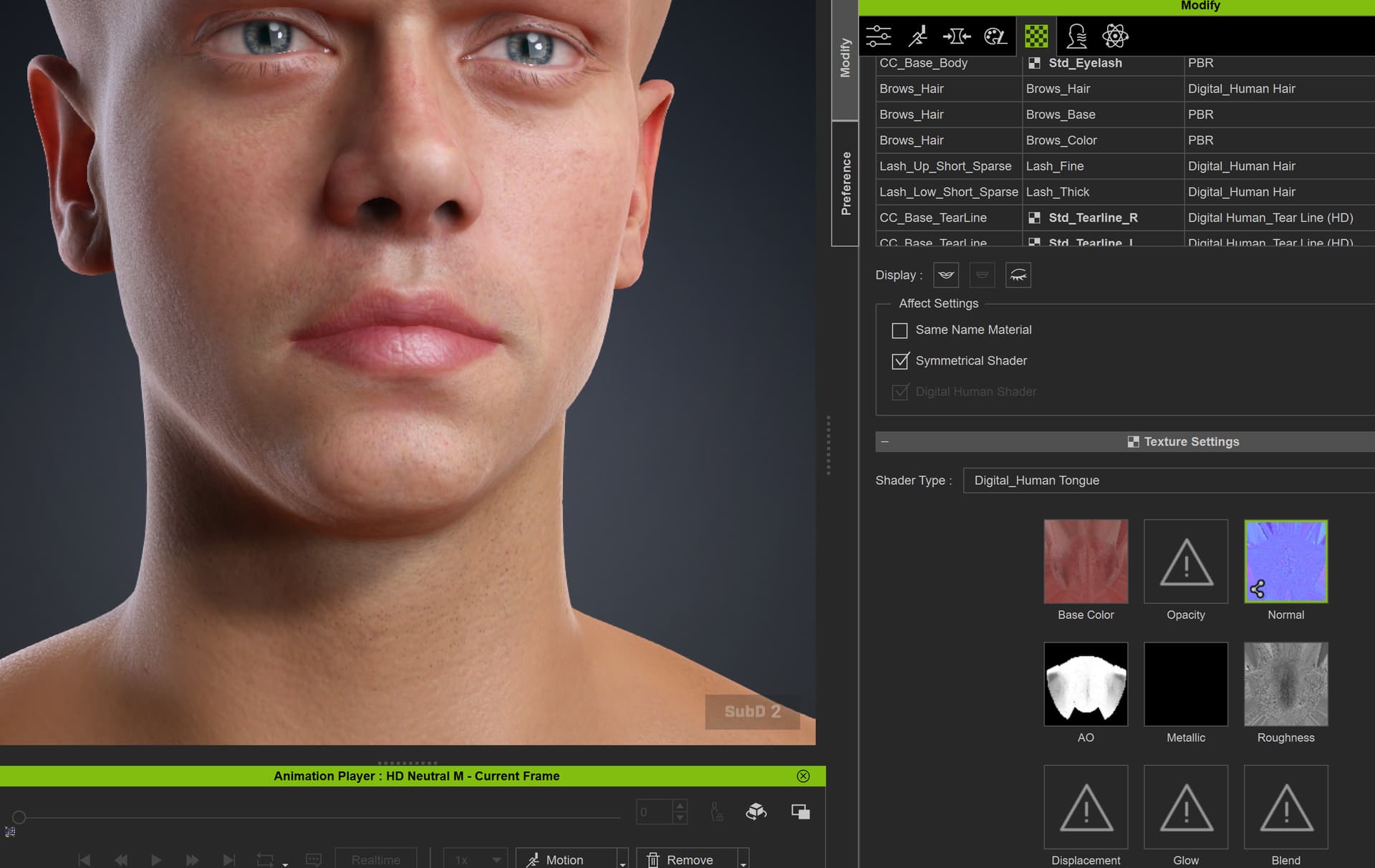
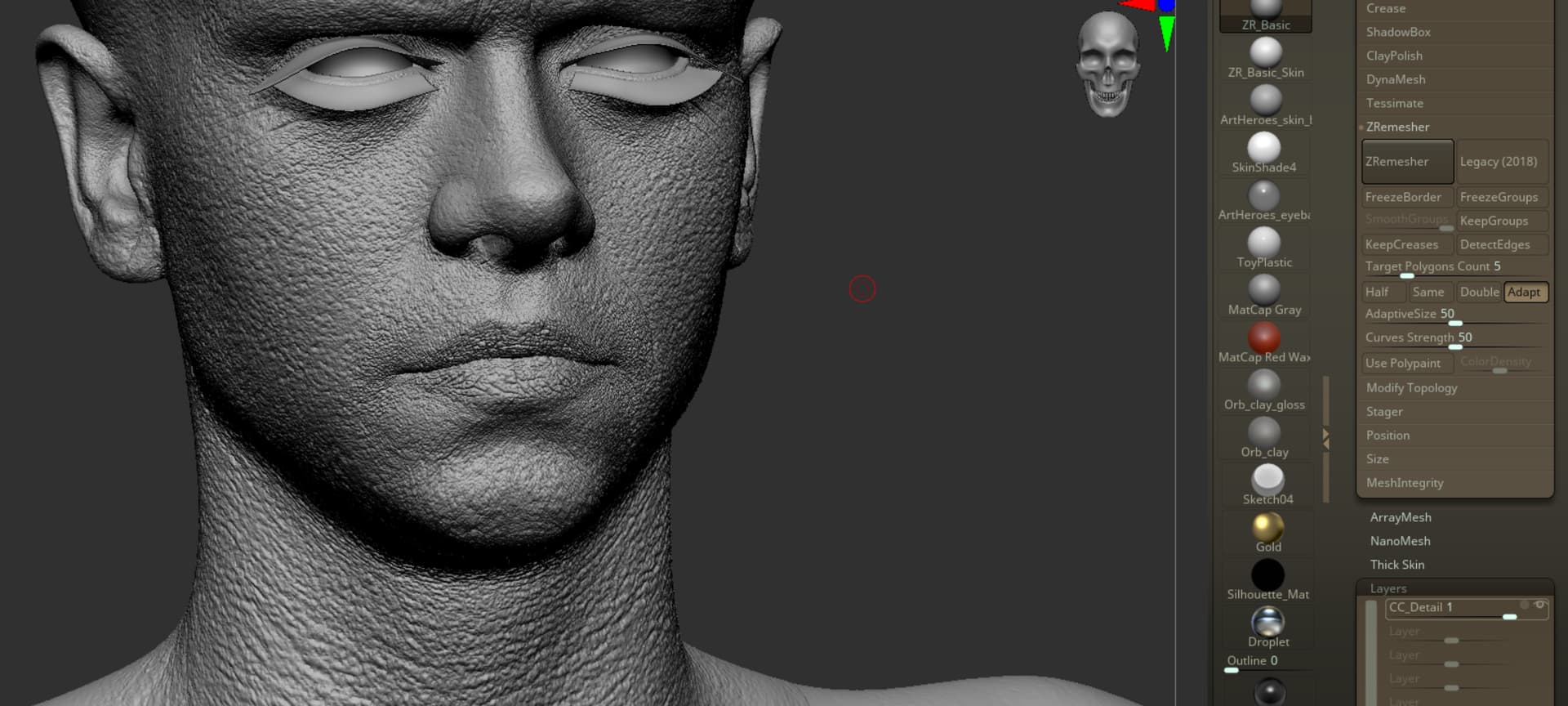
You can see in the image how strong the porosity details come in in zbrush. The porosity is simply from “HD_Aaron_8K” so I know its right (and looks right in CC).
But if I literally do nothing other then send to Zbrush and back it gets crazy strong. It looks like .3 on the layer in zbrush is about right strength, but even still if I make it look “correct” in zbrush when I send back to CC its messed up again. (values are not the same).
Is this a bug? How can we reliably send to zbrush and back when we have this default behavior?
Sent This: (with normal map only selected)
Change literally nothing and only send normal map back get super strong detailing (like what I see in zbrush).
I think I can simply turn down the layer to .3 in zbrush and get more correct results, but its not like an exact science here and the results are a bit unpredictable. Anyone experience this?
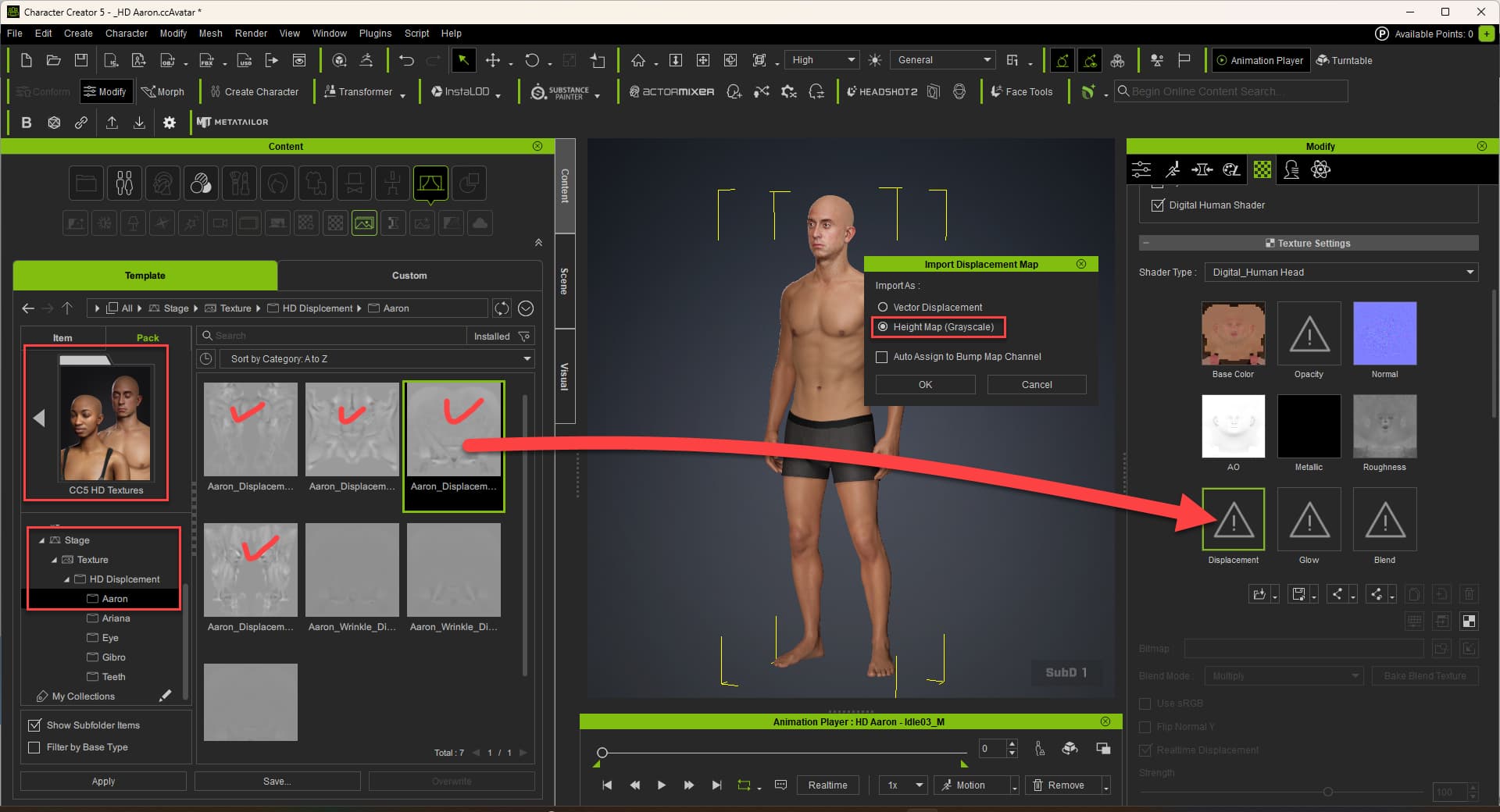
If you start from the character 8K Aaron, we suggest you use the displacement map for the mesh ZBrush detail.
Load the displacement maps from CC5 HD Textrue pack to each material’s displacement channel. (Head / Body / Arm / Leg) Select “Height Map(Grayscale)” option.
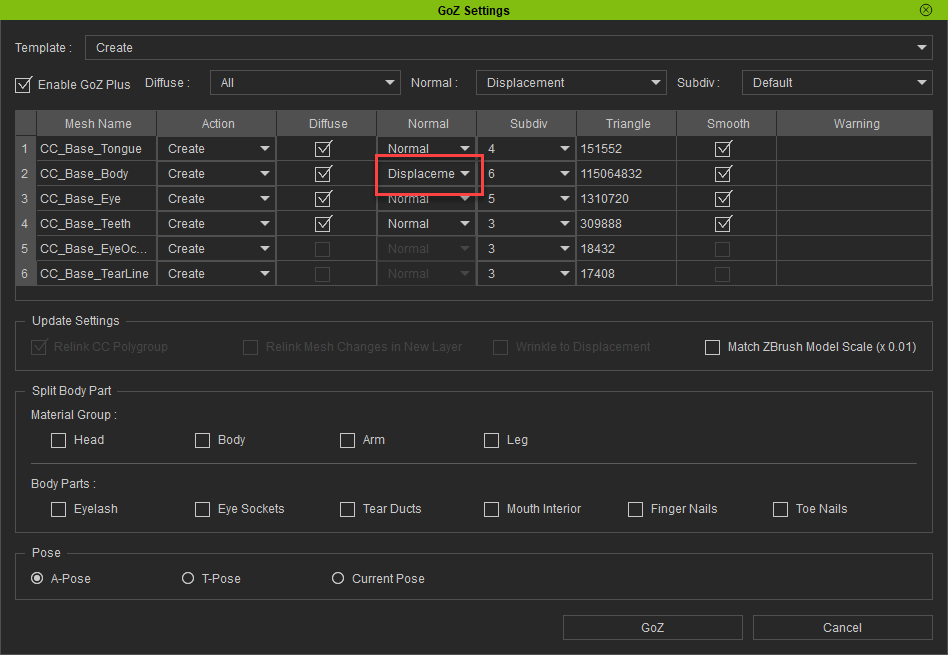
Make sure the Normal option is “Displacement” on the GoZ Panel.
These details in the setup are hugely important! Thank you so much for taking the time to explain. I can confirm its working perfectly now when setup as you outlined on ZBrush 2022.0.8.
Cheers!
Sorry to hijack your topic, I just have the same setup, same version of Zbrush and trying things out with CC5. I am able to get it all into Zbrush like you’ve managed, but I am not able to get it back into CC5. I can get the CC3+ characters back in, but no matter what I do, I can’t get the HD CC5 characters back in. The GoZ plugin only wants to bring it in as cloth. I’ve made sure the naming hasn’t changed but still no luck.
I’ve not seen it work sucessfully so I am curious if you’ve managed it.
Hey! Happy to try and help.
Yes, I have it working flawlessly right now for anything I need to import and export. (bodies, props, etc.)
Couple of things to try.
First, make sure you have the correct settings for import and export on the CC side. I remember once I didn’t and it imported as clothes prop or something.
I would un-install other versions of zbrush if you have it. I haven’t figured out a way to control which version of zbrush CC will pass files back and fourth.
GoZ settings might play into this… IDK honestly, but just a thought.
Michael Pavolich has a ton of tutorials on this process, he just never explained exactly my issue (as far as I could tell) with the latest software. However, it might be worth checking out his youtube for more info. One thing he mentioned that he always does is delete the zbrush cache files on every CC to Zbrush handoff. He said he also ran into issues if he didn’t do this.
Unfortunately I cant share screen shots or anything cause I don’t have CC setup atm. (long story I am having construction done in my office and my desktop is down). But hopefully this gives you some ideas of stuff to try.
If you do get it working please share what you did so others can potentially fix there issues!