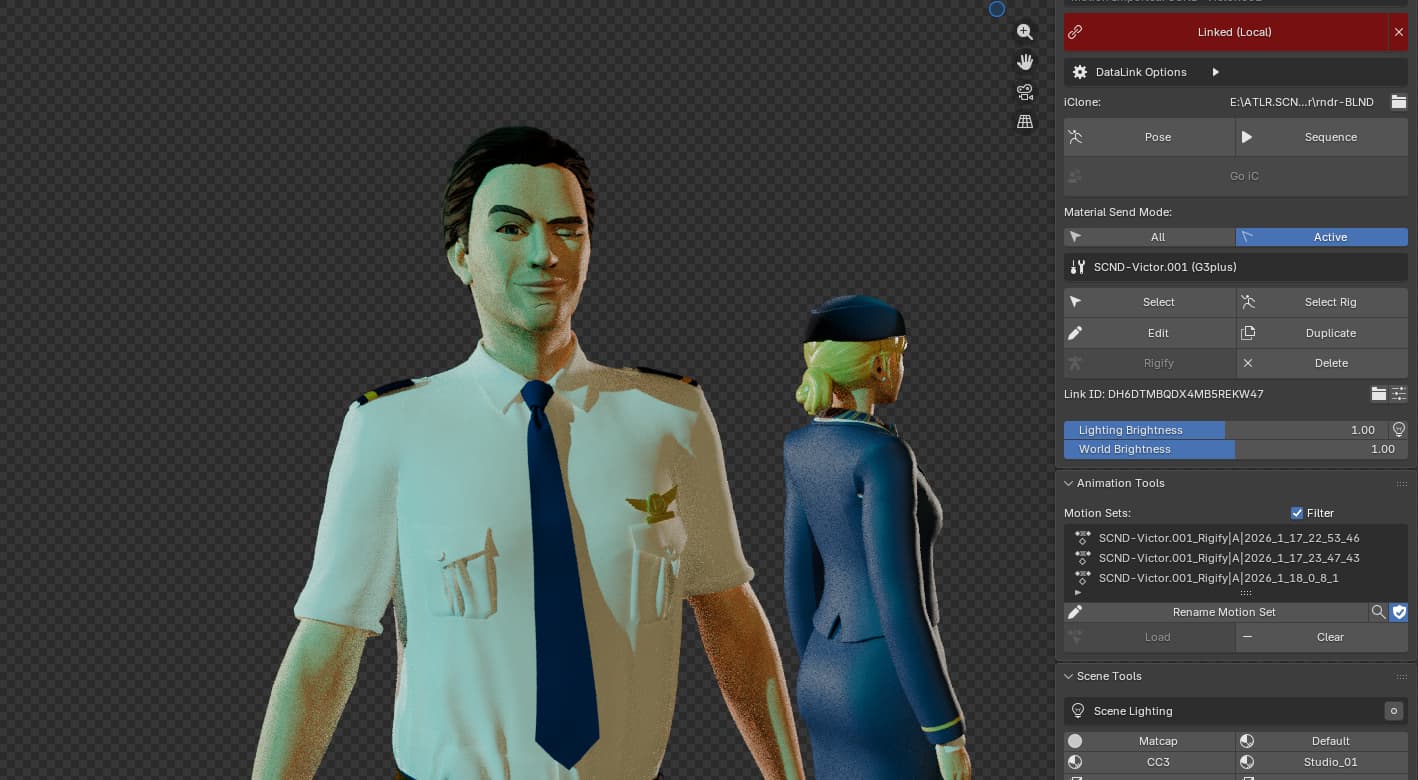
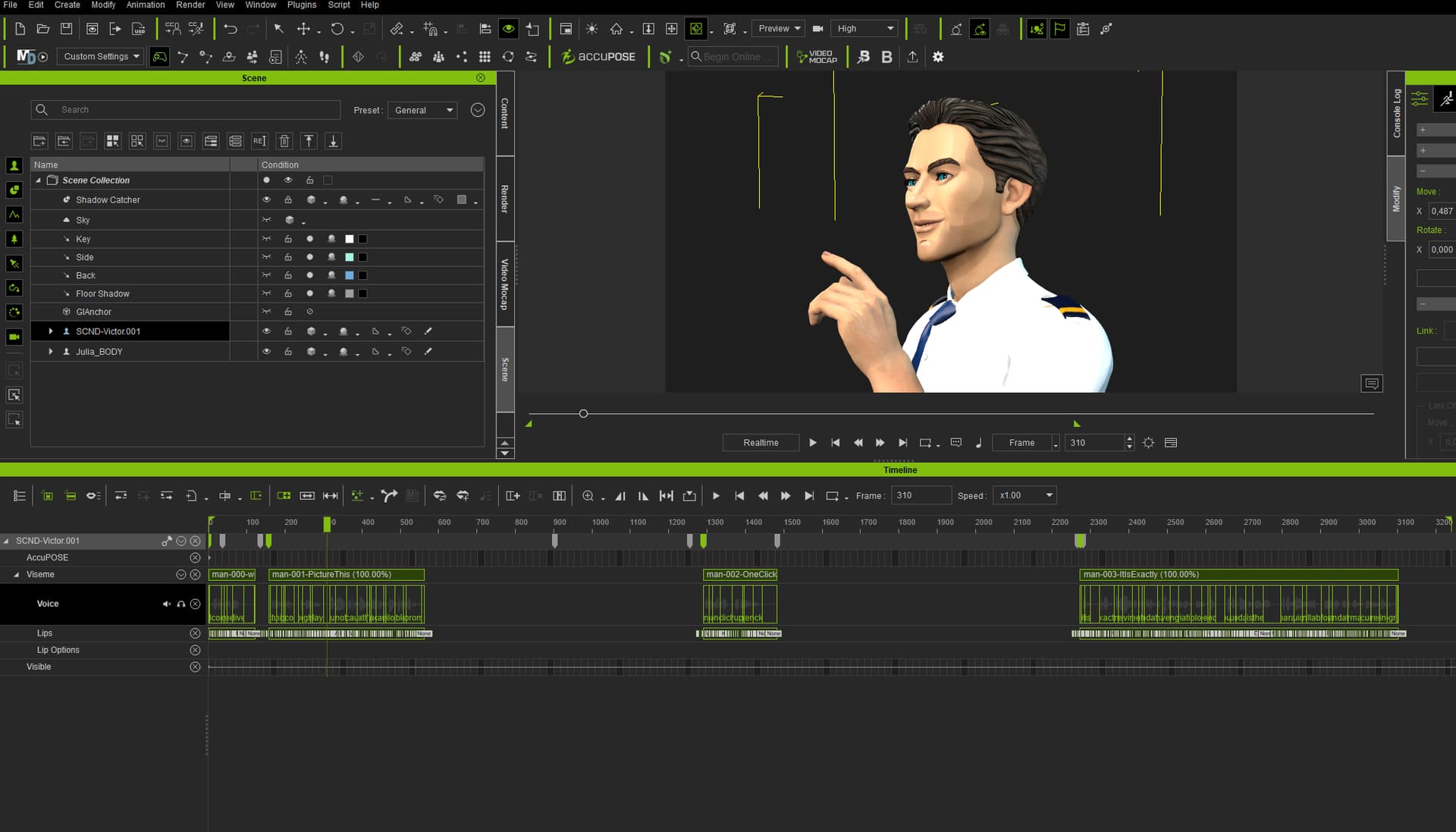
Dear Reallusion and community!
Please help me solve this problem or find out what I should do better!
I made an animation of a character talking in iC. Used four audio files. In iC, everything is nice and smooth. Character moves, has expressions, and talks.
But once I do export the whole animation into FBX to be used in Blender. Something is not right.
Once I import and retarget the FBX animation inside Blender, there is just the first lip-sync sequence and a small part of the second one. Sequence no3+no4 is not happening at all. Character is partly without lip sync and facial expressions.
Please help! Is this some common issue? Are there any limits on the length of the animation? Does it need to be the lip sync as “One Piece”? What should I do better?! Thank you.
Ondrej
SW specification: iClone 8.65, CC/iC Tools v2.3.3, Blender 5.0.0
HW specification: AMD Ryzen 9 9950X3D 5.7 GHz, AMD X870, NVIDIA GeForce RTX 5090 32GB, RAM 128GB DDR5, SSD 4000 GB, Wi-Fi, HDMI 2,1 + DisplayPort 2,1, 4× USB 3.2, 1× USB 2.0, Windows 11 Pro
FBX-Missing-Speach|690x394
Hi,
Thanks for the detailed report and specs!
I tested exporting multiple audio lip-sync tracks from iClone 8.65 to Blender on my end, and it seems to be working correctly.
To help us diagnose exactly why your clips are getting cut off, could you please share more details on your workflow or even project file with us? A video recording of your current result would also be helpful.
You can send the files at:
alanyang@reallusion.com
Once we have the file, we can check if there’s a specific setting causing the animation lost.
Thanks!
OK, thank you Alanyang!
Sending the file via WeTransfer. Subject: “FBX Export Missing Facilas + Lipsinc”
Nearly 1GB, 10mints to uplad…
Ondrej
Hi, thanks for your patience!
We tested the file and found it unable to export any lips animation. However, there should be a workaround for this issue. By flattening all animation into a iMotionPlus file and replace the original tracks, you can export a clean .fbx with all the animation.
You may do so by using the Collect Clip Track.
1.Open collect clip track in the timeline.
2.Drag to select the frames you want to be included.
3.Right click the clip you just created > save > save Motion Plus.
4.Delete all track, drag in the new Motion Plus file.
5.Export the character as .fbx file.
Please let me know if this works!
Hello alanyang_RL,
Thank you for your help and advice! Really appreciate!! Seems like it works! Great!!! Just the expression and blinking are missing. How can I improve this?
Hi, glad to hear back from you!
There’s blinking animation on my end after importing the .fbx file to blender (Only one blink in the character SCND-Victor.001 from the expression at the very first.). To clarify, Auto Blink cannot be recorded. You may use the record button in Face Puppet and mouse click to record key. There should be a clip in Expression Track afterward.
Please let me know if this is the problem you encountered!
Hello alanyang_RL
Thank you again for your time and support! OK, understand. So iClone can not export the auto blink. Maybe some future version… one day? It would be nice to have. 
I was trying your recommendations and must say I was´nt much sucessful. If
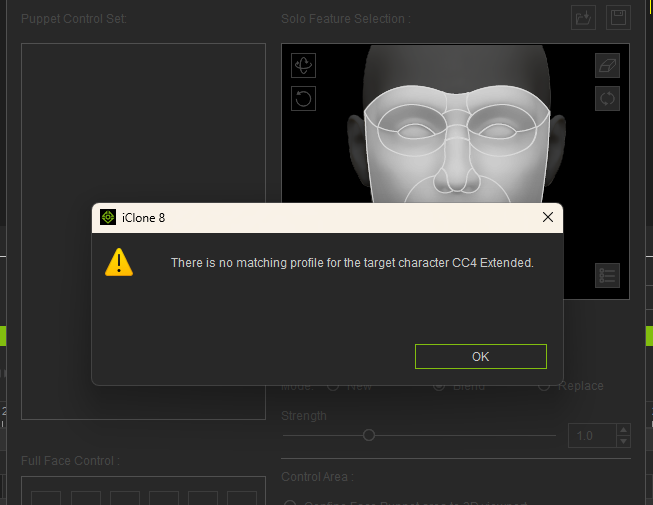
I try animate blinking using “Face Puppet” I am getting this:
Can I solve this somehow?
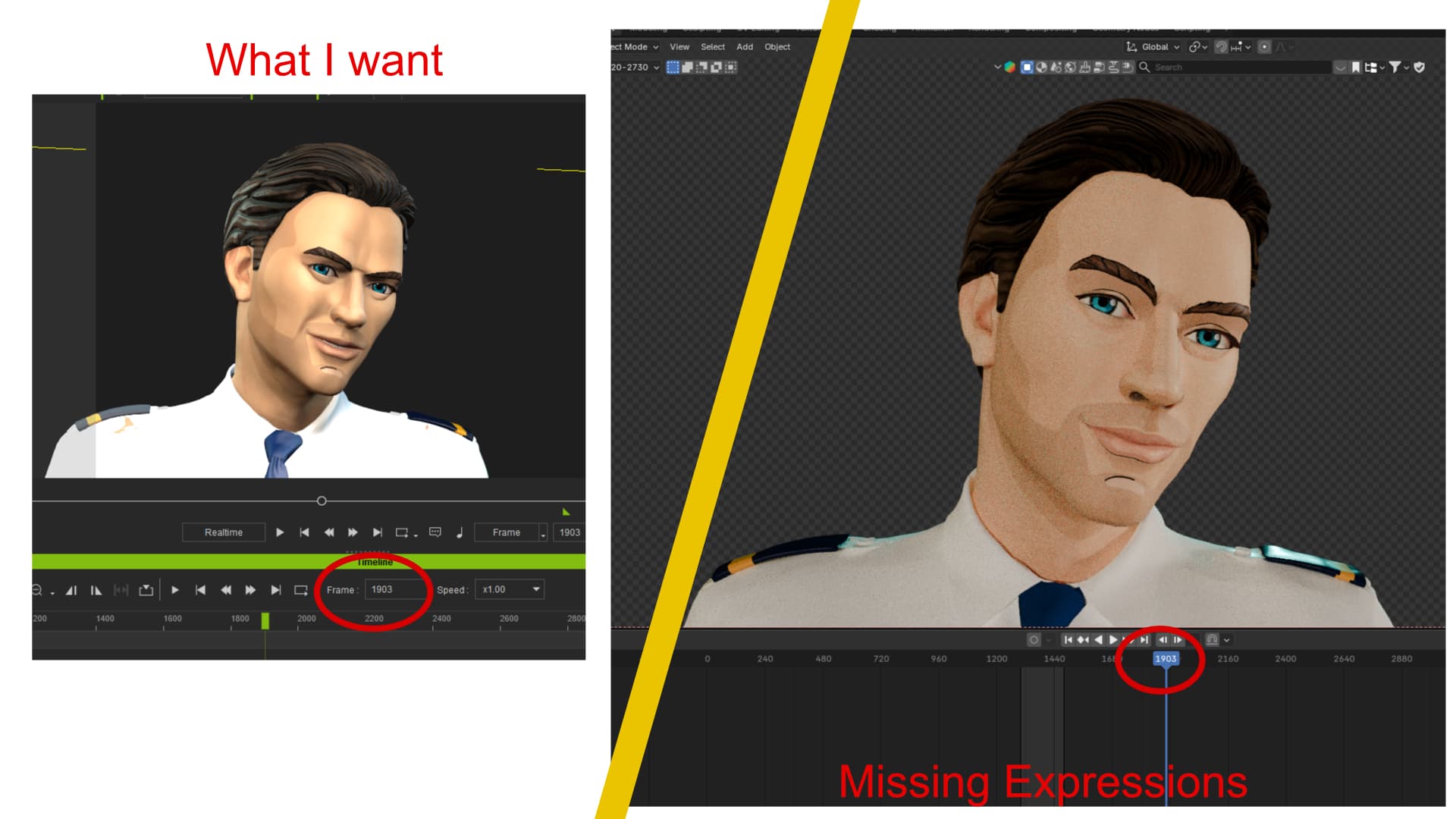
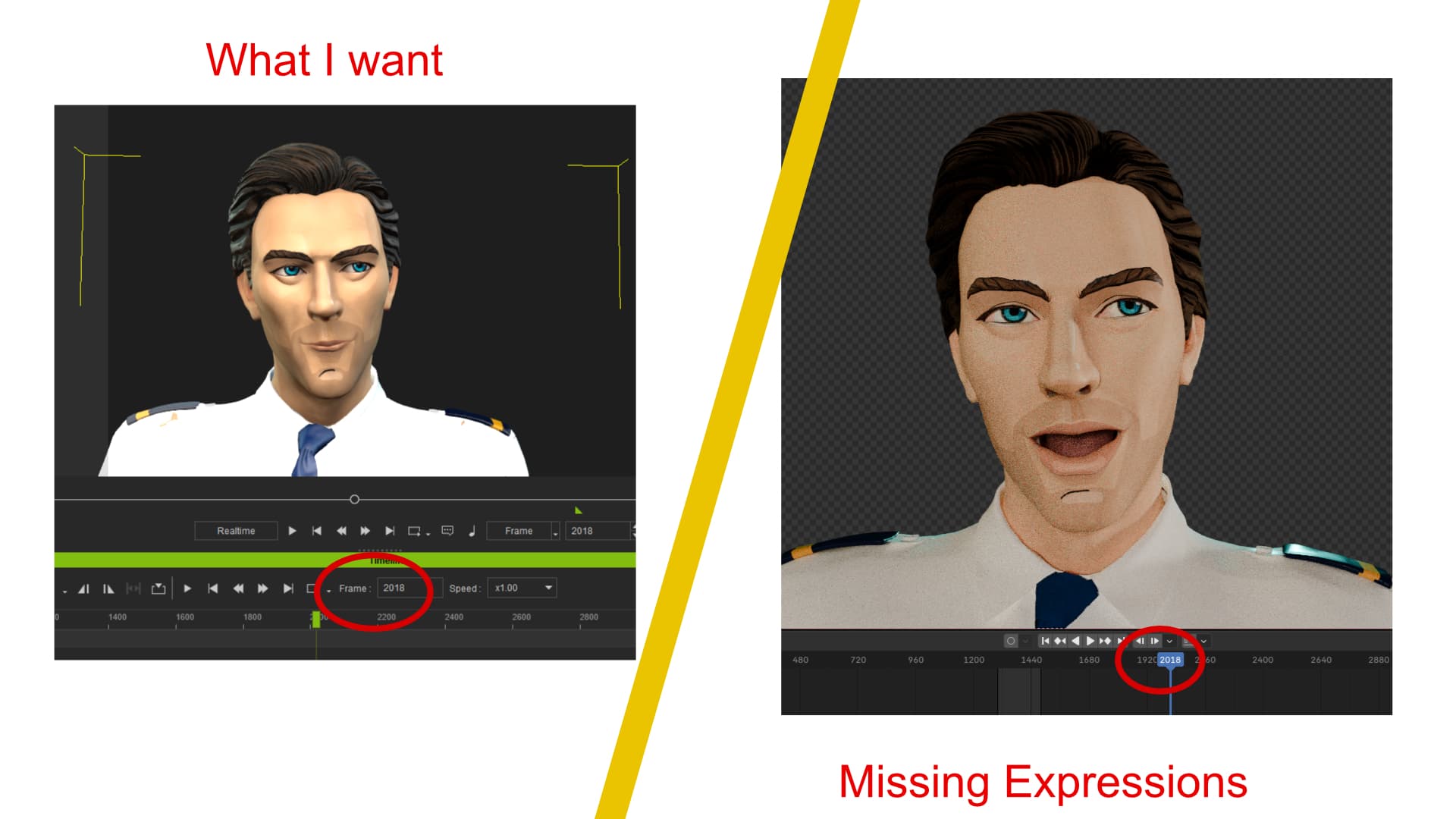
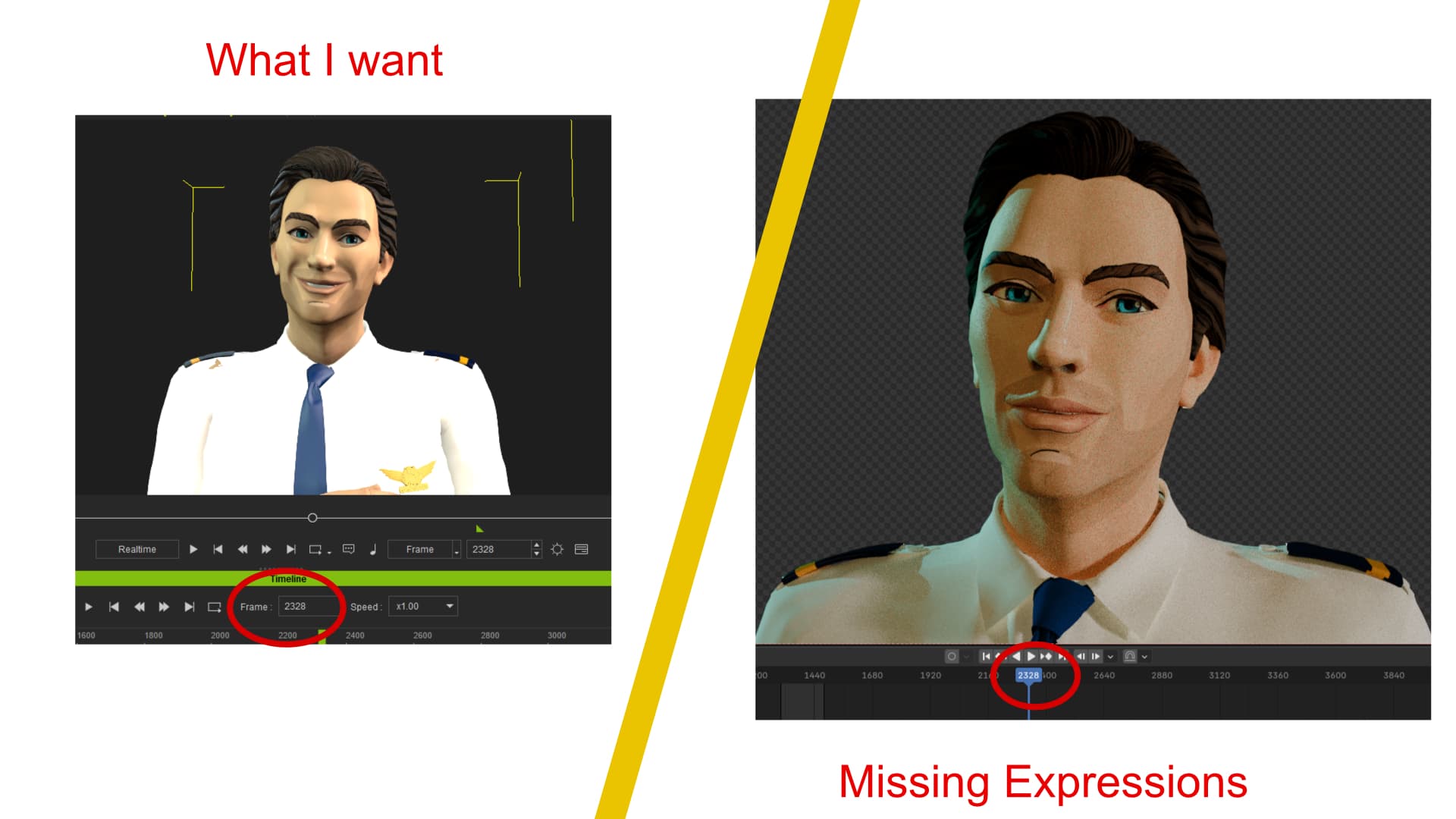
And if I did a small test using your workaround with “Motion Plus”, I was successful with lip sync, but as you can see I have lost part of the facial expressions.
How to make it better please so I have those expressions correctly transferred into Blender for rendering?
Hi,
Sadly, I am currently unable to reproduce the issue using the project you provided (please let me know if you are using a different project).
To help us investigate further, could you please email me a screen recording showing the following steps?
- Creation Process: Show how you create the footage, specifically keeping the Expression Track visible in the timeline. We need to see which specific expressions you are using, your export settings, and how you are importing the file into Blender.
- Face Puppet Check: Show us what happens when you open the Face Puppet panel on the affected character.
Having this video will greatly help us identify the cause. We hope to resolve your problem soon!
Thanks!
Hello Alanyang_RL,
Thank you for a quick response. I am still using the same file that I sent to you. How does it behave on your side? Is it working OK for you? Or how do you mean you are not able to reproduce the problem?
I have created those screen records, and I am sending them again via WeTransfer. Hope it will help you to identify and solve the problem.
Looking forward for some more light into this workflow tunnel.
Have a great day!
Hello Alanyang_RL,
I invested some more time to researching and seems I fond my way.
Here I am using your recomended workaround, just for step 5. I am not sharing the motion as FBX, but I tried (just to eliminate all options…) … I tried to press “Blender Data Link / Send Motion”.
And… It worked!! Seems like After two weeks I can see the light on the other side!
So now I would love to have not one, but two check boxes in next version of iC. If it is possible and if it is not that rude to ask for streamlining iC/Blndr functionalityes…
- chckbox for “baking” iClone generated blinking
- chckbox for “internal” execution of steps 1. to 4. once I will press Send Motion :))
Anyway thank you so much for your help and support! I hope that now I have stable and reliable solution. I am looking forward for next round on some other topic
Ondrej
Hi, glad to hear about your progress!
Thank you for your kind feedback on how we can improve the workflow. However, the posts in the forum may not be seen by the development team. Please consider submitting them in Feedback Tracker, so that the team can give it a fair consideration.
Good luck with your project!