I’m trying the Demo Version of Creator 5 and trying to export to FBX for Lumion. Each time I export I get the standard T Pose in Lumion. I want to verify this can be done before purchasing but I’m burning up my export count. I’ve tried numerous combos with no luck.
If someone has a working process, I’d love to hear about it! Thanks.
Hi dburwell_272305,
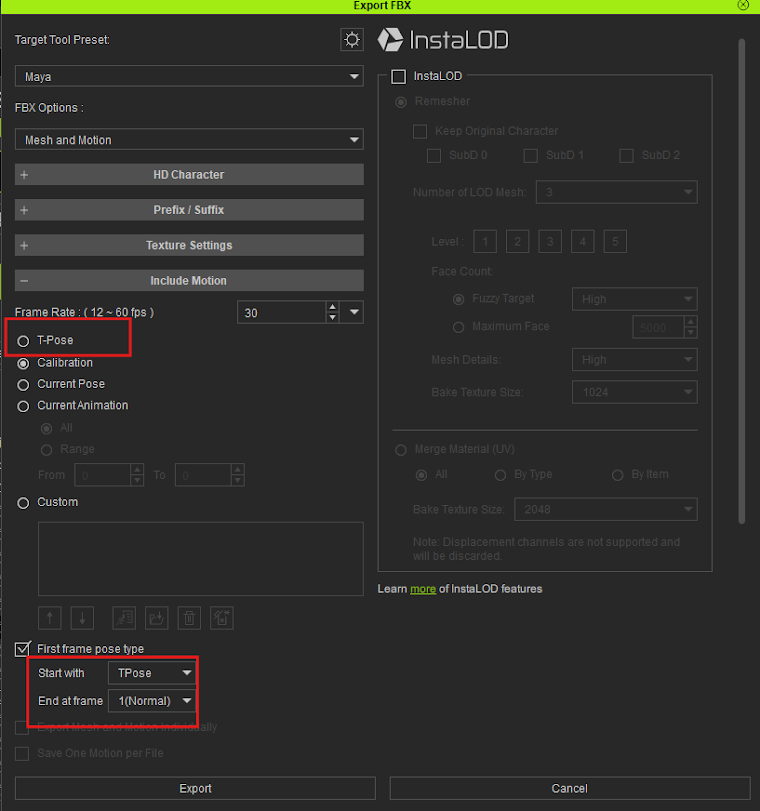
Could you please confirm what your Export settings are? We want to make sure the T-Pose option wasn’t checked by accident (as shown in the attached image).
Additionally, if all of your settings are correct—since we don’t have Lumion on our end to test with—would you mind helping us run a quick test? Could you check if the model looks normal when you export it back into CC or into other software like Blender or Unreal?
Thank you, and let us know how it goes!
Question: it keeps blocking my images from adding to the post, so I’m not sure how to get the info across.
Appreciate your response! A little background here - I’m not an expert animator, but I’ve done Architectural Renderings and Animations for years. The problem is most of the Architectural programs have unrealistic people. Trying to up our game with better people if possible. Wanting to use CC basically to create static people for different situations (i.e. Healthcare, Prisoners, etc.).
Here’s my export settings from CC.
I used Export/FBX/Clothed Character. Also, I set my pose to frame 745 (in the main viewer screen) to see what I get.
When I bring it into Lumion (Architectural Rendering Program) it sets it to T-Pose and loses the dress color, hair is all wrong, and eyes disappear from the model.
Let me know if you see anything I missed - it may just be a Lumion problem even though their documentation says it can be done.
Thanks.
Sounds a little bit like a shader problem. You need to make sure, that Lumion supports the same PBR shader materials that are utilized by the rendering engine in Reallusion software. There is often some kind of discrepancy between different 3D programs and then you might need to edit the materials manually.
Thanks, @Sophus.
Hi dburwell_272305,
As Sophus mentioned, you’ll need to verify if Lumion supports the same PBR workflow. To help us investigate this further, could you please share a screen recording of your workflow along with your project files?
You can send them directly to winnerhung@reallusion.com or share a drive link here.
Thanks!
Hi dburwell_272305,
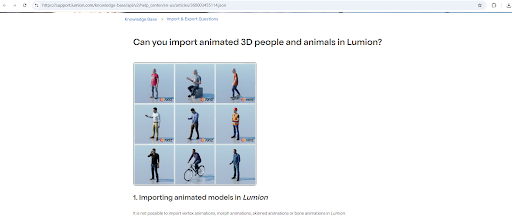
According to the official Lumion website, the current version does not support importing any type of animation. I’ve attached a screenshot from their documentation below for reference:
Regards