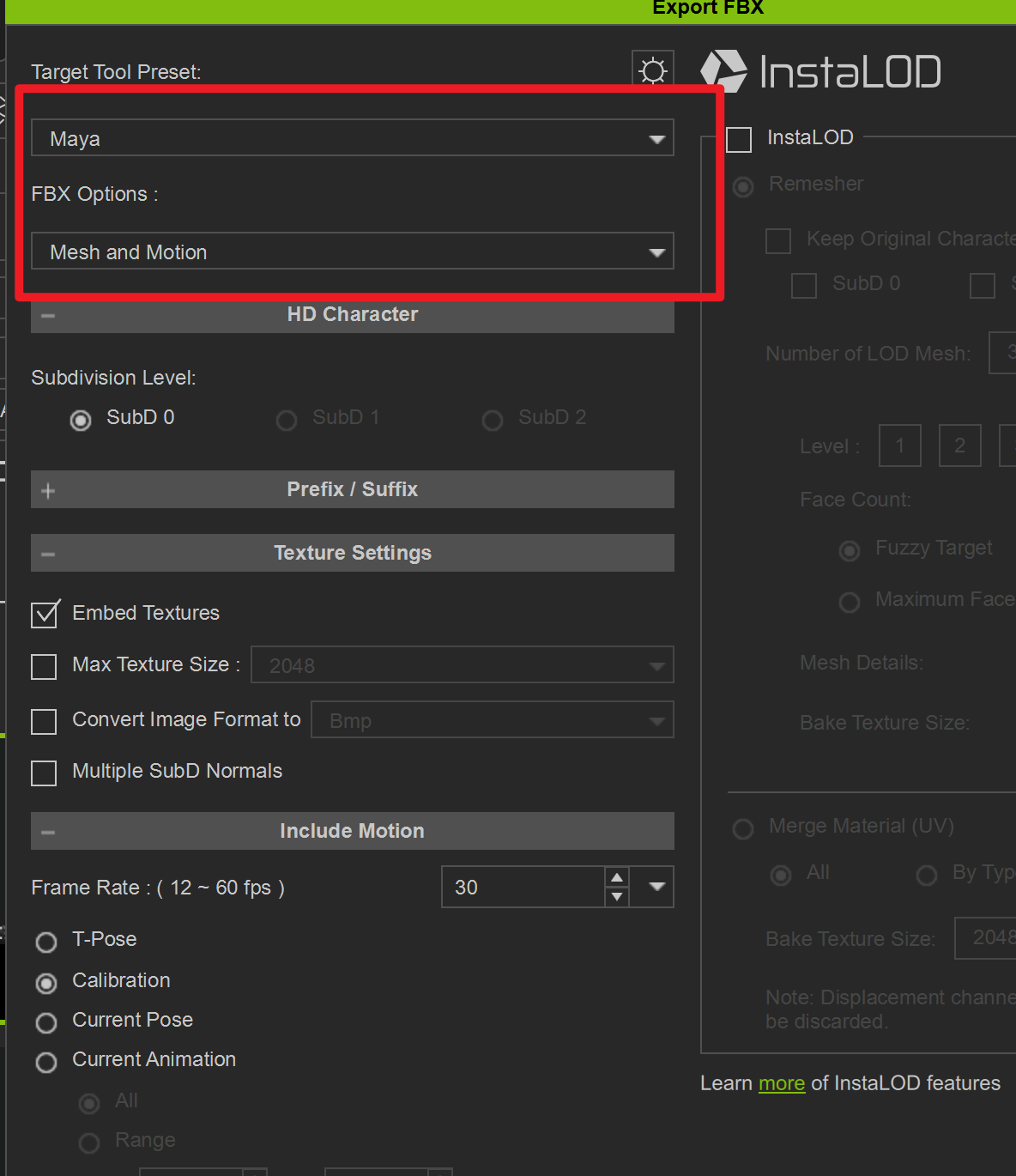
Why can’t I use the dropdown menu when I want to select UE5 preset options while exporting my model as FBX?
Hi sonicx2004,
Can you provide me with the version number of the CC you are currently using?
Additionally, could you provide a video of your operations? This would help better identify where the issue lies.
The dropdown menu doesn’t appear to be grayed out in the single image, so it’s not possible to determine more possibilities from the image alone.
Hi,I’m using CC5.2. After uninstalling and reinstalling the software, the issue disappeared.
1 Like
Thanks for letting us know the issue is now resolved. That’s great news. 
hello Administrator, I’m currently using CC v5.1.2 , this issue is still here.
Hi kayoubicreate,
To help us replicate and investigate the issue, could you please send us a screen recording of your workflow along with your custom character file?
We recently tested the export using the same version of UE5, and it worked properly on our end. You may send the files to winnerhung@reallusion.com or share them with us via a cloud drive link.
Thanks!
Hi kayoubicreate,
Check your Windows display scaling in your Windows settings. If the scaling is set really high, it can disable the drop-down menus. Often laptops will get the display scaling set to 300%, or so. So try setting the scaling to 100-150%
Hi sonicx2004,
Could you try using the mouse wheel to scroll down through the preset list?
Thanks