Hello,
Suddenly i have this message. whenever i try to install anything from the content manager.
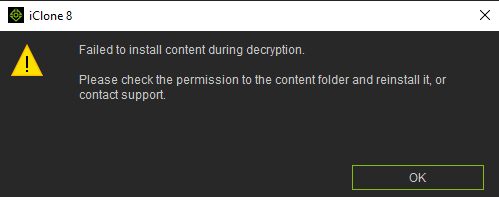
"Failed to install content during decryption.
Please check the permission to the content folder and reinstall it, or contact support
"
I have tried every solution online. I even reinstalled the Windows, and this message still there… Please Help
Maybe some over active Malware-detector?
@mohsaiedt
As the error message indicates, the content can’t be installed because it doesn’t have permission to access the content.
Please ensure you are signed into your computer with an Administrator account which should allow access to the content folders.
Also do check if the content is stored on an encrypted drive using Bitlocker or some equivalent software. If it is then the drive needs to be unlocked to allow iClone to access the content.