I have an issue where when rotating my character, either the eye occlusion or tear line can be seen from the other eye on top of the skin. Not sure where it is coming from. Any help greatly appreciated. It looks like the rim of the eye on the far side appears on near side but is in line with the eye itself.
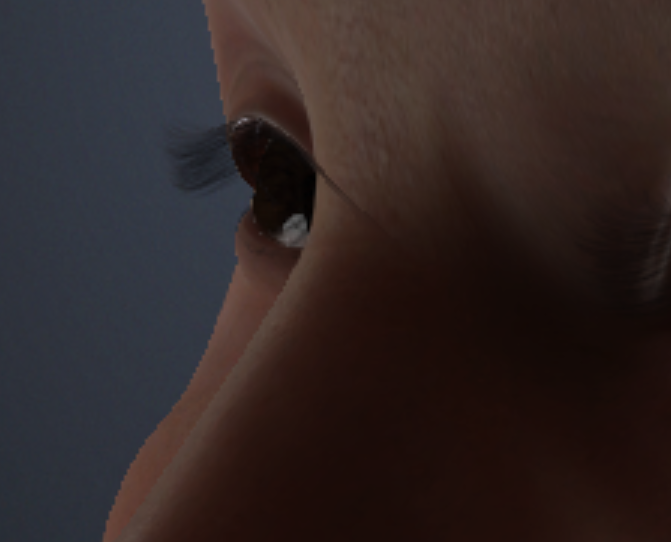
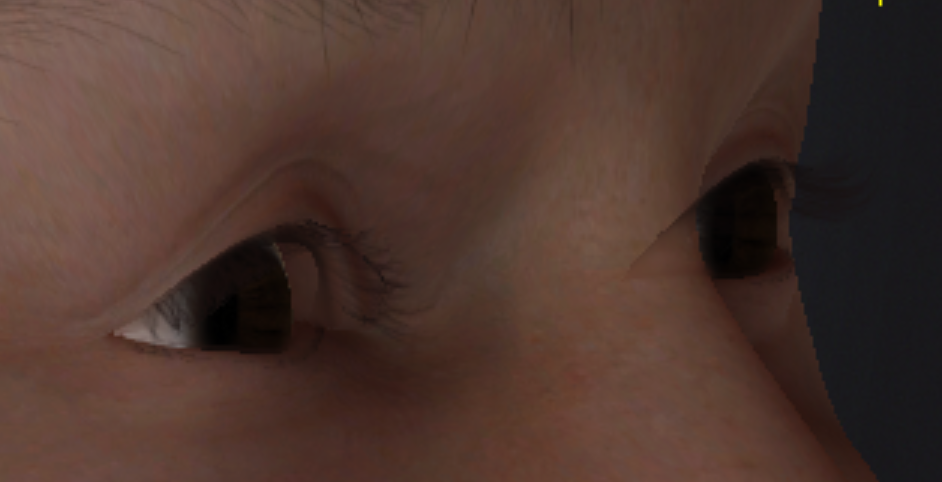
That’s super odd! What program are these screenshots from? cc5? Unreal?
Hi,
To help us identify the cause of this issue, could you please provide the following information?
- Software Version
- System Information:
- Content Used
If possible, please send the project file to alanyang@reallusion.com so we can check directly.
Thanks
yes thanks I am using CC5, Windows 11 and the new HD eyes in CC5
Hi,
Thanks for the info. Since we are unable to reproduce this issue on our end, could you please provide a bit more detail?
- CC Version: Are you currently using the latest CC 5.06 update?
- System Specs: What are your specific CPU and GPU models?
- Project File: If possible, could you send the project file to alanyang@reallusion.com? Checking the file directly would be the fastest way for us to identify the cause.
Thanks!
I have been able to isolate it to the eye occlusion layer. When I turn it off, it goes away but nothing was done with the layer in terms of movement. and even if it was moved, I don’t understand why it would appear past the nose to the other side through the skin.
Have you tried to delete Tearline and Occlusion elements and recreate them? Often times it fixes the issue of proper alignment.
I also noticed from the second screenshot that there is a fairly large gap between eyeballs and eye leads. You may want to align/resize/tweak eyeballs with morph or proportion tools to close the gap before adding eye elements.
Good idea on the delete but how do you rebuild the tearline and occlusion without starting over with new eyes
There are 2 buttons in Modify panel (you have to select a character root first). You can use “Fix Eye Element” or delete Tear line and Occlusion objects and use “Add Eye Element” button. I prefer latter method.

Ah thanks…found it. I already fixed the eye element but was still there. deleting and readding the eye element worked. I have no idea why that happened but thanks…worked like a charm.