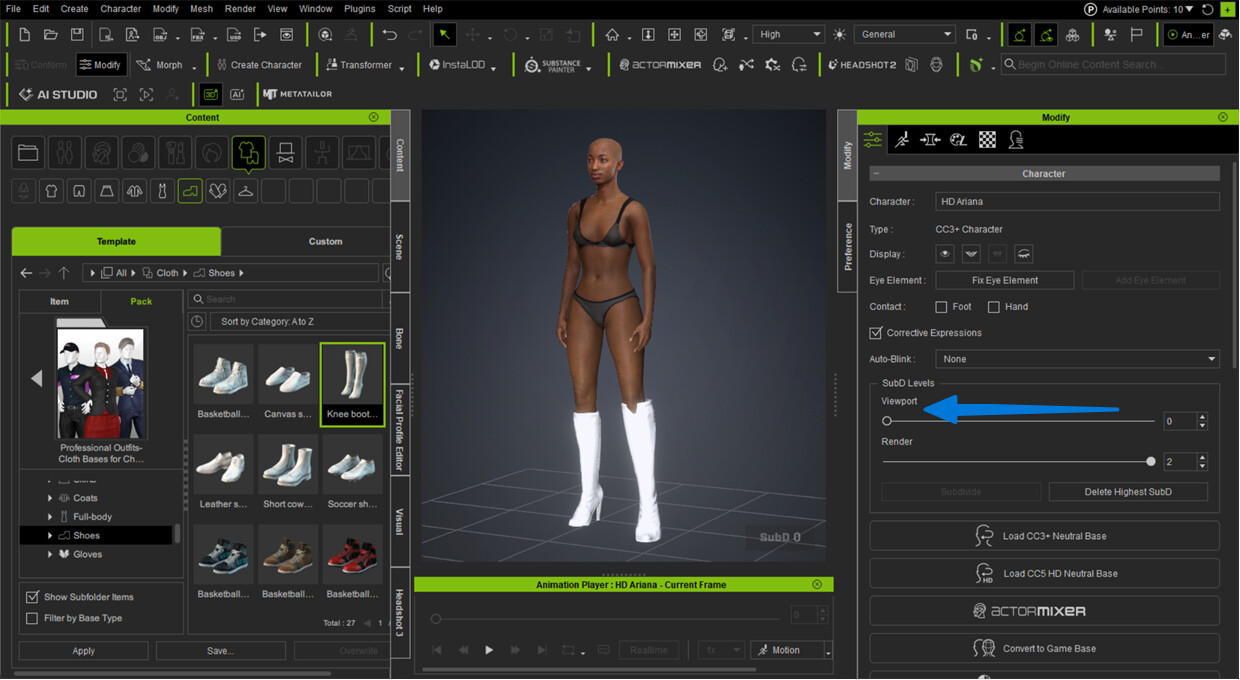
I am trying to edit shoes on my character. I enter Edit Mesh and can perfectly edit the shoes. When I exit Edit Mesh however, the shoes revert back to their original state! I can edit other clothing elements, but not the shoes.
Anyone any idea why this happens?
1 Like
Hi…
Is this happening with all shoes or just one in particular. If it is only happening with shoes you purchased or downloaded from the Content Store or Marketplace, please give a ink to the product so we can test it.
Also can you confirm if this is happening with CC5 or CC4?
Thanks.
Hi!
It is just with these shoes and I am using CC5.03.
This is the link to the product: Sckript 1700 Series Suits bundle - Character Creator/Outfit - Reallusion Content Store
Hi @Dutchottie
I know this may seems off-topic, however, currently we have a monthly campaign at our content store, and you can have a chance to take home one pair 3D shoes content for free.
Don’t miss your chance by casting your vote at “VOTE TO WIN” page. The item will change when the next round starts!
I’m having the same issue in CC5.11.1823.1 “Female_knee_boots” found in 3D Clothing - Professional Outfits for 3D Character
I’m in Modify->Edit Mesh and have the boots selected in the “Element” tab. I scale the boots bigger using the ‘R’ key gizmo to my liking, then, close Edit Mesh and the boots revert to their original size. It’s ridiculous.
Hi @Dutchottie & @Freshness34,
We were able to replicate the issue using different characters. Our team has been notified and is now investigating. We will keep you updated on their progress.
Thank you for your patience!