Is there a way to install the initial version of iclone eight without the updates attached. It might be worth trying since I can’t get anywhere with the newest iclone. Barring that, I might just go back down to iclone seven and see if I get anywhere.
One options is to see if you still have the install file of a previous version. It depends on a setting in the Hub. Open the Hub and click on Settings. At the bottom is a list of default file paths:
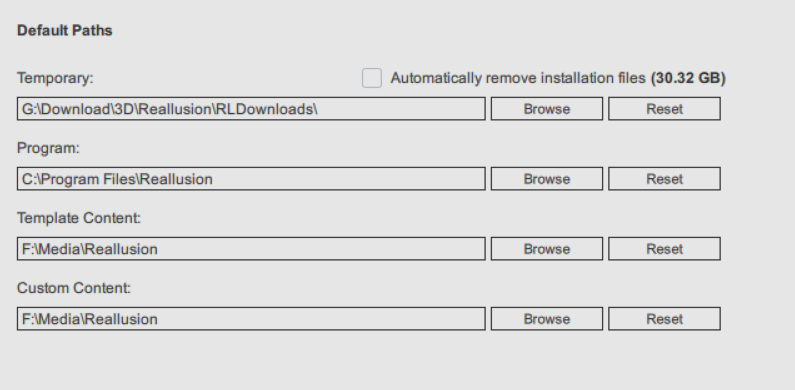
The one under Temporary is where install files are stored. If “Automatically remove installation files” is NOT checked, install files will be saved in that location.
Go there and you will get a list like this (yours will be different):
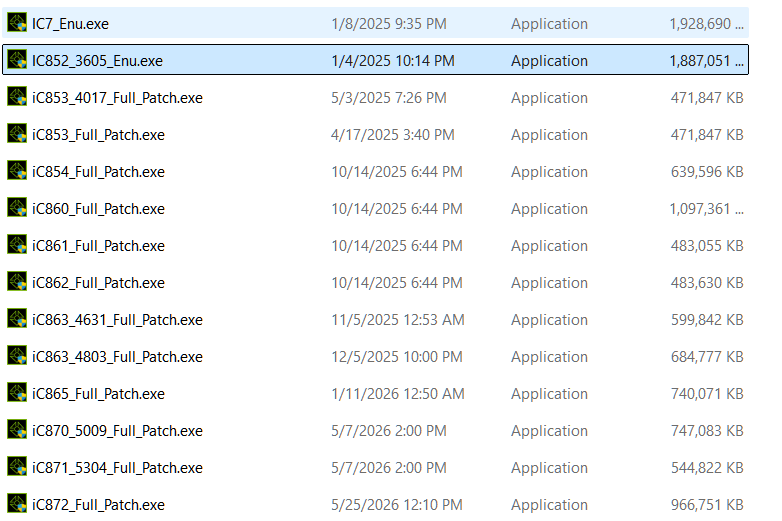
I have captured the part that lists iClone install files.
If the file name has “Patch” in it, you can not use it to go back. I have one file without it, called: “IC852_3605_Enu.exe”. That would be the one to use if I wanted to go back. You would need to uninstall your current iClone (while connected to the internet so an install seat is freed). You can do that via the Hub. Then you run the full install file.
If you don’t have a full install file, you can try contacting support to see if they will provide one.
Now, while this may work, there are many caveats. First, any projects you have created will not open in an earlier version. Same is probably true for any custom content. Speaking of content, any content you have bought or that is included in iClone, may not open. So while you can revert the program, this is not true for content. BTW, if you use Character Creator, you would need an earlier version of that too.
So other than Support making a real attempt to help sort your problems out with the current version, I don’t believe there is much of an alternative that won’t cause massive headaches.
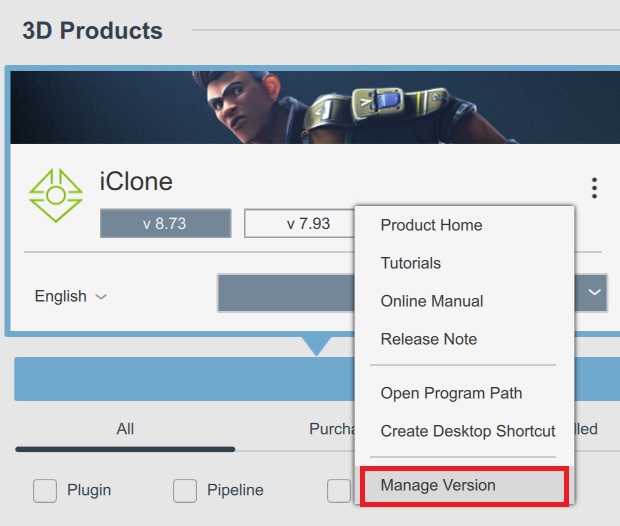
The Reallusion Hub allows you to roll back to the previous version if you encounter an issue after an update. You do this by clicking the three dots and then select “Manage Version” as shown highlighted below.
For older versions, please contact Support and they can normally supply you with a download link.
1 Like
Thank you, Peter, for chiming in! I am very old-school and not always aware of the latest features…
I made new effort which is working so far. I always trash the temp files before opening iClone. Then in my scene, I initially turn off everything but the characters, then add parts of the scene that is actually in the camera frame. It’s been working that way.