Does anyone have a clean process to export only lip sync to Blender?

I am very experienced with Blender, but fairly new to iClone. I am using iClone primarily to do character lip sync with AccuLips, but do all other animation in Blender.

I am trying to configure a pipeline where I can create/modify the Viseme track in an iClone project, and export just the shapekeys and armature keyframes related to the face of the character. I don’t want the export to affect bones & shapekeys of the rest of the character and other objects in my iClone scene. Is this possible?

I guess the bigger question is: is anyone using iClone just for face animation in a pipeline where the rest of the character animation is being done in Blender? If so, how did you set it up? I have been successful doing this as a one-time/one-way process, where I start the character in iClone, do the AccuLips work, and then push the Avatar into Blender. But I haven’t been successful modifying the Visemes in iClone and pushing an updates of just the affected shapes/bones without clobbering things in Blender.

Some more specifics: I’m using the latest release of iClone 8, Blender 4.5 and use Rigify in Blender (some of my tools & automation for characters in Blender depend on Rigify).

Thanks

Maybe in the future Victor would add a separate action for transferring Expressions and/or Lip sync data, but for now you would probably have to send a secondary character (which has a lipsync data recorded) of the same generation from iClone and then in Shape Key Editor select a Body track for your main character. Or Copy/Paste selected shapekeys between actions.

This may do

Thanks for your reply. What you suggest is essentially how I am working around this. I have an interim Blender project with the output of iClone, and then I made a script in Blender to remove the keyframes for controls & shapes that I don’t want. After cleaning them up in the interim Blender project, I append those actions to my main project. It gets the job done, but is cumbersome, it would be great to be able to filter the scope of keys that iClone sends to Blender.

Even with the cumbersome workaround, it’s still a good solution for me… The AccuLips and Viseme track editor are super helpful and efficient.

If anyone is interested in this workflow, here’s a more precise description of what I am currently doing. I would love to be able to optimize further, so if anyone has ideas please let me know.

General setup: I created a G3+ character in CC4, and used the Blender Datalink plugin to push it into a Blender 4.5 project (using the CC/iC Link plugin in Blender). I used the Rigify option in the CC/iC Link plugin to create a Rigify rig for this character. This is the main actor in my Blender scene.

Using iClone 8.6 and AccuLips, I created the lipsync on copy of just the Body mesh of my character (no clothing, no eyes, no hair etc, because I only am interested in the lip sync).

After the lip sync is to my satisfaction in iClone, I created a blank Blender project to be the container for the transfer of the lip sync animation (rig control key frames, shapekey animations). I used the Blender Datalink plugin to send the avatar and/or motions to Blender. In Blender, this creates actions that holds the rig animation keyframes, as well as the shape key animation keyframes.

In the interim Blender project, where I imported rig action animation, I removed all of the rig action keyframe channels that I don’t want. Basically I remove everything that isn’t teeth.T, teeth.B, jaw_master, and tongue_master channels. (I wrote a Blender plug-in to make this part easier).

I also had to tweak the jaw_master rig contol F-Curve for X-quarternion curve to open the mouth slightly. For some reason in this character the mouth is more closed after the Rigify rig. I have not investigated root cause of this yet and the fix/workaround is fairly straightforward.

Lastly I had to make sure that all of the keyframes that came from iClone are at the right position in time. I don’t know if it is a limitation of my knowledge of the Blender Datalink, but if I set the animation range in iClone to something like frame 300 to frame 1200, the keyframes in Blender all start at frame 1. This is annoying because I really need the iClone frame numbers to be in sync with the Blender frame numbers. Due to limitations of the Datalink, I am only able to export about 1200 frames at a time (24fps) from iClone otherwise the Datalink hangs at 30% progress and I need to force quit iClone. So, for a 6000 frame lip sync animation, I need to export the keyframes in 1500 frame chunks. Since the frame numbers are not preserved, I have to manually align these in Blender.

Now that everything is cleaned, aligned, verified and renamed in my interim Blender project, I save that project and open my main animation. I “append” the interim character into my main project to bring in both the shape key animations and the rig action animation. Using the Action Editor in Dopesheet I assign the face rig action to my main character. Using a Shapekey transfer plug-in, I transfer the shapekeys from my interim character to my main character.

This feels like a lot of work, but this flow is deterministic and repeatable, and in the big picture of things, I can do it on a 6000 frame lip sync in about 1 hour. I would love to have some optimizations on this. Three obvious ones would be changes to iClone’s Blender Datalink plugin: (1) add an option to filter what is sent to Blender; and (2) add an option to preserve the frame numbers between iClone and Blender; and (3) support export of a large number of frames without crashing. I’m new to iClone and Reallusion - is there a developer feedback process?

thanks
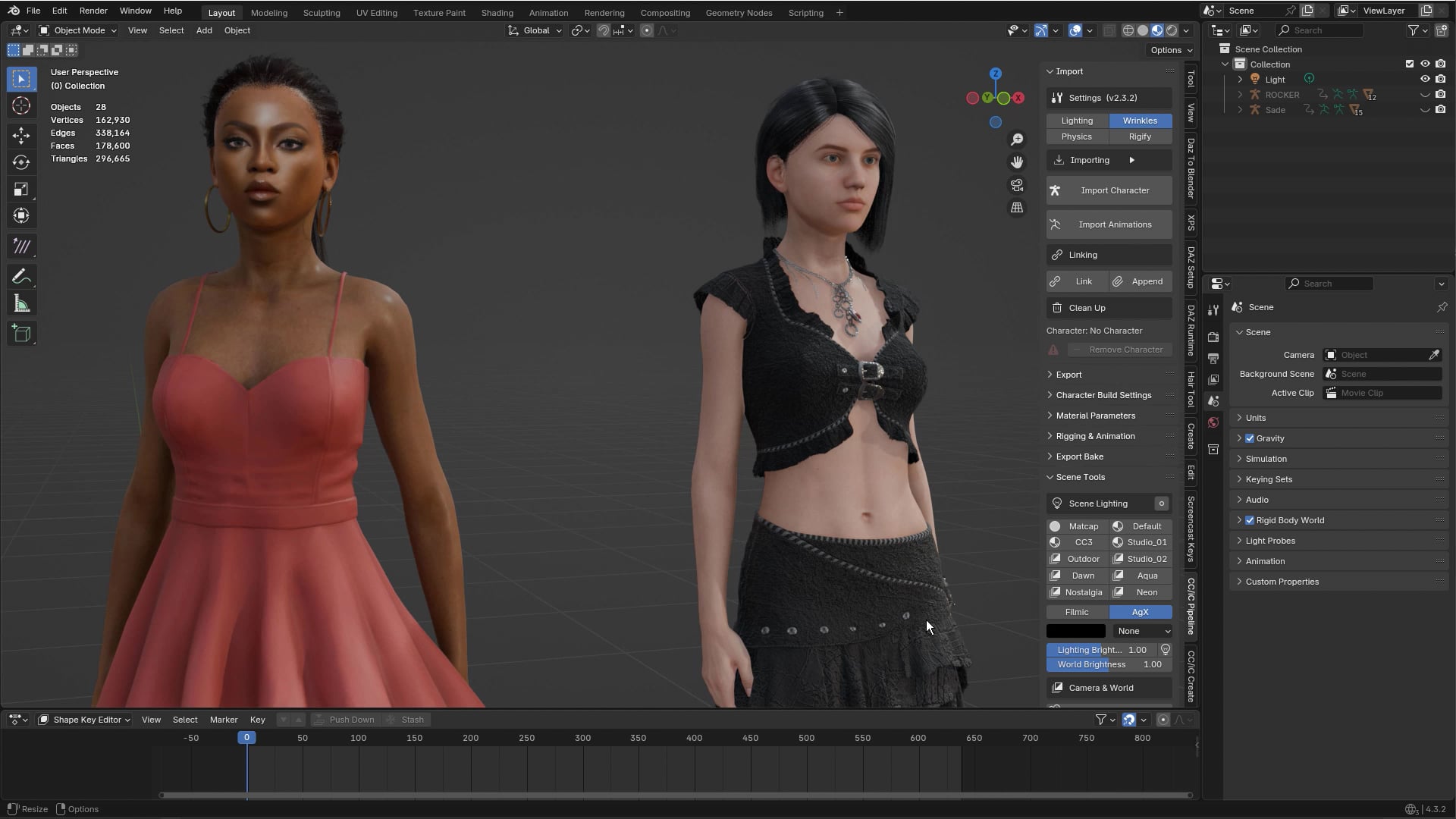
It’s not quite as simple as that. Except for shape-keys, which are simple enough to send a limited number.

The bones, however do not exist in isolation. They are part of a hierarchy. The final position of each bone is the cumulation of transforms of each bone in the hierarchy all the way back to the root, without those bones you can’t calculate the local transform needed for the action tracks. And that’s just for the standard CC3+ skeleton. Once you Rigify it, it gets really complicated as the Rigify skeleton is completely different and needs a full retargeting rig to translate the pose.

The crashing I can nothing about. That’s a bug in iClone’s FBX exporter and should be reported.

But an FBX export is not the only way to get an animation out of iClone into Blender. What sprung to mind was the Live Sequence.

The Live Sequence sends the raw animation data directly over the DataLink and rebuilds the animation in Blender. More to the point it sends it to the same frame as in iClone (as Blender starts at frame 1, it sends to iclone frame +1), and as it doesn’t use the FBX exporter it can send any length of animation.

It’s not exactly lightning fast as it essentially has to replay and retarget the animation on the fly in Blender. But it should only take about 5 minutes to send 6000 frames.

It could be further modified to send only the chosen blendshapes and to write only the chosen bones into the resulting action.

Ideally what I’d like it to be able to do is overwrite the existing actions on the character with the frames sent (and only for the selected bones and blendshapes), instead of generating a new action with just that sequence.

Then you could send the viseme animations directly to the target character rig, without any need for intermediary Blend files.

Victor - thanks so much for the detailed information and suggestions. I am guessing you are responsible for the Blender plug-ins? If so, great work this is an incredible capability for iClone. The Blender link was one of the reasons I decided on iClone in my pipeline.

Your suggestion of using Live Sequence was great. Yes, it took about 6 minutes to transfer a 6,000 frame sequence, but it was able to do it in a single operation, and it preserves the frame numbering between systems.

Because Live Sequence was able to send the entire animation in one pass, I was able to do the end-to-end workflow (load up the source iClone & target Blender files, transfer animation for 6000 frames, clean up action channels in Blender, append to target Blender project, apply animation to rig, copy shapekeys to meshes) in about 12 minutes, which is really not too bad. I might be able to do further optimization on the Blender side with some custom Python scripts to do the parts that are repeatable (e.g. modify the X-quarternion baseline on the jaw control).

Also, I realized that since Live Sequence preserves frame numbers between iClone & Blender, that I should be able to create a “patch” workflow between iClone and Blender using Live Sequence (e.g. for modifying a smaller frame range in the iClone animation, and pushing just the patched frame range into Blender). It will take a little work on the Blender side to safely merge the “patch” actions and shapekey animations, but this should be fairly easy to set up.

Thanks again for the insight on this and the suggestion. I am very new to the Reallusion platform, so I’m still trying to figure everything out.