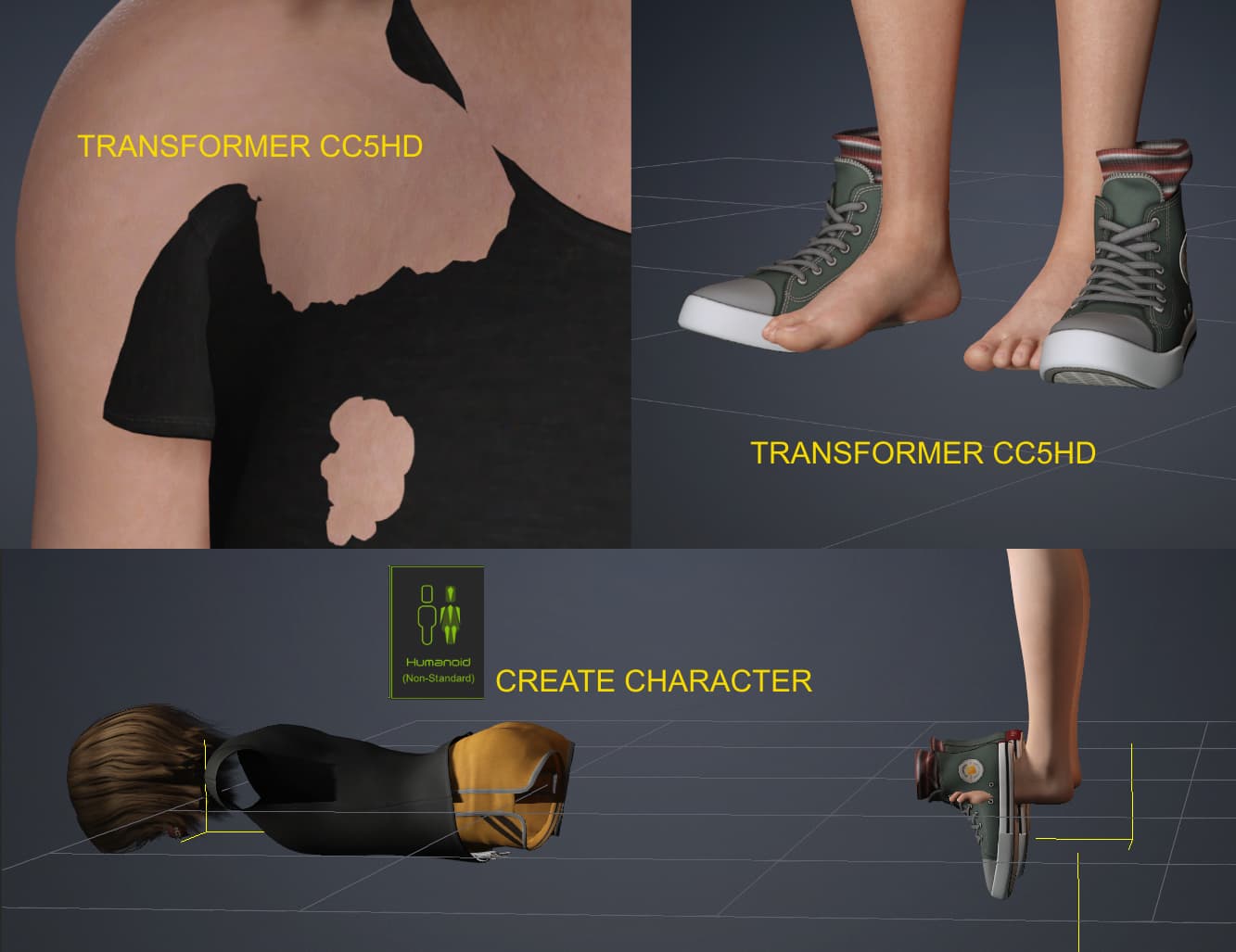
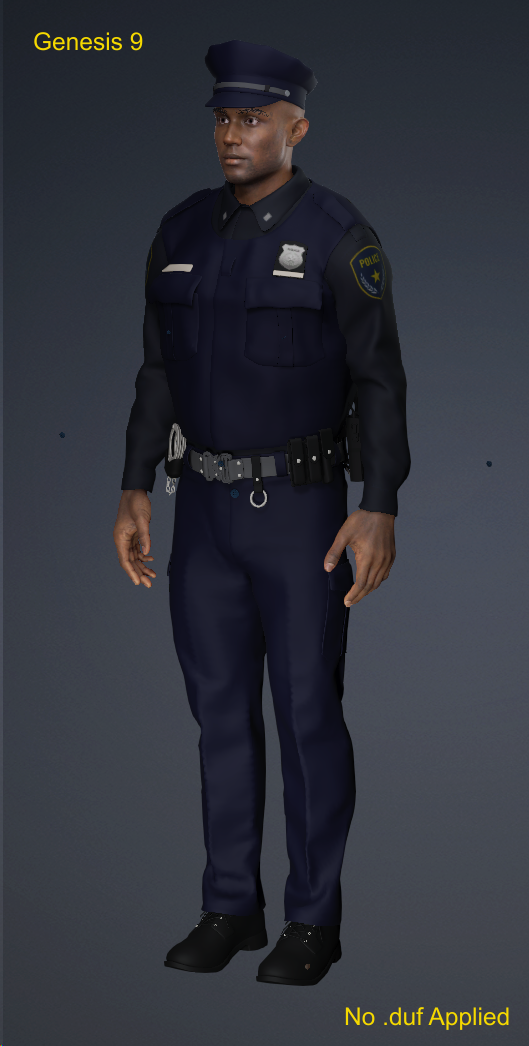
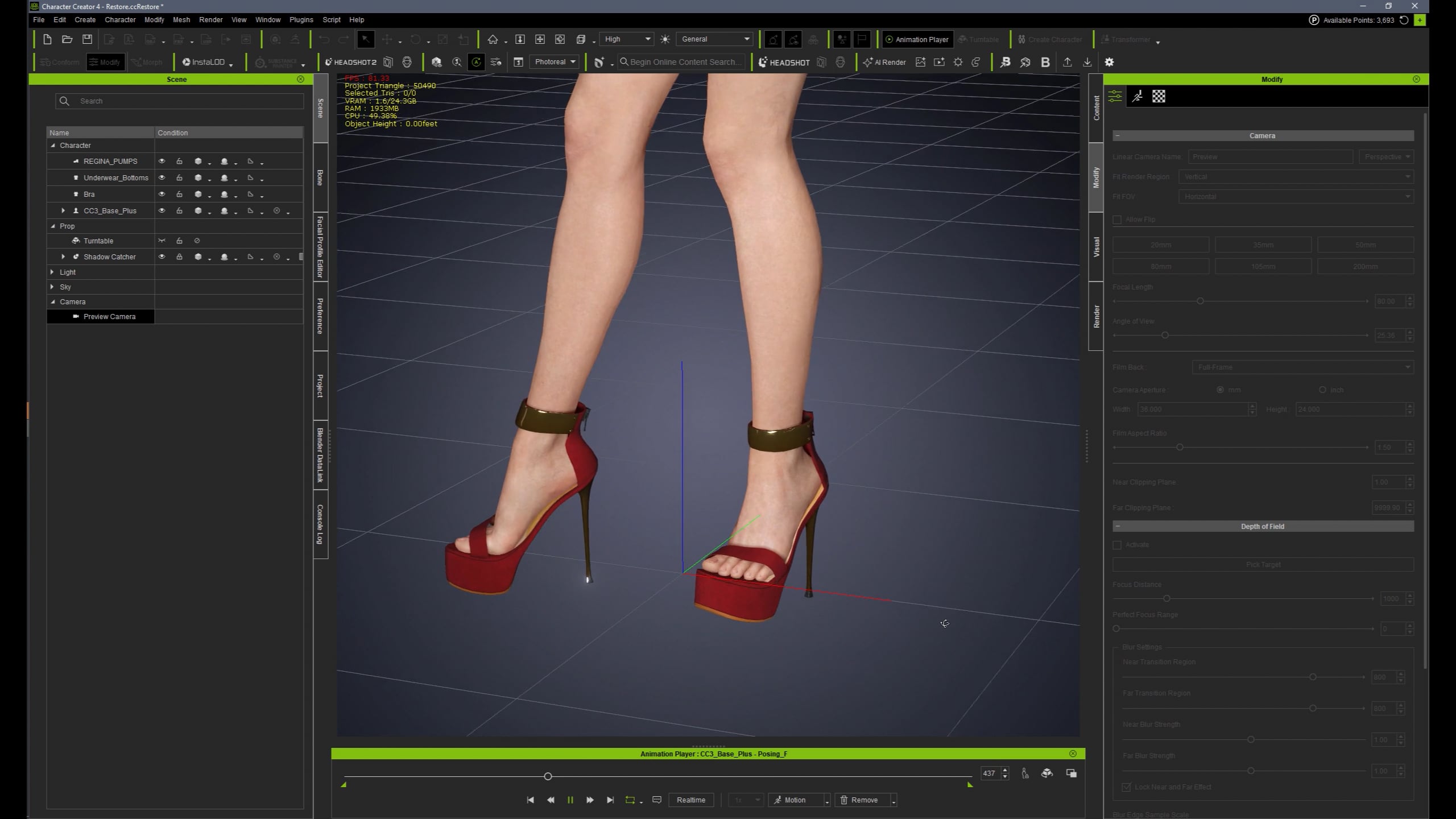
I reinstalled CC4 and to my disbelief the same bad results are happening in this program. This image shows what happens in CC5 but the same results in CC4.
I have followed the tutorials to the letter, same export settings meticulously, I’m not new to this. I haven’t messed with the transformer in a while, but still I cannot understand the issues. I did this pipeline before last year with older DAZ 8 characters and it used to work but now it doesn’t even work with older DAZ models or in CC4. It even goes crazy using the create character .fbx import convert to humanoid that used to work no problem. This test is from a DAZ 9 character. I did lots of test this afternoon and same results, boots or shoes not conformed/aligned correctly, tops/jumpers the arms are not conformed at all with the skinning process.
You must have changed something, even in CC4 , any patches or updates as this behaviour was not present in my older CC4 workflow last year.
Here is a composite of what happens during my import. Same results either in CC4 or CC5. I’m baffled and frustrated, hence my first post comments! The only thing that seems to work is body mesh creation and textures imported, but that is a character with no clothes attached at all.
Sorry for the inconvenience you encountered with Character Creator. We’d like to look into it.
First, could you clarify if you’re using the latest 5.07 version? The issue of the last picture you provided should have been fixed in the patch.
As for the mismatch of outfit and body, we weren’t able to reproduce the same result on our end with various outfit.
If you don’t mind, we could use the screen recording of your workflow to check the details. You can paste a link here or send it to my e-mail here: alanyang@reallusion.com
Also, providing names of the Daz content you used could also help us check into the assets.
Why isnt it possible to produce a short video detailing from START to FINISH without cuts or edits the complete process clearly showing the version number giving proof that this actually works? From the amount of complaints about this issue it clearly is not a user setup problem ITS A BUG - so show the process so we can reproduce it or please get fixing it.
My patience is starting to run out with this software - anything to do with importing or converting other content is completely broken.
Hello, Yes I am using the latest 5.07 version and it still causes issues with the create Humanoid function and rotation glitch.
I have successfully debugged the other issue at my end last night actually with the other alignment mismatches of clothes and shoes.
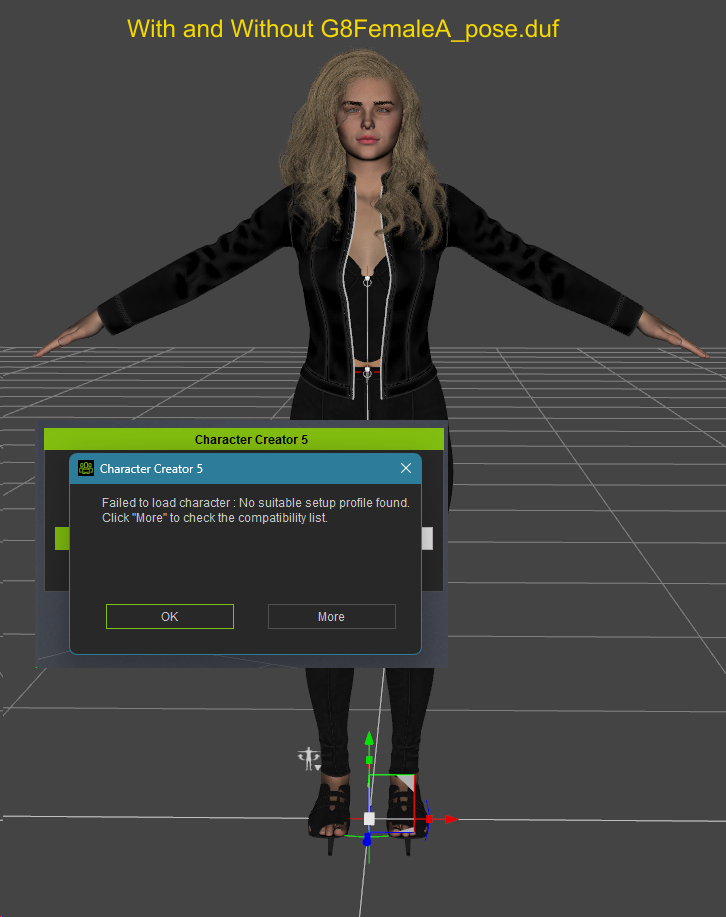
The issue at least for me is caused by applying the Genesis9A_pose.duf to the scene in DAZ. This is done exactly as in the YouTube video which describes this part. If I do this step it fails and I get issues.
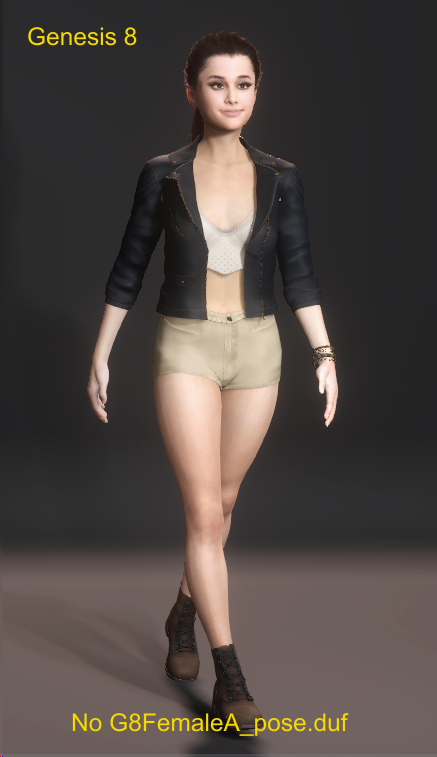
If I keep the avatar in the default pose in DAZ and ‘DO NOT’ apply the Geneis9A_pose.duf , then for some strange reason it all works fine! I do occasionally get error messages about ‘no profile found’ but it still works.
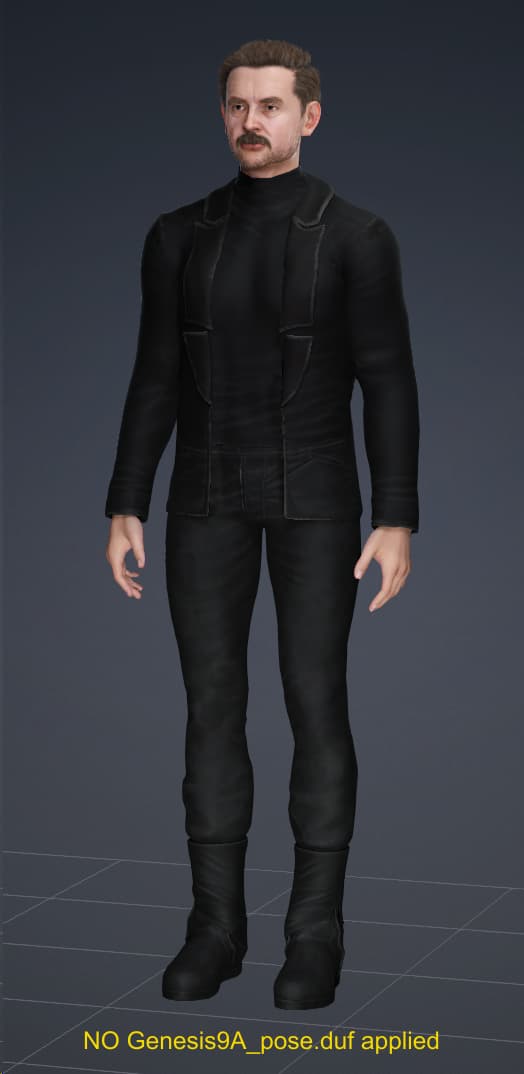
Another test , Genesis 9 male character, ‘NO Genesis9A_pose.duf’ applied, no error message and it worked fine, just needed a few conform mesh tweaks on poke throughs.
Last test. Genesis 9 ambitious import with outfit, a few floating buttons but no big issues. Material tweaks would be needed and odd thing here and there, not bad.
And finally Genesis 9, same outfit, .duf applied and it’s a failure!! Ignore the colours, was only basic import and I didn’t bother with any colour tweaks.
If no CC pose is applied before the transfer, you’ll find that the thumbs of both hands will appear twisted abnormally. I can see the issue in the images you posted where no A pose has been applied. I can’t speak to the problems with the clothing you get, though I do encounter collision issues and have to run the conform function. But, I do encounter issues with shoes not lining up, especially if they’re high heels. I’ve stopped trying to port shoes over at all.
High Heels (or any other shoes which require individual foot/toe bones posed), will not transfer correctly. And I also have seen some flat shoes would not apply correctly because of incorrect asset setup in DAZ (by developers).
In any case, it’s not that difficult to rig high heels from a prop in CC (you may always import high heels as an accessory via Transformer to avoid deformations).
Here is a routine I am using for that. I have updated it lately because RL made some changes and of course the older routine stopped working right. This is for CC4. Pretty sure it should work in CC5 as well.
Note: You may try to workout High Heels transformed as shoes from DAZ with “High Heels” tool. But it might deform the mesh badly. So I prefer a manual rigging method as shown above.
Thanks for the input and shoe advice, I have done something similar a while back and got reasonable results.
I didn’t notice the thumb distortion, I guess I was busy looking at clothing alignment!!
I could use the transformer to import clothes, save as custom clothing items, then bring a base character unclothed as this part of the transformer seems to work OK, without any cloth items and just base on its own.
Either way this transformer for me is bugged and not really production ready, other parts are still bugged despite a claim of being fixed with the last patch.
Not robust or good enough for me to be fair, not bad but still needs improvements.
Sorry for the delay in reply.
We tested with the police outfit and recorded the process.
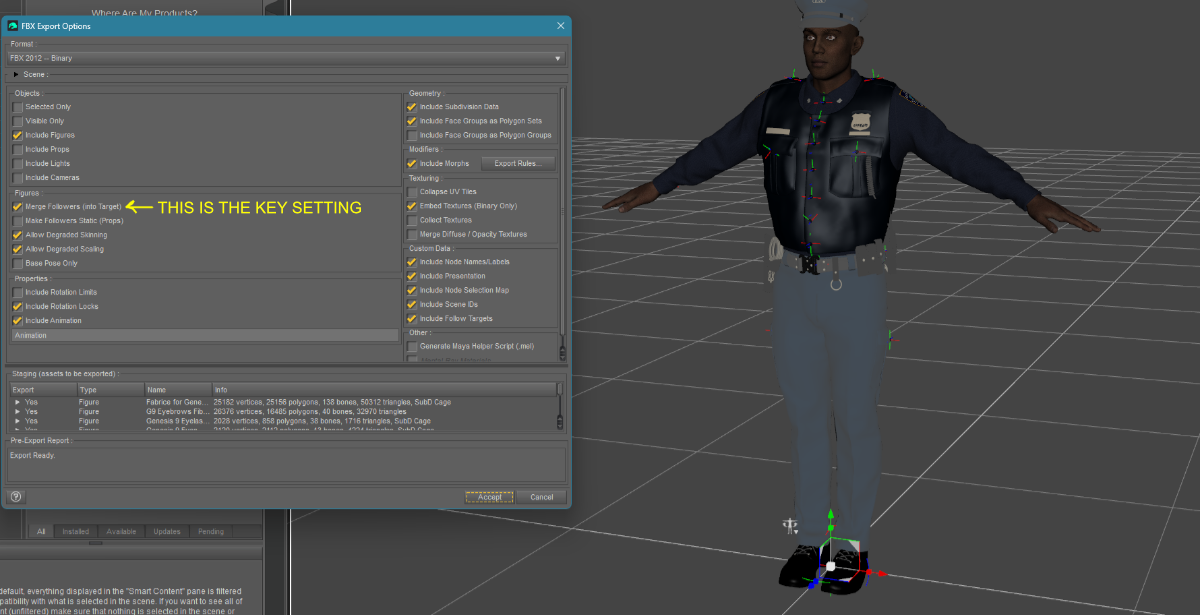
Could you check if your export settings are identical to our workflow?
Hope this helps! If there’s any other question, please let us know.
Thanks very much for the video that you posted it was much helpful and it highlighted one key setting that is root of the issue that I was having. In previous official demo videos of the process a key setting was NOT enabled in the export settings, so I was following blindly.
The key setting as highlighted in my upload is the setting that causes the issues if it is not enabled on export. Together we have debugged the issue as I say previous videos did not enable this setting and that was what caused it. Thanks for you time, appreciated. I will test some more, but this should be the fix I was after.
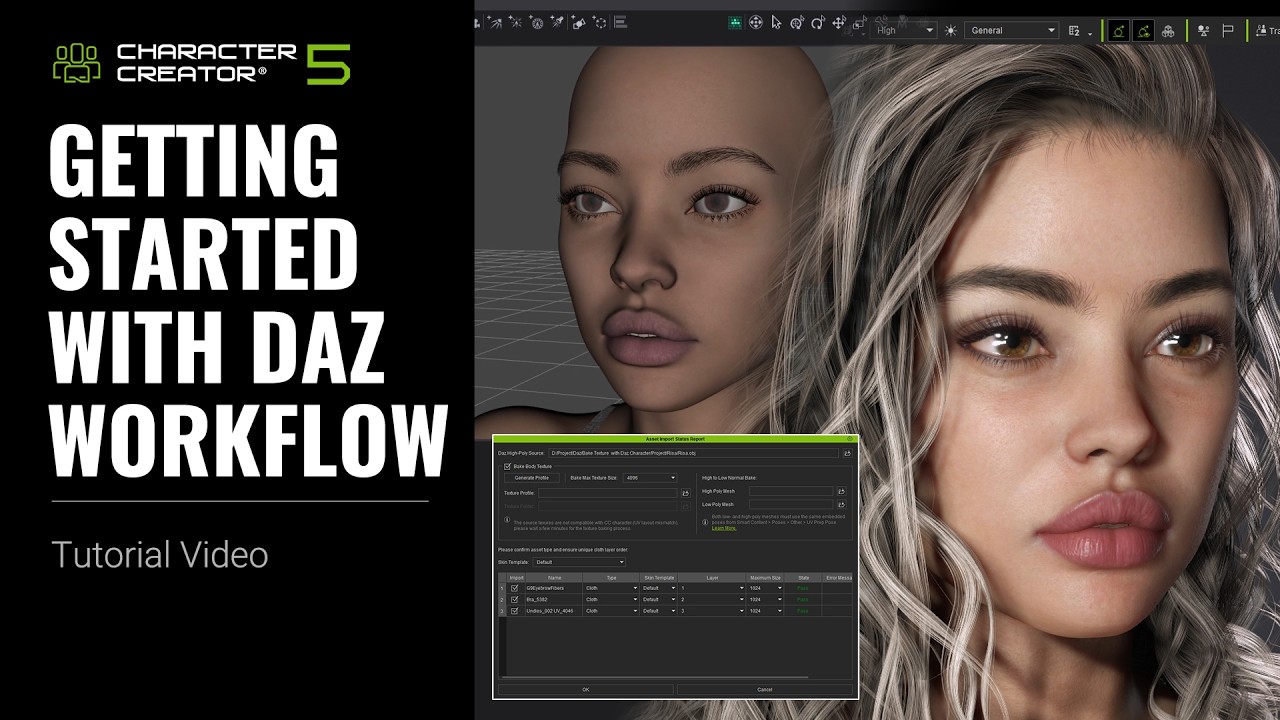
That is the official video I followed from your YouTube Channel, and you can see from the settings the checkbox for merge followers (into Target) is NOT enabled, so I was following this video intently/blindly.
I appreciate your efforts and it was a good exercise and useful to the community to give people more information and feedback for any potential issues.
OMG, so thrilled that Google search found this… I have spent hours trying to import Daz content following instructions in the ‘Getting Started…’ YT video. Overall the video was great, but while characters transferred successfully, exporting clothes produced a lot of fitting errors. But it was that ONE checkbox ‘Merge followers’ that proved to be the magical elixir that fixed everything. Thank you for noticing this and sharing with the rest of us!!!