Hi everyone,
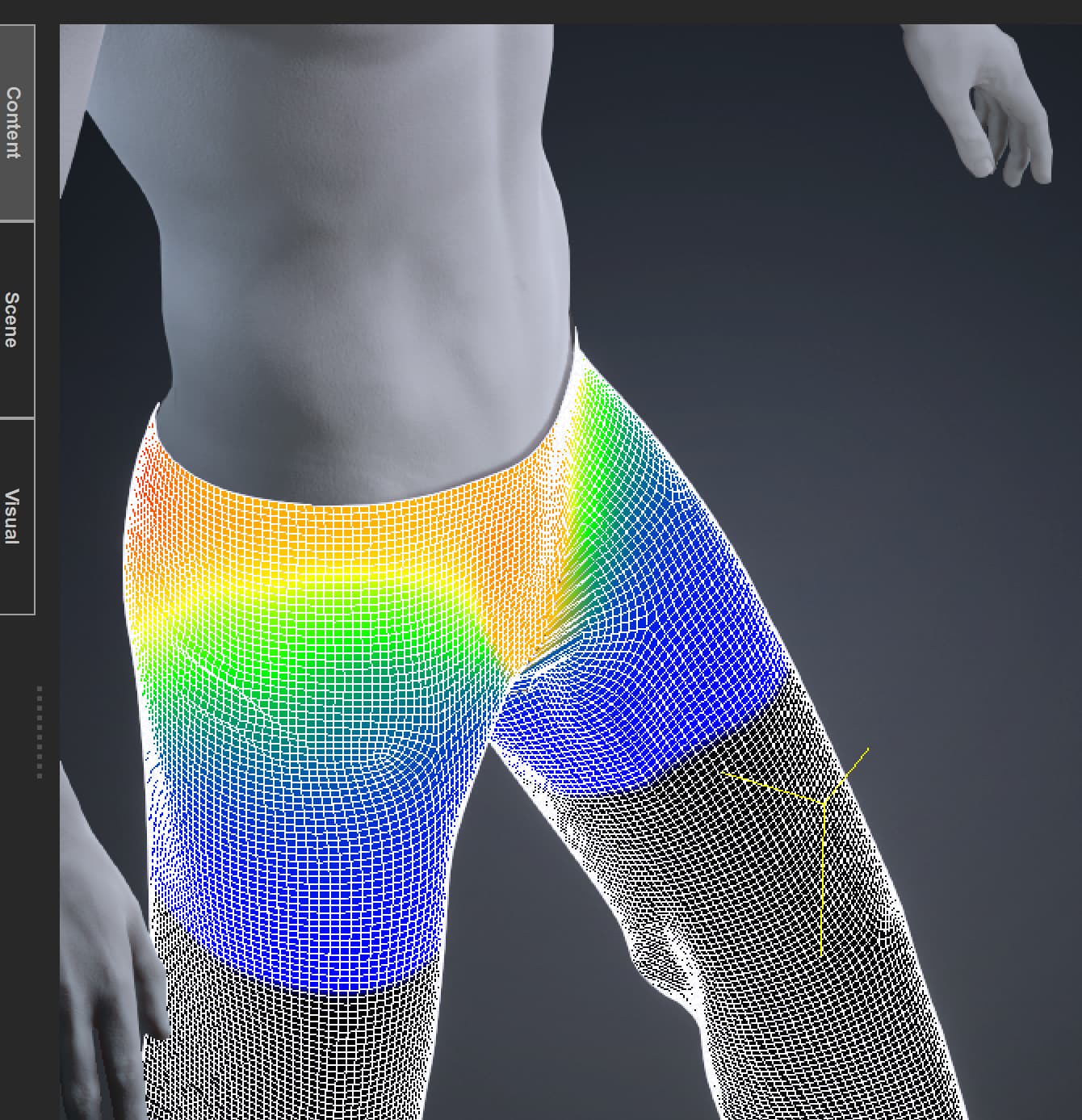
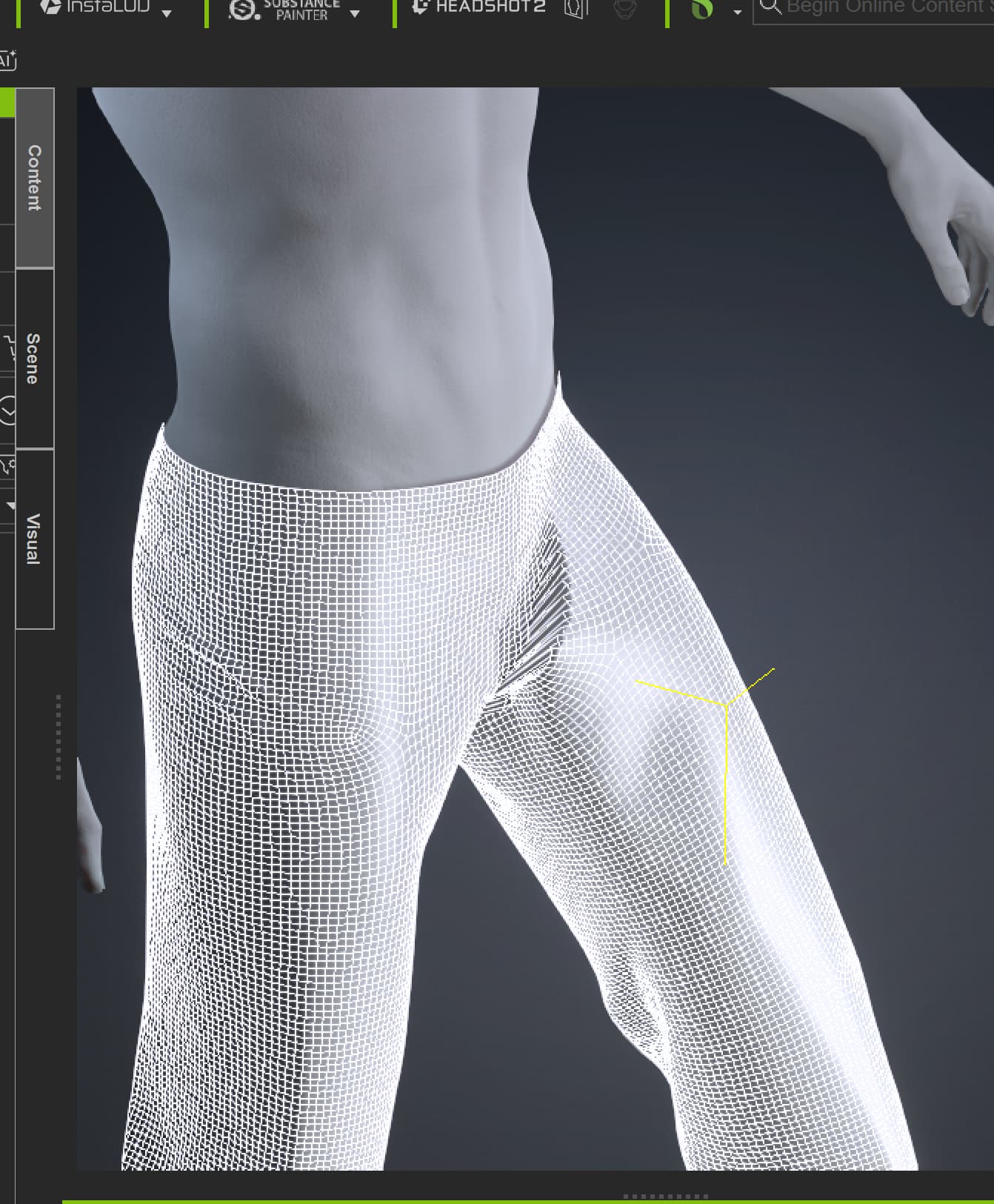
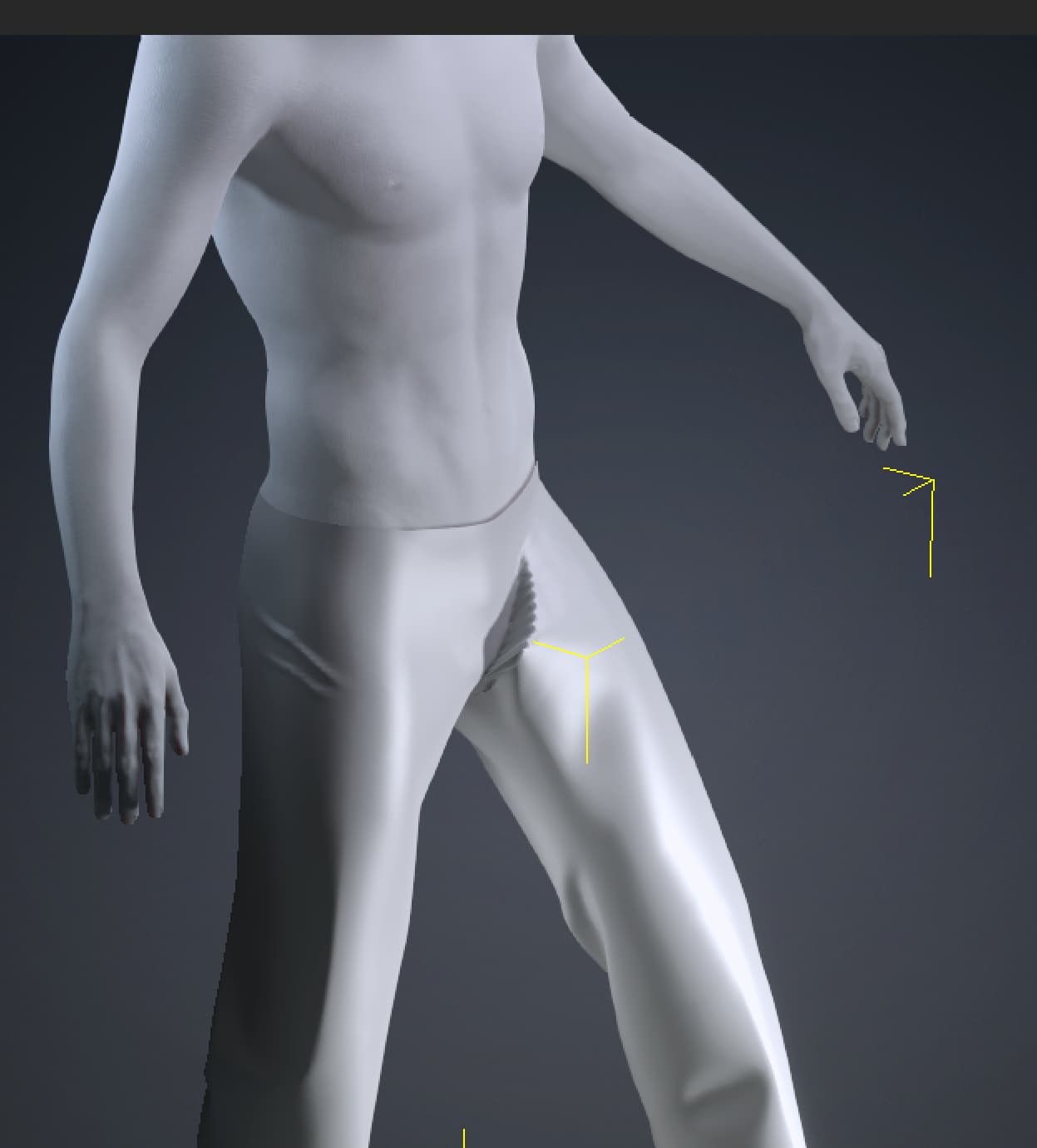
I’m having issues with some pants I’m trying to bring into CC4. I made the pants in Marvelous Designer, welded and UV’d them in Blender, then brought them into CC4 as an accessory. I GoZ’d them into Zbrush to adjust the fit a bit better, then GoZ’d them back to CC4 and applied skinweights.
I did lateral partitioning, which didn’t help. I’ve also gone in and tried to smooth out the weight paints, etc. Still, I’m getting this weird issues in the crotch of the pants every time I try to pose or animate the figure.
Any help is certainly appreciated.
Thank you,
Hi mkelly108,
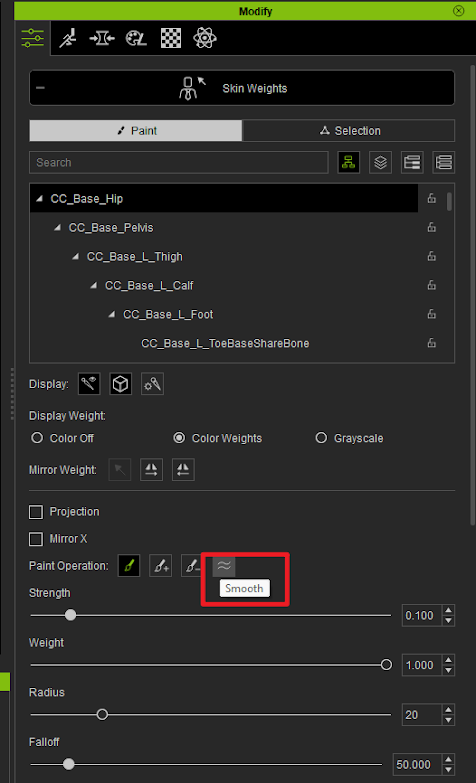
Could you confirm whether the skin weights in your project match those in Blender? Based on your reference image, the weights may need some adjustment to improve the mesh deformation. You could also try using the Smooth option on the affected area.
Thanks!
Hi Winner_RL
I’m not sure what you mean by “Could you confirm whether the skin weights in your project match those in Blender?”
I’m happy to check that out in Blender, but I don’t think there are any skin weights in Blender for this. There was no model or rig in Blender. I just used the model from CC4 as an avatar in Marvelous Designer. Then I welded and UV’d the pants in Blender.
Also, I did try smoothing the weight paint. It improved somewhat, but the distortion in the pants is still very noticeable.
Also, I did a complete retopology of the pants and I’m still getting the issue. I don’t get the issue when using pants that came with my version of CC4.
If I’m missing something with the weight paints in Blender, please let me know and I’ll certainly check that out.
Thank you,
1 Like
Hi all,
I think I fixed the problem. I used this video here: https://www.youtube.com/watch?v=X65Bp1FTF3w
I spread the legs width-wise on the character and saw that left side and right side thigh twist were stuck together. I removed weights where they weren’t supposed to be and smoothed out. It’s not perfect, but it’s pretty much good now. I’m not using this for animation, just for a sort of 3d printing workflow. For some reason they needed to be spread width-wise to find the verts/faces that were stuck to the wrong side.
But I think I’m all set.
Thanks for your help.
1 Like
Hi mkelly108,
That’s great! We’re glad to hear you’ve resolved the issue. We thought you wanted to compare how the painting looked in Blender or ZBrush with how it appeared after importing into CC4.
You’re on the right track—that was our thought as well. Based on your reference image, it doesn’t appear to be a software issue instead the mesh deformation looks a little unnatural. Adjusting the mesh or skin weights may help improve it.
Regards