Hi everyone.
I’m a complete beginner and I’m encountering a few problems.
I have created a spiral staircase with props (cylinder, box, and tower):
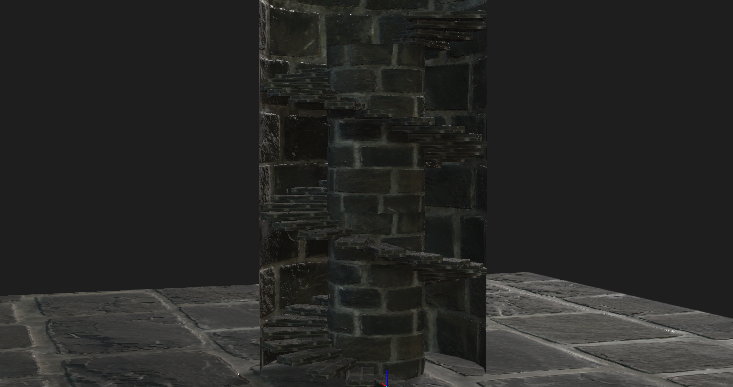
Then, I turned it all into terrain because I needed my character to walk on the stairs and also for the character to not go through the cylinder and the tower.
First problem happened when the character’s legs went up vertically when I enabled ‘Foot Contact’:
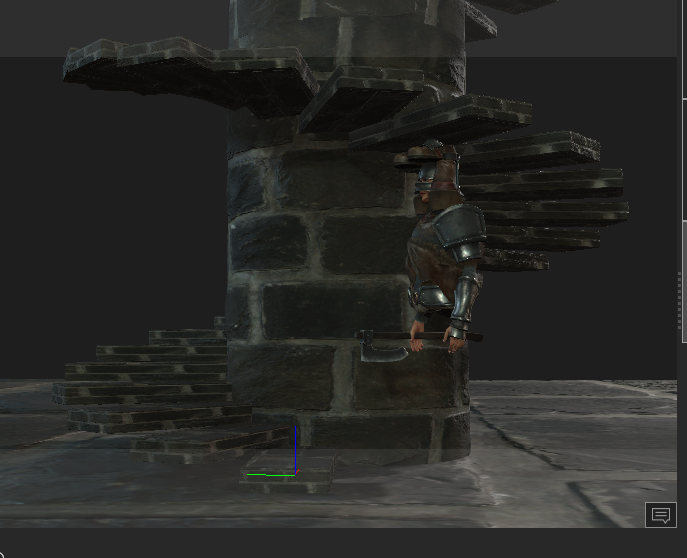
Then I turned it all back to prop, and turned only the first few steps to terrain, with the stairs right above the character staying as props. It solved it.
Then I converted the cylinder into terrain. Still, no problems.
Then I turned the tower into terrain. And again, the legs go up vertically:
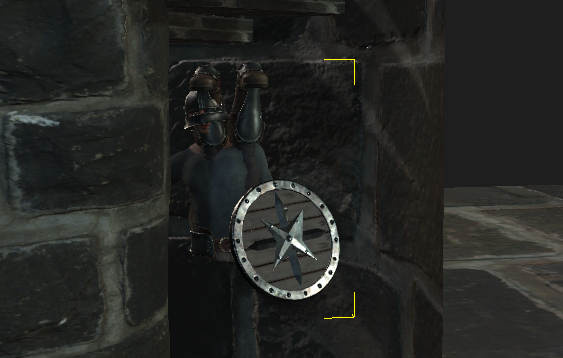
That is my first problem.
second problem is, EVEN when I turn the cylinder and tower into terrain, the arms of the character still go through it. He can walk normally on the steps though.
Maybe there is a simple solution to it which I’m not able to figure out as a beginner but I have been looking everywhere for an answer and couldn’t find it.
Thank you in advance for any help!