Hi,
After the most recent Character Creator 5 update, I’m seeing a new UI issue that appears to be triggered after using the FashionGen tool.
Issue:
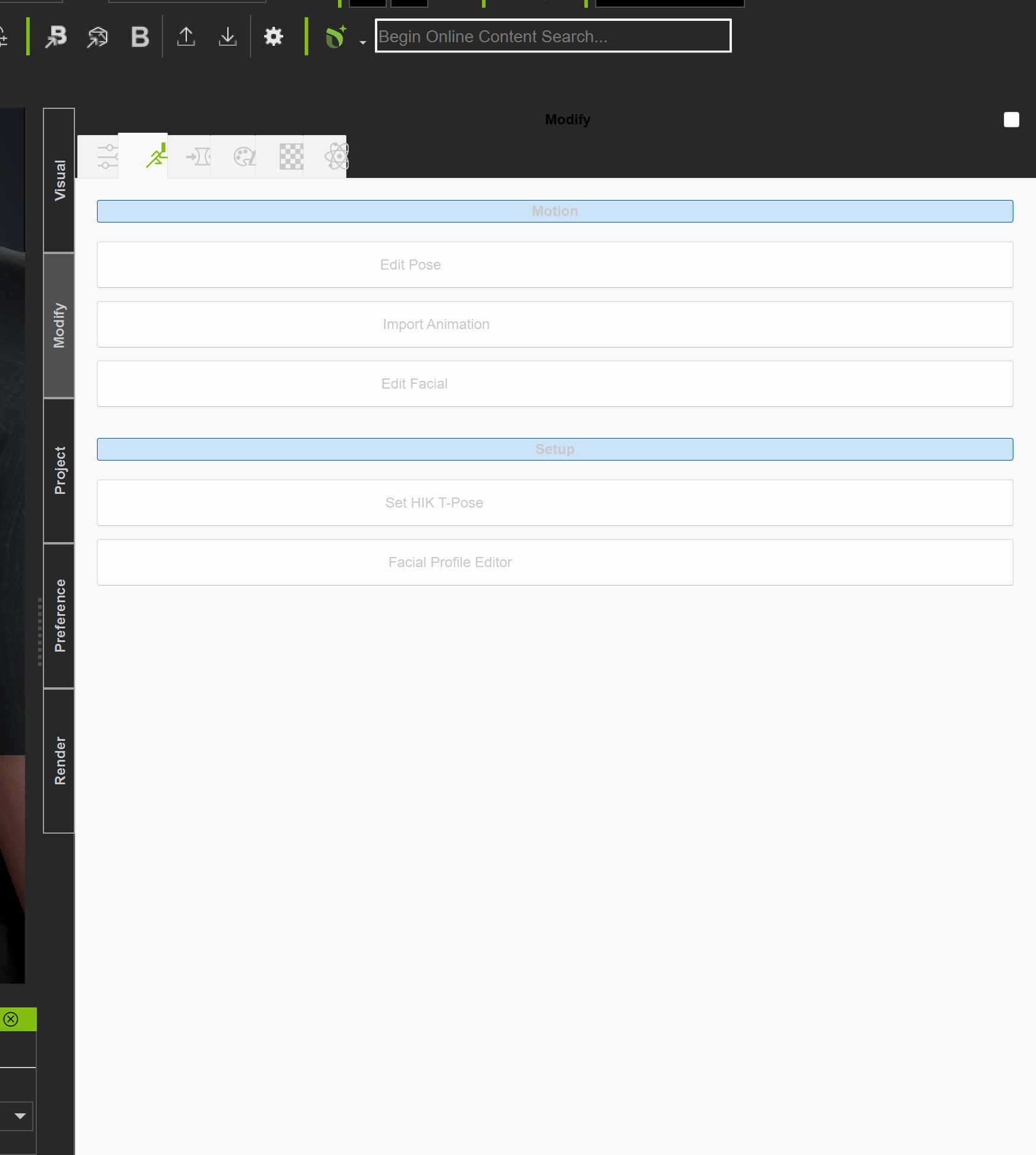
Several CC5 panels (see attached image) changes from the normal dark UI theme to a solid white panel, while the rest of the UI tabs continue to display correctly.
Context / Trigger:
- Occurs after using FashionGen
- Specifically after sending fabric edit updates back to CC5
- The issue appeared only after the recent CC5 update
- UI was normal prior to using FashionGen in this session
Notes:
- Other panels and tabs retain the correct dark theme
- After a full reboot of the system, the panel returns to the normal dark theme
- Restarting CC5 without a reboot may not always resolve it
- Issue appears isolated to the affected panels only
- No manual UI/theme changes were made
I’ve attached screenshots showing the affected panel versus the rest of the UI.
Has anyone else encountered this?
- Is this a known UI refresh or theme-handling bug related to FashionGen?
- Has this already been logged with Reallusion?
Happy to provide system specs or a short repro sequence if helpful.
Thanks.
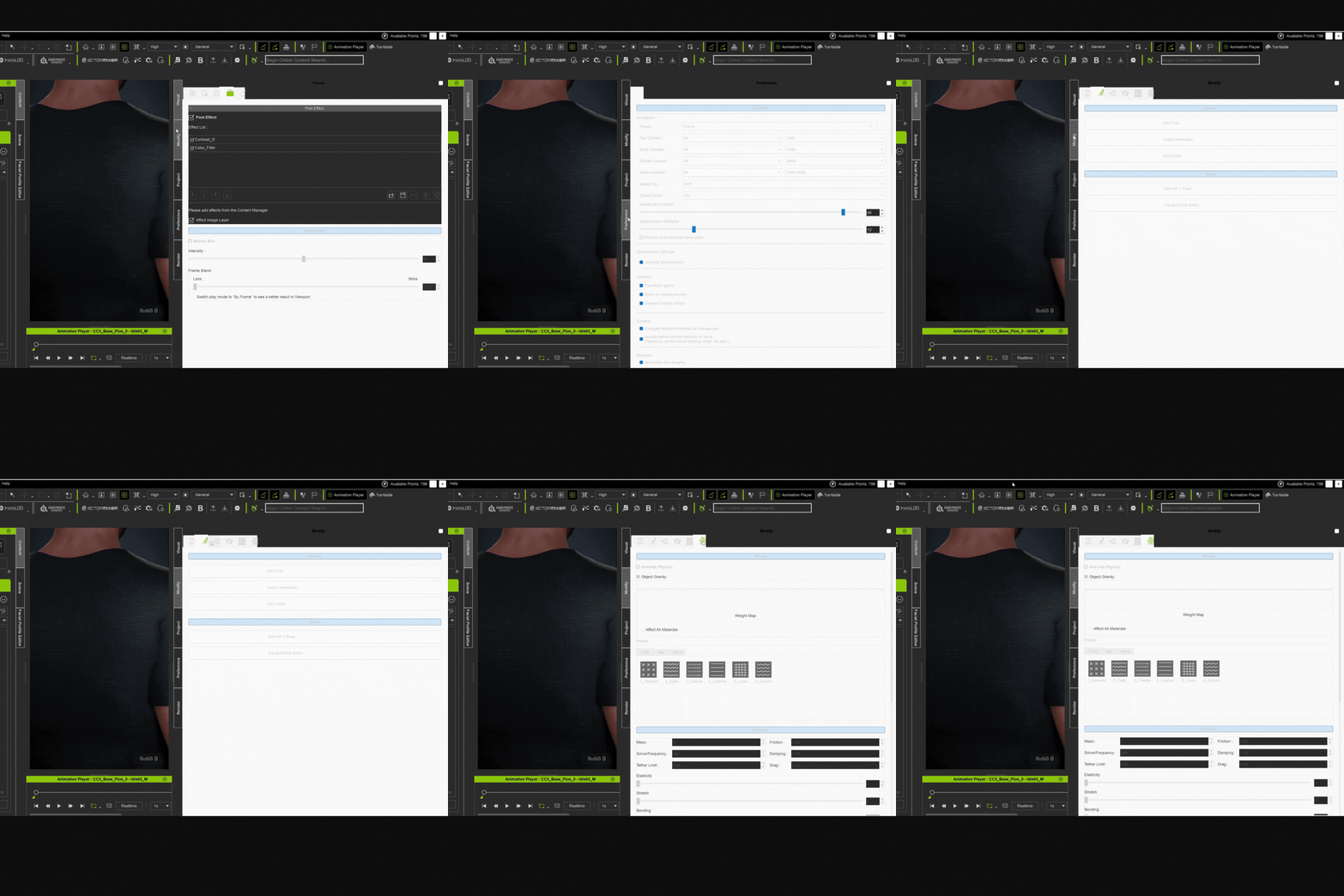
Additional Note: I recently updated the NVIDIA Studio Drivers to Ver. 591.74 (Released: Jan 05, 2025)
There have been many problems reported with these drivers. Try reverting to the previous version (581.x) and see if that helps.
1 Like
Hi Futurestate,
We would like to confirm which graphics card you are currently using. If the issue is related to the graphics driver, there may still be differences between GPU models, so we will need your system information for verification.
System Info:
https://www.reallusion.com/FeedBackTracker/Home/HowToGet
Alternatively, if it is convenient for you, we would greatly appreciate it if you could provide a screen recording of the operation so that we can further investigate the issue. Thank you very much for your assistance.
Hi @crystalpan_RL ,
Thanks for the response.
I won’t be able to perform a screen recording over the next couple of days, but I’ll attempt to replicate the issue and capture a recording early next week.
For reference, I’m currently running an NVIDIA RTX 50-series GPU. I’ll also provide the full system information via the Reallusion System Info tool to help with verification.
Appreciate your patience, and I’ll follow up as soon as I have additional materials.
Best regards,
Futurestate