Hello,
I imported a CC5 character to Unreal Engine.
I’m using a control rig to control the eyes (through the cc_base_l_eye and cc_base_r_eye bones) and make them follow the player.
When using the blueprint created by CC5 (AsianFemale02_Blueprint_CC_ControlRig) i noticed the eyes are displayed twice, once looking at the player as intended, and the other apparently not following the bones and staring in the void:
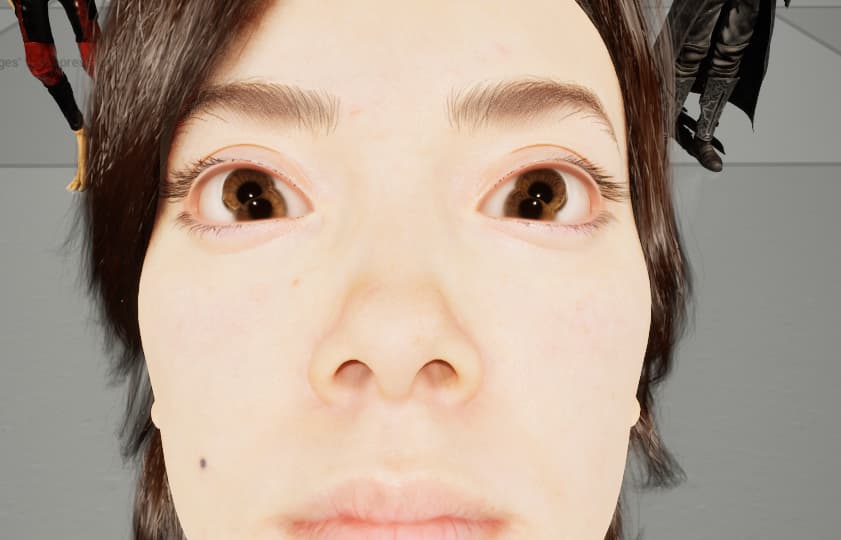
I think that’s because both the body and the face skeletal mesh display the face mesh. It is unnoticeable as long as they are perfectly aligned, but becomes visible in my setup.
The workaround was to assign invisible material in the face mesh to the eye and cornea slots:

I tried to recreate a blueprint with the full character skeletal mesh, but then the eyes won’t follow their bones.
So it seems that the eyes follow the bones only on the body mesh.
It would then seem that the face is useless (since its eyes are not following the skeleton and should be removed), but when i try to hide it in the BP, it disappear entirely. So it is needed but useless, something fishy here 
Cheers
Cedric