CC5 to Unity URP Export Issue (Auto Setup 2.2.6) - Tried Multiple Workflows Without Success

I am looking for help with an issue exporting Character Creator 5 characters to a Unity URP project.

My Environment
Character Creator 5 (latest version)
Unity Auto Setup 2.2.6
Unity Pipeline Plugin 2.2.5
Unity 6.3 (within the supported range listed in the Auto Setup documentation)
Universal Render Pipeline (URP)
Problem

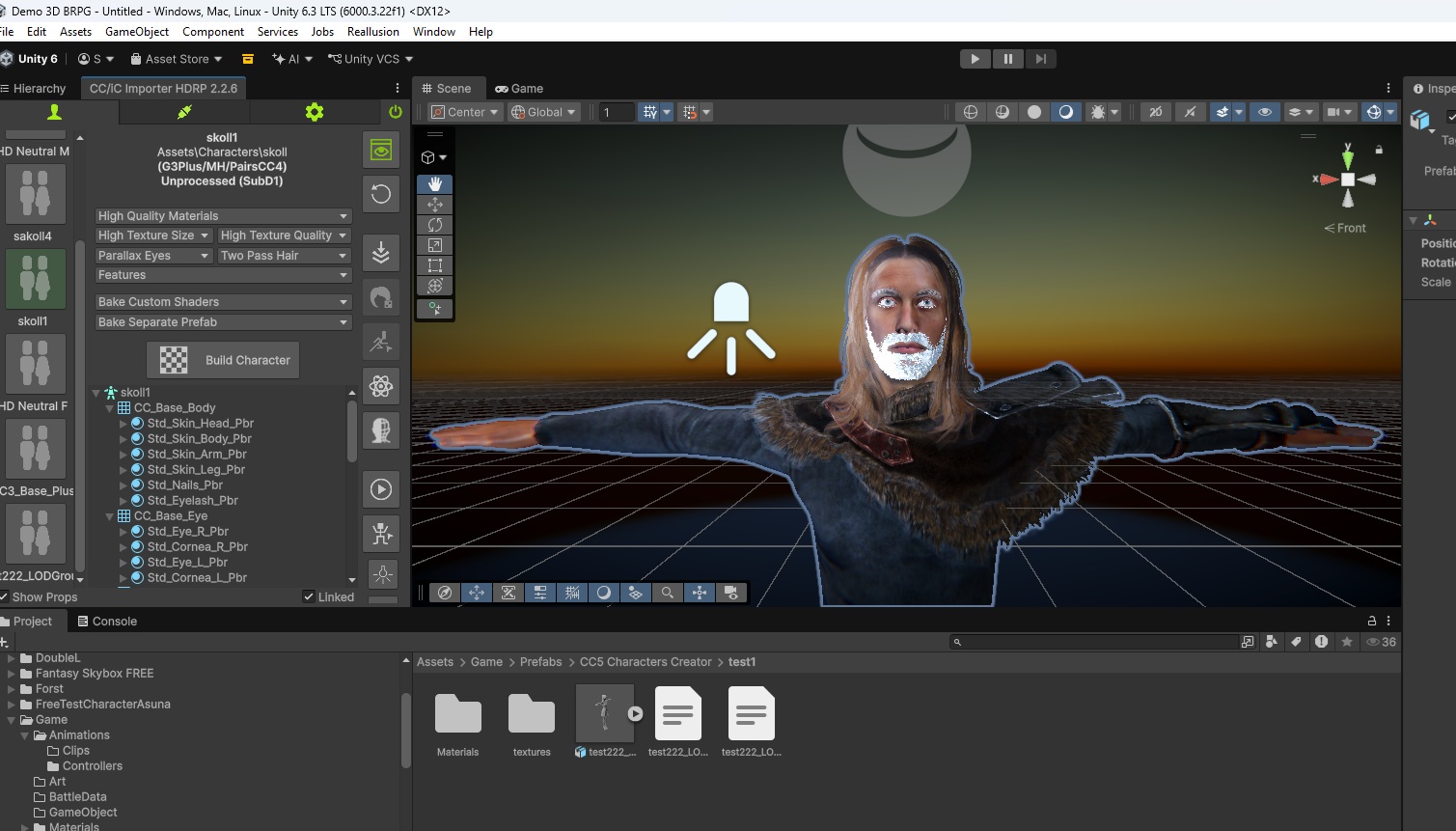
When importing CC5 characters into Unity, the Auto Setup does not appear to configure the character correctly for URP.

The resulting character materials/shaders are not imported as expected, and the character does not render correctly in my URP project.
What I Have Already Tried

To rule out configuration mistakes, I performed the following tests:

Updated Character Creator 5 to the latest version.
Updated Auto Setup to version 2.2.6.
Updated the Unity Pipeline Plugin to version 2.2.5.
Reinstalled Auto Setup completely.
Created a brand new Unity URP project.
Created a brand new CC5 character from scratch.
Used very simple assets only.
Tested with a standard character base.
Tested with a newly created character instead of an existing one.
Followed the official tutorials and documentation.
Verified that my Unity version is within the supported range mentioned in the release notes.

Unfortunately, none of these tests solved the problem.

Additional Observation

While searching the forum, I found several posts describing what appears to be the same or a very similar URP issue.

In one discussion, I noticed someone asking whether the character had been exported as an HD character, which made me wonder if the issue could be related to HD export settings or a specific export workflow.

For testing purposes, I even created a much simpler character and avoided complex assets, but the result was the same.

My Questions
Is there a known issue with CC5 exports and Unity URP?
Are there any export options that should be disabled when exporting for URP?
Should HD characters be avoided for URP projects?
Is Game Base currently the recommended workflow for Unity URP?
Could someone provide a complete step-by-step workflow that has been recently tested and confirmed working by the team?

For example:

CC5 version used
Unity version used
URP version used
Character type (Standard, HD, Game Base, etc.)
Exact export settings
Auto Setup settings
Any additional required steps

I would be grateful for any guidance because I have already tried multiple clean installations and test projects without success.

Thank you very much for your time and assistance.

Best regards,

SebastiĂŁo Junior

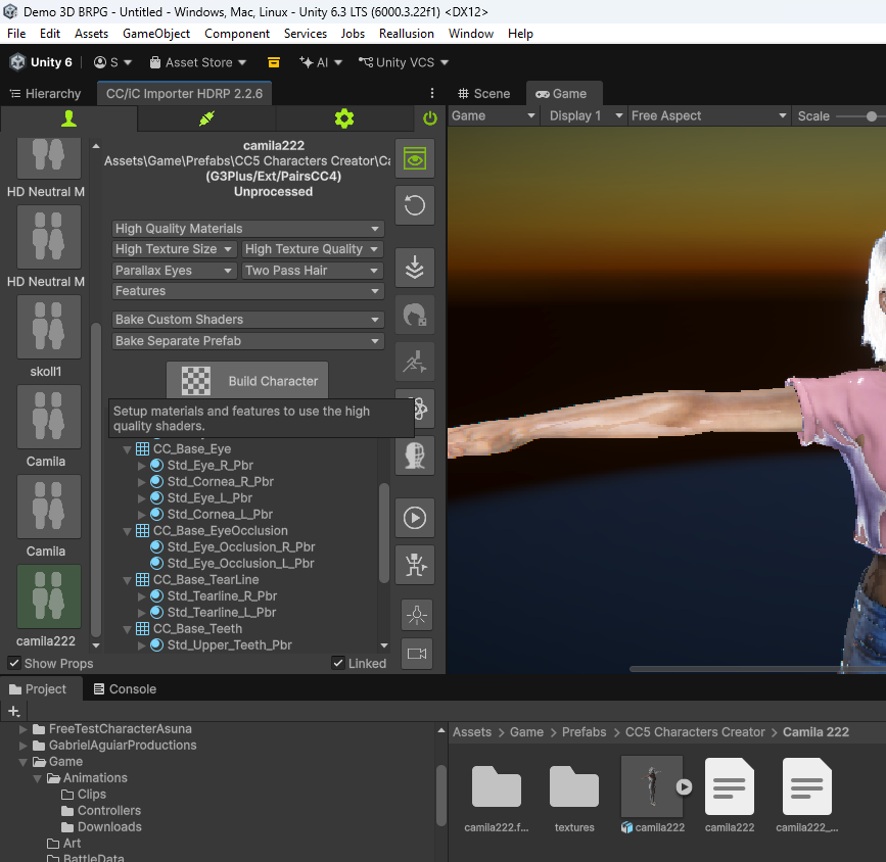
You’ve meticulously tested and verified everything, so I hesitate to ask this question, and I have only your screenshot to go on, but …

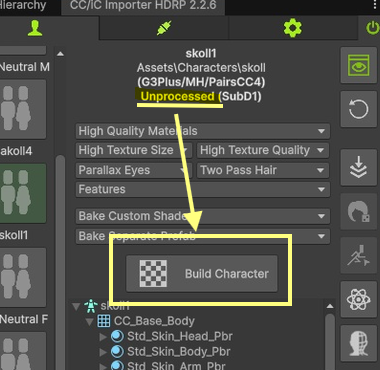
Did you, at any point in your testing, press this button?:

As none of the characters in that screenshot have been processed, imported yes, processed no. The material setup of these character is too complex for the Unity FBX importer.

To answer some of your other questions:

  • HD characters are very performance heavy, they have in excess of 350 blendshapes, and SubD2 characters are very high poly. I wouldn’t recommend higher than SubD1 for URP, and with a reduced expression set (Standard or extended)

  • Gamebase is much lower poly than the SubD0 standard, and has much simpler materials, but they can struggle to recreate character fidelity.

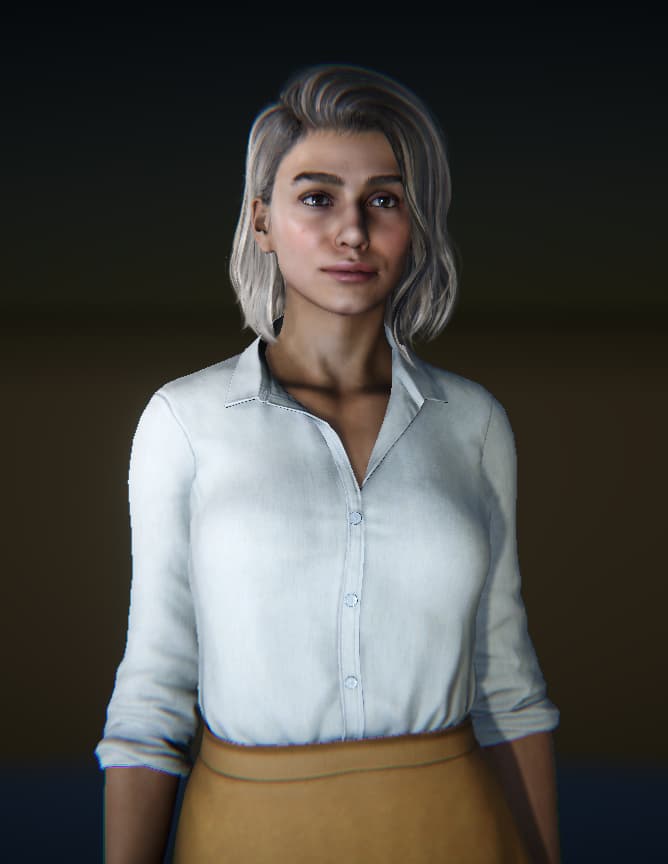
As an example: Camila and HD Mila in URP 6000.4

1 Like

Hi Victor,

My friend, please don’t give up on me. :blush:

My game would improve a lot if I could get characters looking as good as the ones you showed. I was very happy to see that you successfully generated those characters in URP because it gives me hope that I can get this working too.

I’ll describe exactly what I did step by step (I am redoing everything from scratch again):

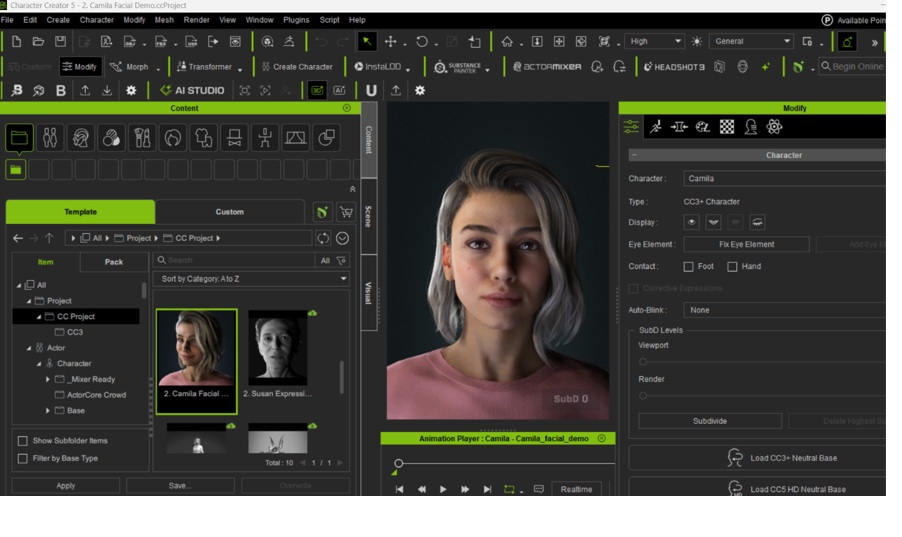
Test 1 - Camila Facial Demo via DataLink

Opened Character Creator 5.

Chose Camila Facial Demo.

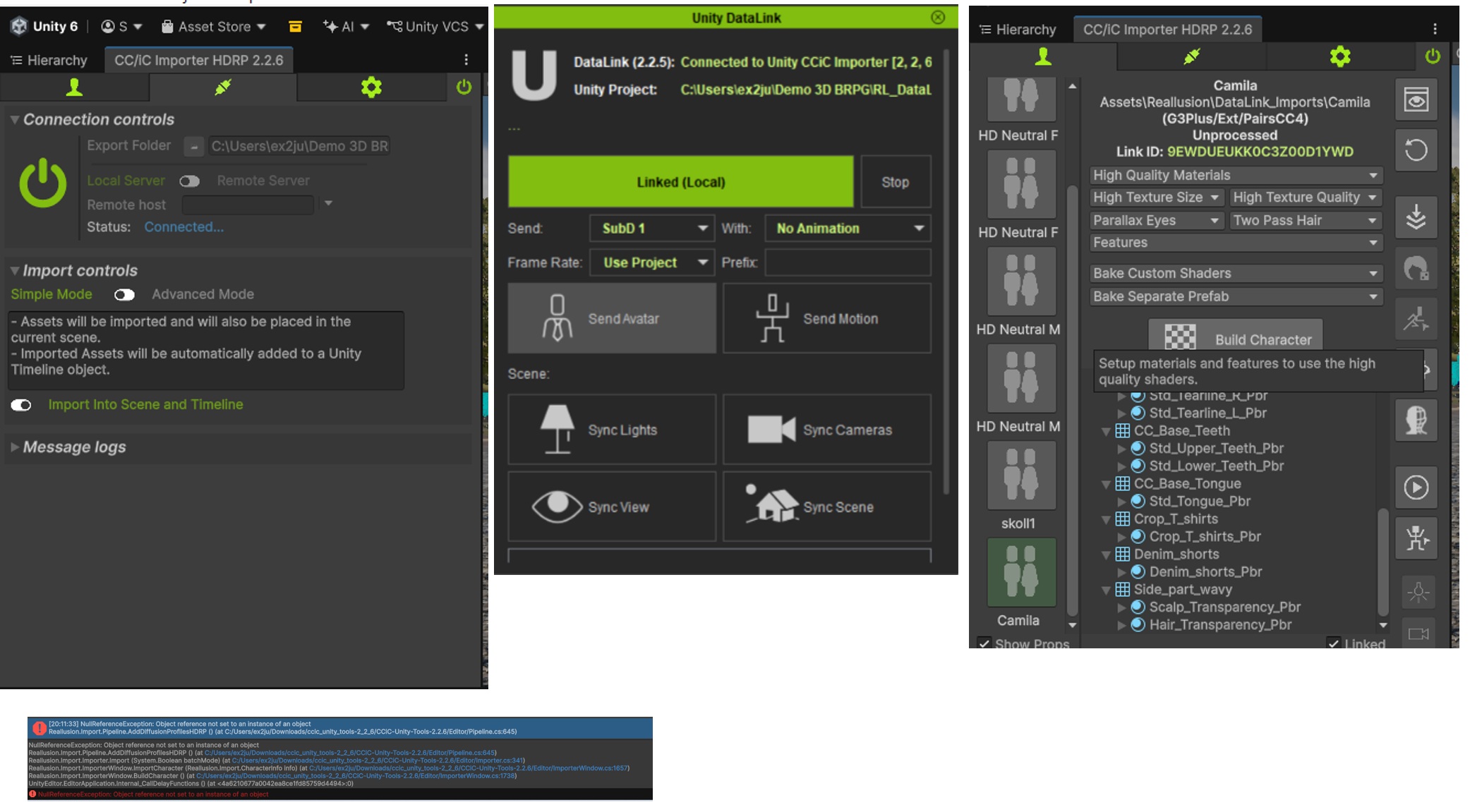
Opened the Reallusion importer inside Unity.

Connected DataLink.

Clicked Send Avatar using:

SubD 1
No Animations
Use Project

Selected Camila in the importer.

Clicked Build Character.

After clicking Build Character, I get the following error:

“”“”


NullReferenceException: Object reference not set to an instance of an object

Reallusion.Importer.Pipeline.AddDiffusionProfilesHDRP

Pipeline.cs:645

Reallusion.Importer.Importer.Import
Importer.cs:341

Reallusion.ImporterWindow.BuildCharacter
ImporterWindow.cs:1738"“”"

Meanwhile the character remains in the unprocessed state.

From your reply, I understand that the character appears unprocessed because the build process is failing.

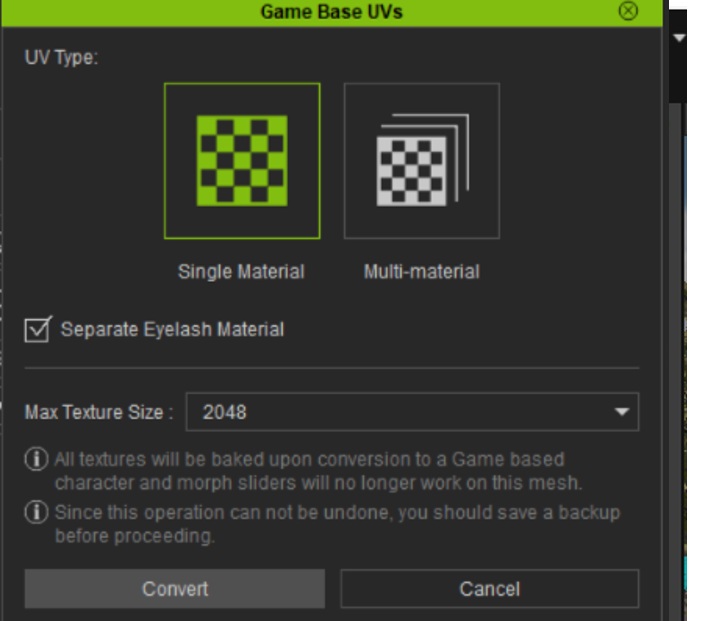
Test 2 - Game Base

I then tried using:

Convert to Game Base
SubD 1

Clicked Build Character again.

Result:

Same error.

Test 3 - Game Base SubD 0

I then tried:

Game Base
SubD 0

Result:

Same error.

Test 4 - Traditional FBX Export

To eliminate DataLink as a possible cause, I started over again.

I exported the character from CC5 and imported the files directly into Unity exactly as shown in the official YouTube tutorials.

Then:

Imported the files into Unity.
Selected the newly imported character (“Camila 222”).
Clicked Build Character.

Result:

Exactly the same error.
Processing: cc5 erro 5.jpg…

I did not mention this error previously because I had not noticed it before. Sorry about that.

Now that I have found it, it seems to happen every time I click Build Character, regardless of:

DataLink
FBX import
Standard character
Game Base
SubD 1
SubD 0

Does this error suggest that a required HDRP/URP asset, profile, or configuration is missing?

Thank you very much for your help and for all the work you put into these tools.
I’ll do whatever you ask; it doesn’t need to be high-end quality—I just want it to look good and be bug-free, please.

Best regards,

SebastiĂŁo Junior

This right here is what I needed to know:

You have some HDRP pipeline packages installed in your project, enough to make the Auto Setup think your project is HDRP, but it’s incomplete and crashing. That section code could only run if the “High Definition Render Pipeline” package is installed.

If this is really a URP project, you need to remove all of the “High Definition Render Pipeline” packages from the project, otherwise they are going to cause endless problems.