Gurus,
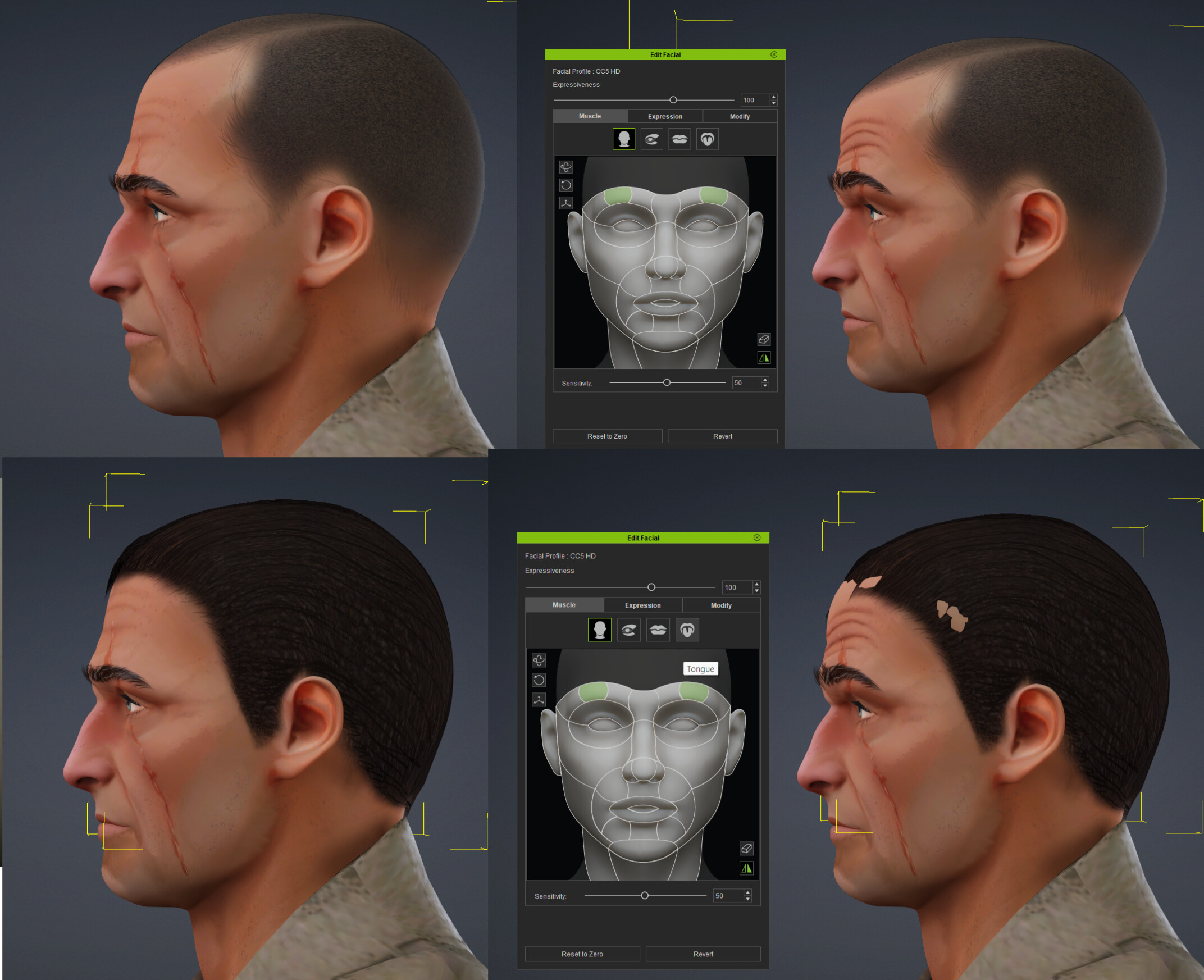
I made a hair in Blender. Brought it back, got it fit, thought everything was great. It, however, does not conform correctly to my HD character’s face when I apply expressions. I’ve messed with the conformable regions repeatedly to no avail. I know it’s possible, because when I put Aaron’s hair on him, that works right (top two pics). I’ve tried different conform options, all the settings I can think of.
I made the hair itself invisible in the pics below so you can more easily see the problem.
You might want to select the hair object and then go to your modify panel and increase scale slowly in increments of .01 until it corrects itself. That always works for me.
And a video, showing how it messes up even Reallusion hair if turned into an accessory then back to hair, using Aaron’s Slicked Back hair, with “before” on the left and then after converting it to an accessory then back, using the “Create Hair Brows Beard Lashes” function. You can see his hairline move on the left with his expressions, but not on the right.
glad that gave a quick fix. It is possible to set the conform regions for regular hair as well. Maybe they were just turned off. They are already on if you choose facial hair, so it is super simple that way. Cheers!