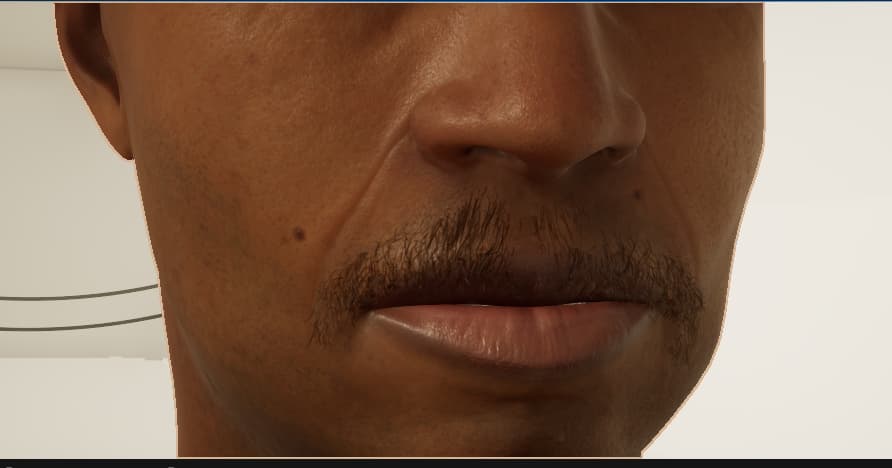
I’m having a really frustrating issue with the “Create CC Groom Binding” tool. I’m trying to get MetaHuman groom assets (specifically a mustache, but it’s happening with hair too) onto my CC character mesh.
I’m following the [ Apply MetaHuman Groom Hair for CC Character with Unreal Auto Setup]
step by step. Everything seems fine at first: I run “Create CC Groom Binding” and the strands look perfect. They sit exactly where they should.
The Problem: The second I switch over to Cards or use any of the Static Mesh LODs that come with the MetaHuman asset, the whole thing breaks. The mesh doesn’t stay put, it shifts downward. It’s not a massive jump, but it’s enough to completely ruin the alignment and pull it away from the face/scalp.
Why is the binding tool working for the strands but failing to keep the cards in the same coordinate space? It’s like the pivot or the offset isn’t being respected once you move away from the strand based preview.
I’ve attached a photo so you can see the strands vs. the cards sagging down. Has anyone else dealt with this? Is there a setting I’m missing, or is the “Create CC Groom Binding” tool just buggy with card based LODs?
Any help would be appreciated, this is holding up my entire project.
Strands
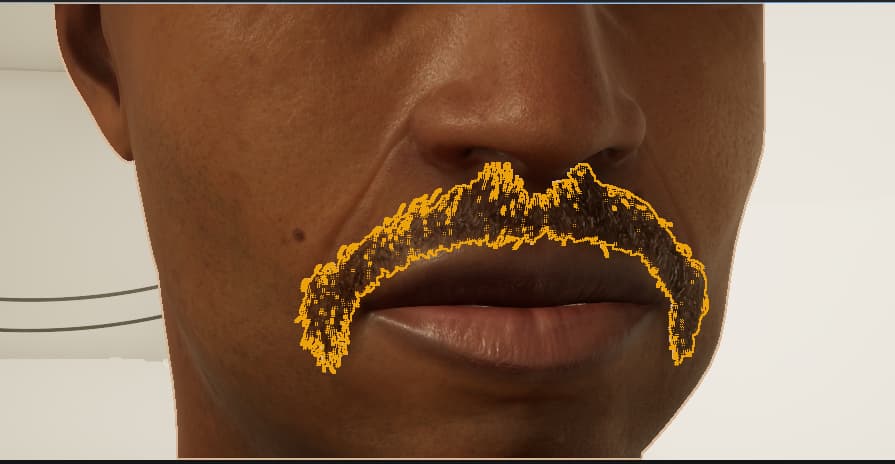
Cards