When I start creating new character from the base character like Camilla or other ones it doens’t matter what, cc after I close it creates this debug file and I can’t understand why when there should not be any problems so to me it seems to be a bug.
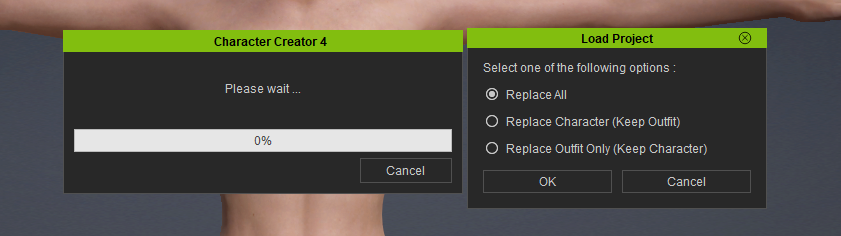
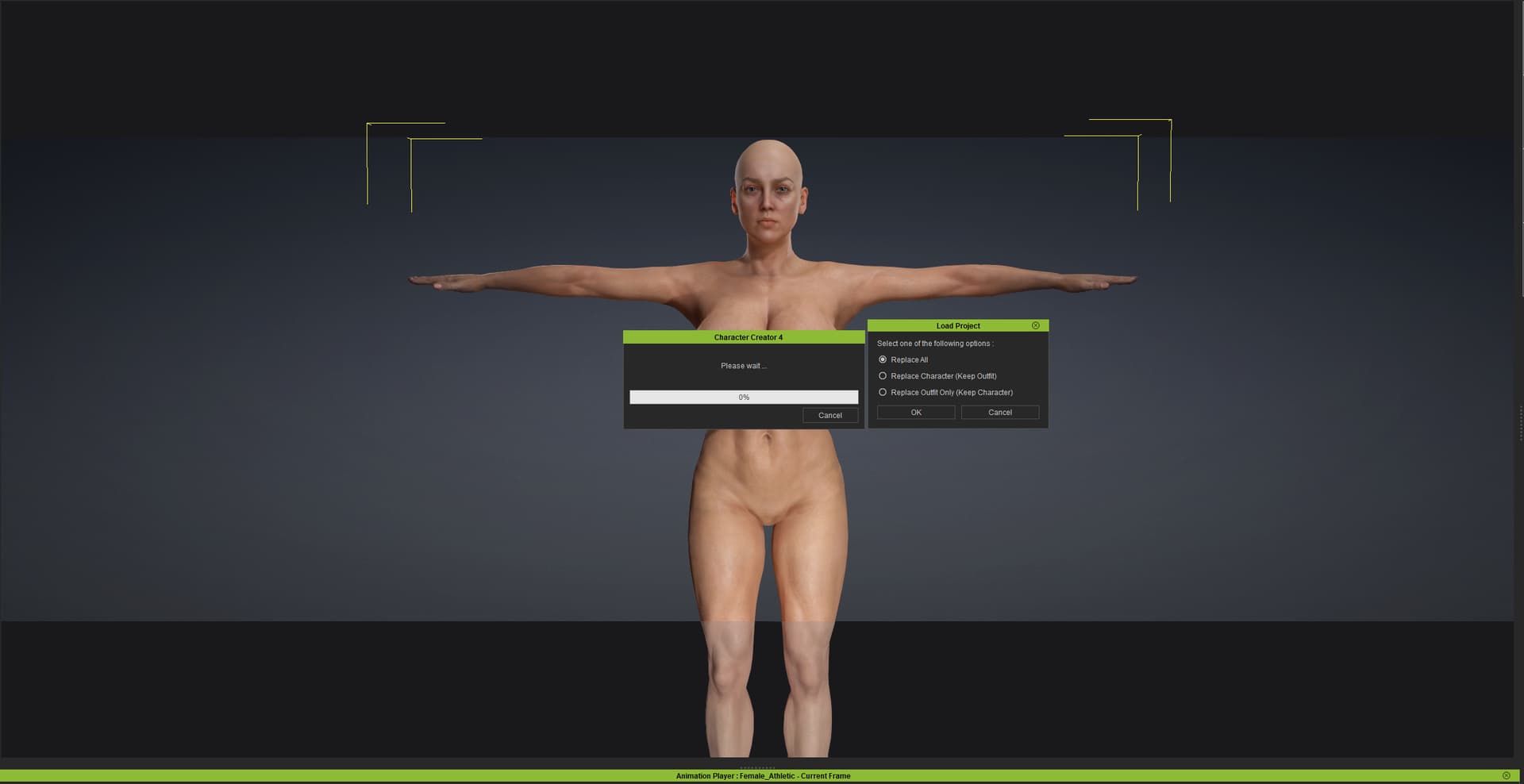
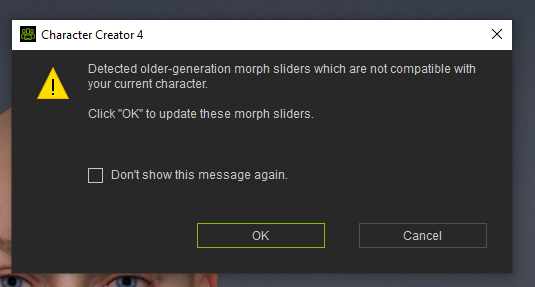
Also after closing CC always try to replace the skin when in the first place there was no problem, but after everytime I start CC it is bugged asking to replace everything even though I haven’t done anything yet???
It doesn’t matter what I choose becuase next time I open CC it again asks the same pop up as in the photo. I didn’t use to have this problem this is now started after I reinstalled windows so if there is something do to that perhaps you can explain how I can avoid this.
The debug file has these in it:
[0805/133536.208:WARNING:resource_bundle_qt.cpp(115)] locale_file_path.empty() for locale
[0805/133549.065:WARNING:resource_bundle_qt.cpp(115)] locale_file_path.empty() for locale
[0805/133713.634:WARNING:resource_bundle_qt.cpp(115)] locale_file_path.empty() for locale
[0805/133726.759:WARNING:resource_bundle_qt.cpp(115)] locale_file_path.empty() for locale
and like I said, everytime I open the file it adds new lines into the debug file.
Could you please send us a screen recording of your workflow? We’d like to better understand the exact issues you’re experiencing with the debug file and when loading projects.
I first open CC then I jsut drag and drop some of the default models onto the screen and save nothing else. Afterwards I close the saved file I start to get these debugs for no reason. So there isn’t anything you can’t reproduce on your end since I don’t do anything special here.
Also I get these blackish bars on the up and down while the pop up keeps askin the same thing everytime I open the file no matter what I choose from it and save with. These blackish bars is something that shouldn’t happen either or haven’t before.
We couldn’t find the debug information in your screenshot. Could you kindly send us a screen recording of your complete workflow, including importing the model and the debug dialog box appearing? This will help us investigate the issue further.
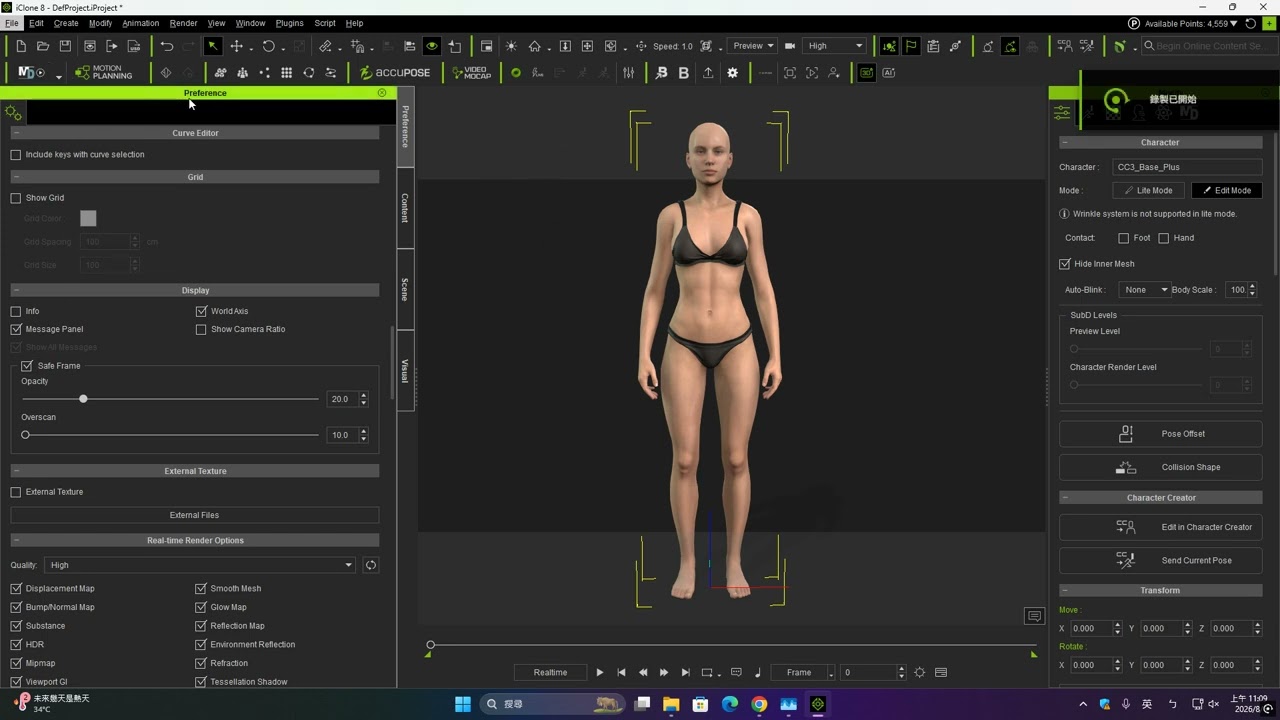
Regarding the black bars shown in the viewport, these are the safe margins. You can disable them in Preferences, as demonstrated in this video:
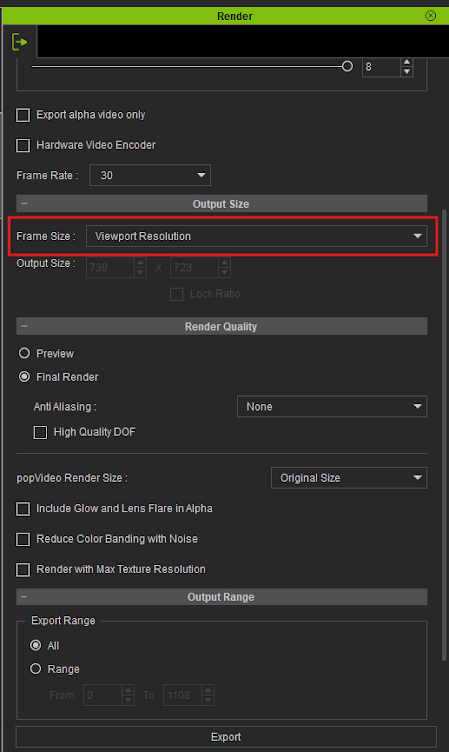
If you still have the grey bars, you can remove them by selecting Viewport Resolution from the Render menu.
what does the debug error lines mean? Can’t you understand from those why CC creates them?
Itested this many times yesterday and allways the same. CC creates debug file for no reason.
For example just now I tested this.
I open CC
I drag and drop CC4 Camila the basic character
I save the file into my windows 10 “photos” folder which
I close CC
I open CC again by double clicking the saved CC4 Camila file
CC opens and while it opens it creates the debug file
when it’s open I get same “replace all” pop up I showed earlier and CC forces me to choose before it opens the character.
There is nothing out of ordinary I did here I even saved the CC file with the original name which is “CC4 Camila”. Still I get the debug file which then means that CC is buggy and don’t work correctly. 1 Reason I could get the debug file is if I miss something form the folder it receive something that relates to the character, but it’s not that since the character allready opens perfectly first time when I drag and drop it to the interface inside CC.
Here are the debug files from the camilla test:
[0806/134227.451:WARNING:resource_bundle_qt.cpp(115)] locale_file_path.empty() for locale
[0806/134240.320:WARNING:resource_bundle_qt.cpp(115)] locale_file_path.empty() for locale
So there is definetly some sort of bug, error in the code that makes this useless file that don’t do diddly.
So why can’t you understand what the debug message says?
Also I can’t find anything about safe frame on the manual, what is it and what is the point of it?
I reply here separately, but please answer on my previous reply as well. It seems the CC is bugged like I know it seems to be, but. When I open CC first and then either drag CC file onto it to open a character or open it from the menu then it doens’t create the debug file. It seems to create it only when I open CC by clicking CC character file that then opens the software it self. So that should give a clue where the bug is.
Thanks so much for pointing this out! We were able to review your debug log and replicate the issue.
Our R&D team is on it and looking into a resolution. In the meantime, you should be able to open your ccProject file by launching CC first and loading the file directly through the program menu.
We will keep you updated as soon as we have more information.
 hehe. Glad to be of help!