I will take anyone’s help or advice at this point. I have the latest updated versions of Iclone8 and CC5, both data link plugin and Blender Datalink add-on. At some point, I ran out of space on my exertnal D drive and started saving both Iclone8 and CC5 projects on my F external drive, as well as Blender projects. Now, when I try to import a character from IClone8 directly into Blender, nothing happens, I just see an empty cube in Blender.
I can see the characters go direclty into the export folder in my Reallusion data link, but nothing on my Blender scene. I tried moving everything back to its orginal drive, but nothing. Absolutely Nothing. At this point, I don’t know what else to do. Does anyone have any suggestions or had this problem before?
So, just to try to understand. You normally use datalink directly, rather than exporting from CC5 and then importing to Blender? If datalink is what you usually use, have you tried the export/import method? Also, have you tried uninstalling the addons, restarting your PC, then reinstalling them?
Hi, yes, Ive unloaded all programs, blender, reuploaded the datalink importer. I even recreated the characters in my screen from scratch. I did make some progress just now, I deleted the character’s clothing and he suddenly imported directly into my scene. I tried adding the suit my character was wearing, and nothing. I updated the clothing pack in the CC5 content importer, but still nothing. I may just have to go back to the old way of importing FBX. The link no longer works.
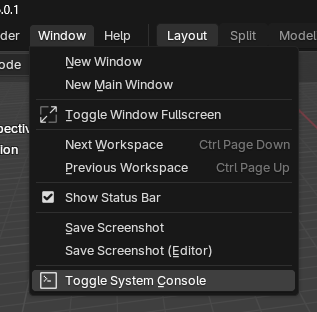
Yes, Thank You, I did pull up the console log, and just see a ton of python script errors along with idle time-outs. It appears alot of my add-ons have script errors. I may have download a bad blender add-on that had malicoius python script coding hidden in it (Blender Market/Superhive sent an email to us customers that warned of this. I can use the data link and it only works for certain characters (before a certain date) or new characters with no clothing. It’s pretty discouraging at this moment. When I do a manuel import I get pyhthon script errors.