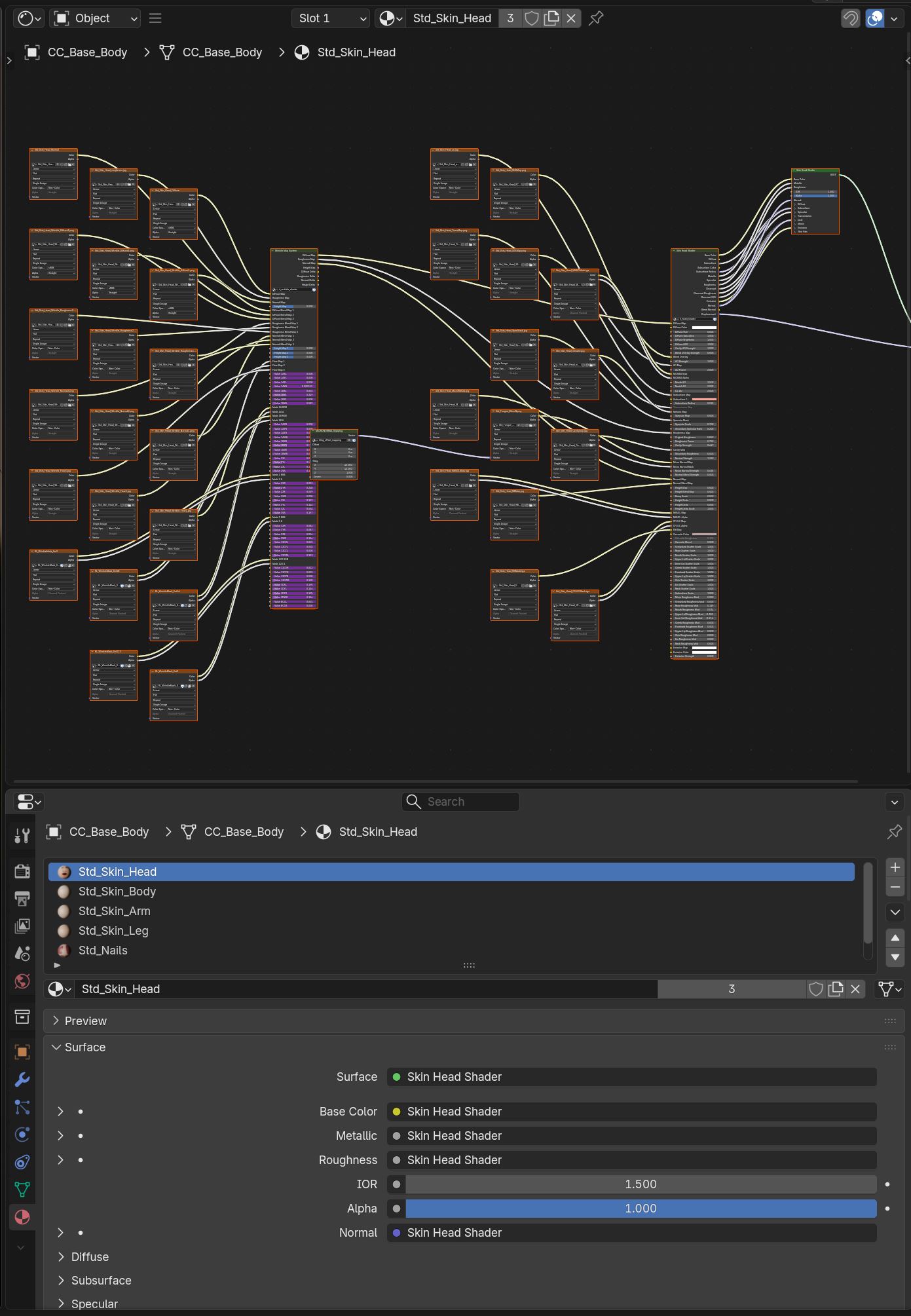
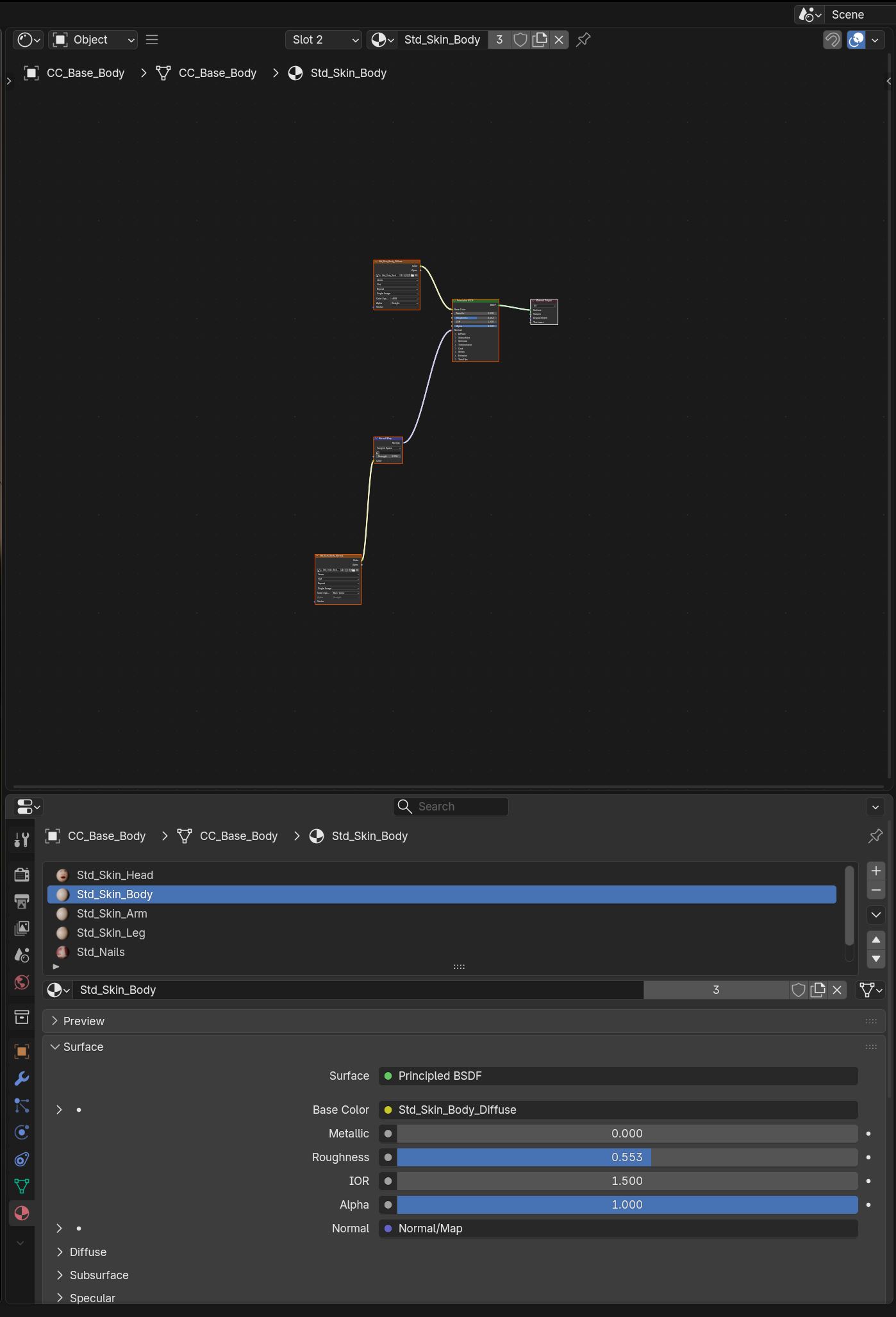
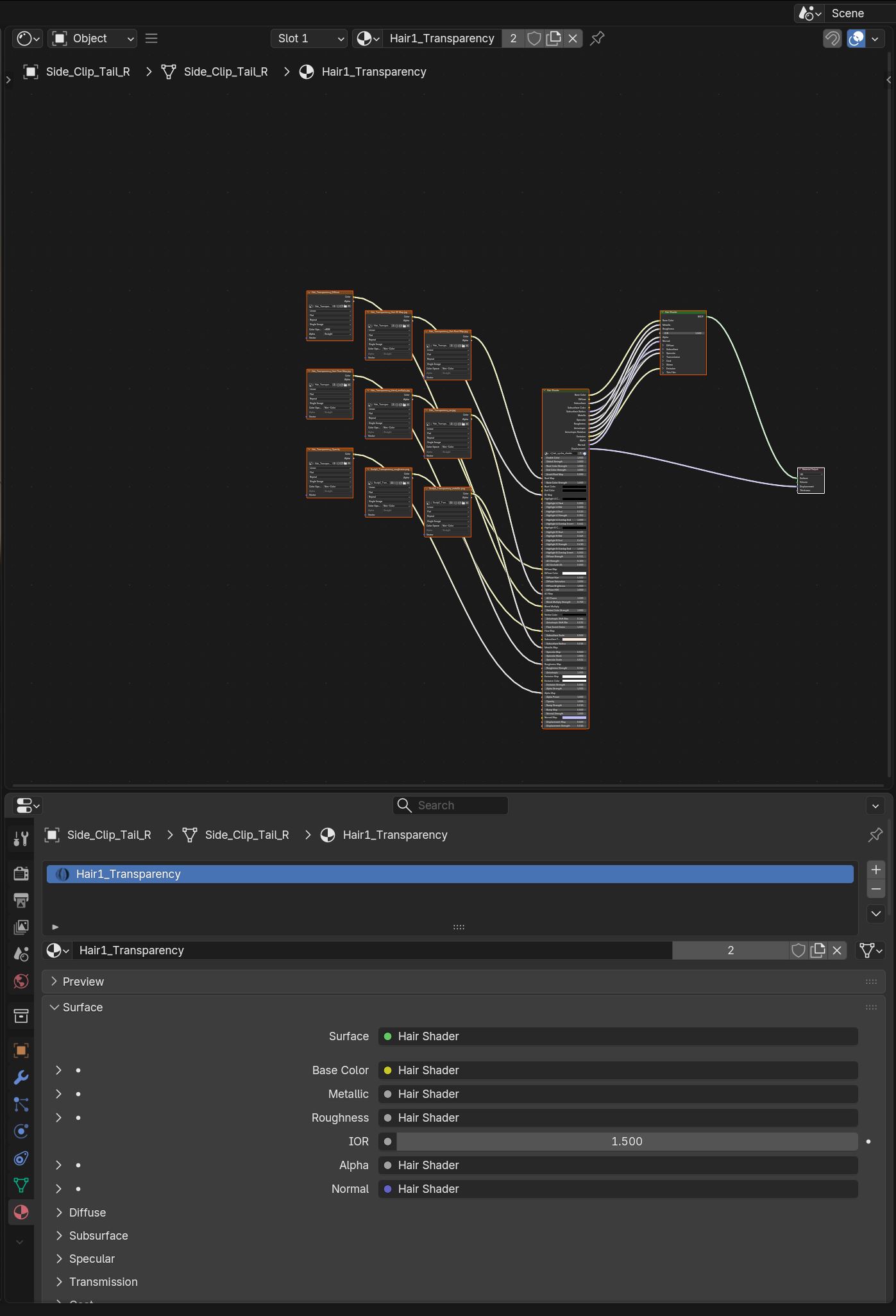
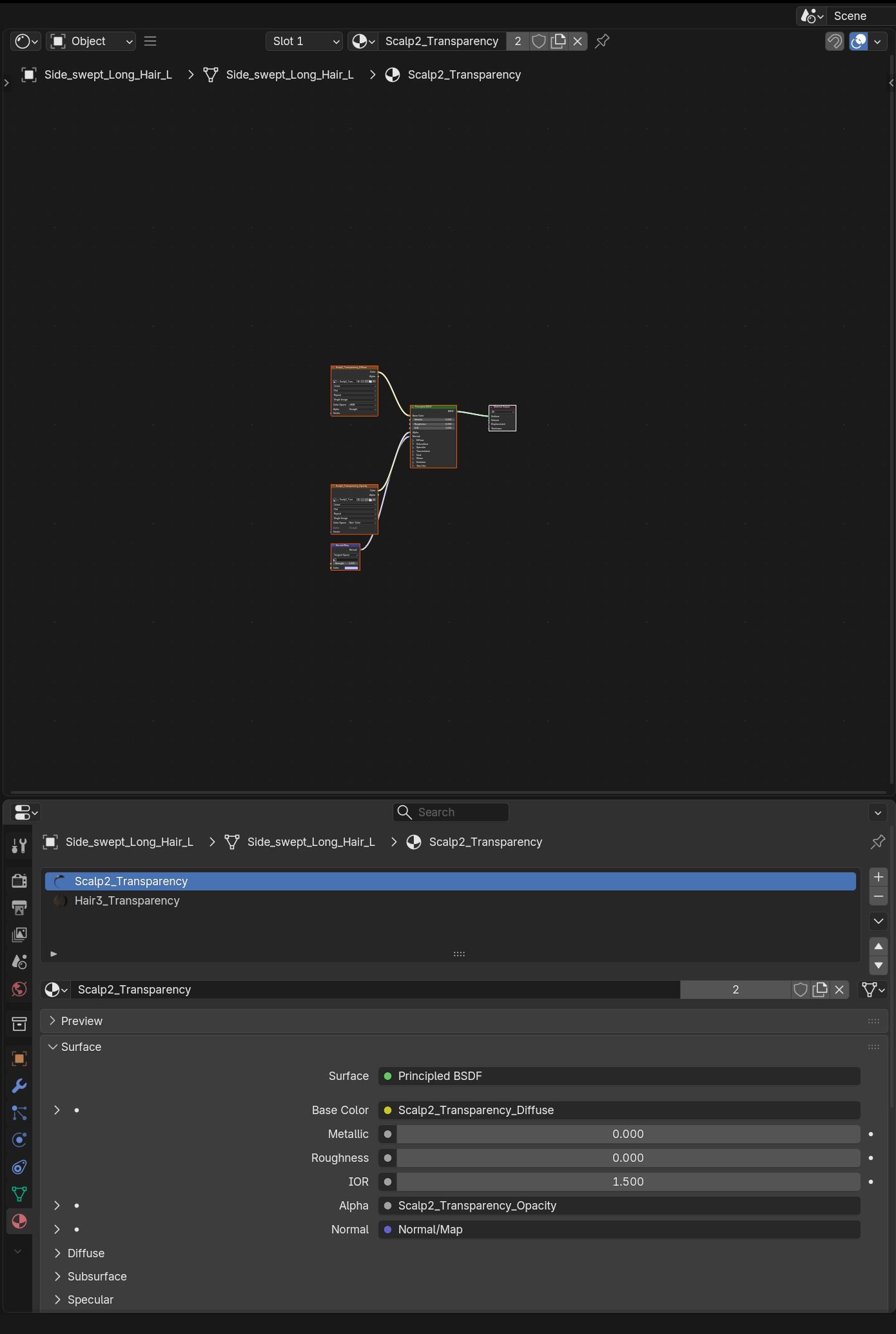
Hi, hoping someone may be able to help or offer a suggestion on how to fix the issue below. I’m using Character Creator 5 and Blender 5.0.1. I’ve tried both versions 2.3.2 and 2.3.4 of the Blender Pipeline/Tools, and the same thing happens.
I’ve also tried using the rebuild materials and rebuild shader options to resolve it.
It appears that some materials are created correctly using all maps, while others are missing most textures and look very basic. For example, the face looks correct and includes all textures, but the body doesn’t. The same thing happens with the hair—some parts include all textures while others don’t.
I’ve included screenshots of the material shaders to compare the node setups and what’s included, as well as an image from Character Creator to show that the issue only occurs when transferring to Blender.
Hi, I’ve tested this a bit further. It seems to be a compatibility issue with Blender 5.0.1. I was able to get everything working without any problems using Blender Live Link 2.3.4 with Blender 4.3, so I’ll stick with that version for now.
I’m not seeing any obvious errors importing into Blender 5.0.1.
Check the Blender system console for errors and tracebacks.
The body and scalp materials there haven’t been processed at all, they look like base fbx import materials, which suggest something crashed before it could finish. It’s just a matter of finding out what.
Apologies — I believe the error is caused by a custom script and pie menus I was using with Blender. I uninstalled and reinstalled Blender 5.0 and had no issues until I installed the HeavyPoly scripts: GitHub - HEAVYPOLY/HEAVYPOLY_Blender: Blender Tools. . I checked the scripting view to see if I could identify the cause, but I don’t think it reported any errors. However, when I used the Cycles setup button, I did get an error about the image file format being OpenEXR. I’ll just work around it for now. Thanks for your help.