Hello, I was wondering if anyone else has had an issue with importing characters with the new Auto-Setup? I installed it yesterday, and so far, it takes at least 40+ min to bring in a character. Sub D is 1, texture 2096. So, nothing complex. Should I be doing this now through iClone, rather than manually importing like in previous versions? At least they worked 
Hi,
Were the box “Include Control Rig” checked in the importing options?
This would require more time to setup.
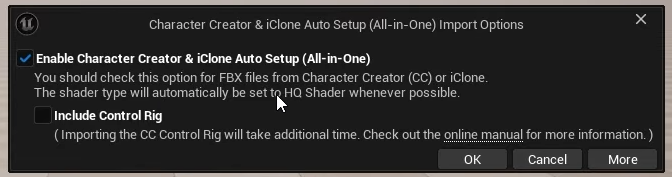
Please let me know you system specification as well if further help is needed!
Thanks
Hi,
I’ve tried unticking the ‘Include Control Rig’. What seems to be the underlying issue, is importing a character with hair. If I leave the hair off and import a bald character . Then I’m looking at something between 7 to 10 minutes of importing. Leave the hair on, something that is somewhat important, then I am looking at 45mins. This to anybody is unworkable. Especially as someone working on an Idie game. Where character iteration is something common. You might not like the hair, or you wish to try some other type of clothing. Having to wait over 45mins everytime is dire. I would be better using Meta Humans instant. I’ve only started having these poor performance issues since I installed Auto-Setup 2. Before that, I was using the original Auto-Setup. And changing the charactr and re-importing wasn’t an issue. I could use Meta Human hair. If that’s the case, may as well go the whole route and ditch CC5 and icClone completely for Mete Humans.
Update:
The issue is the new Auto-Setup 2.0. It does not allow certain hair assets to import into Unreal. Example: Swamb Sam hair. But, if I use the older version of Auto-Setup, the is no real issues. Still takes 20 mins, but not the 45 mins +. So, not much of a leap forward
Oh … i actually have a LOT of problems with the new Autosetup 2.0 for Unreal…
When I import a character from CC into UE 5.7, I get some errors when I start the game.
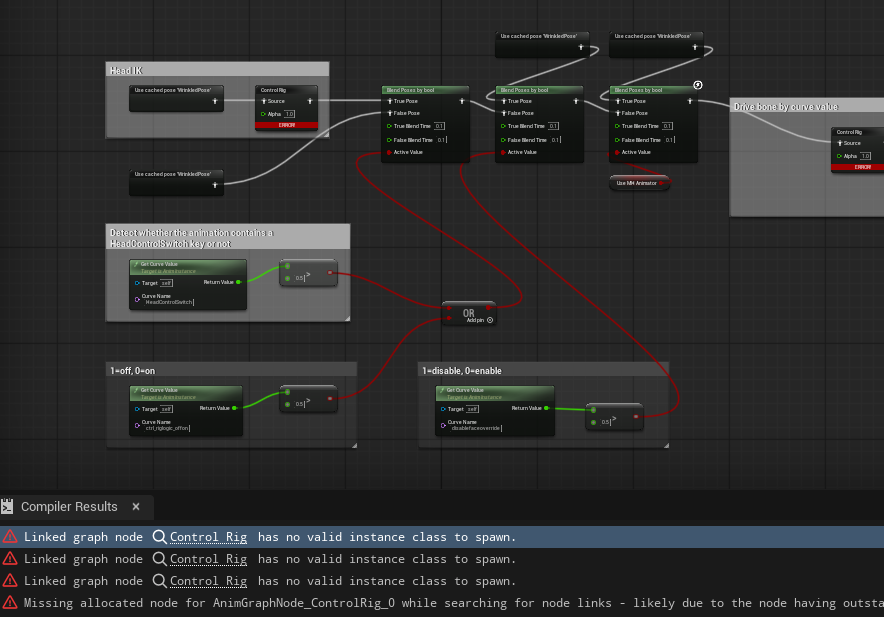
and my characters faces look really weird like this:
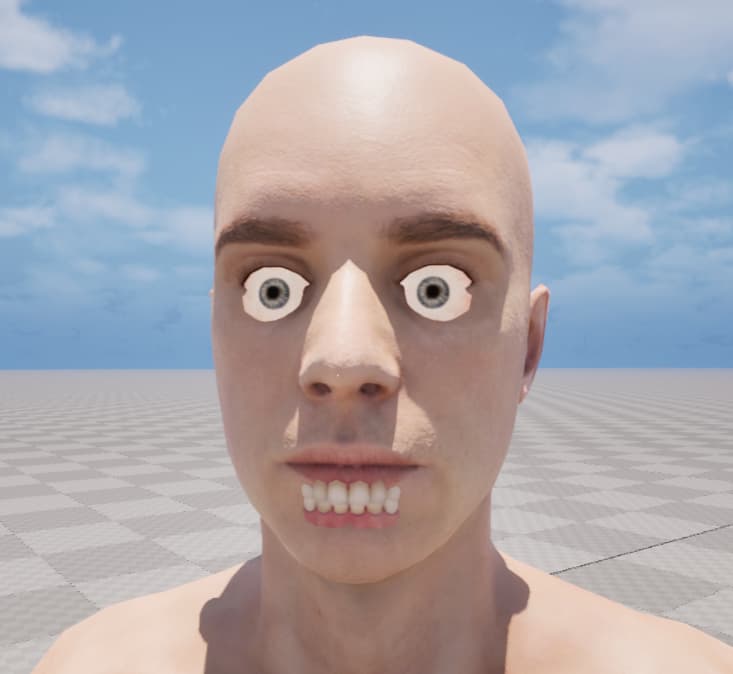
unfortunately the plugin seems to alter the skeleton on import, which destroyed my game characters main skeleton…
with the old plugin one could choose on import, which shader you want to have for your characters: Low, Mid, High
the new plugin only uses some kind of “high quality shader”, which may look supernice if you want to render an animation in UE, but performs really poor in a game.
Unfortunately I had to completely remove the new plugin from my character workflow, that I developed over the last 5 years or so. It worked perfectly fine before the new plugin… so yeah… its not really an improvement for me. more of a downgrade.
I really would like to see the old 1.0 plugin come back!
Looking through the forum, people were saying there were issues with Unreal 5.7.1. Never tried it on the version. But, I tell one thing. It certainly dosn’t work with ver 5.7.2 Tried importing, and Unreal just crashes and burns. Lets me honest here. This was supposed to make peoples life easier. The is not an improvement, but a HUGE step backwards.
My solution, that worked for me. So, do this at your own risk! I imported my characters into 5.6.1 using the Autosetup 1.4. Once that was done. Migrated the character into 5.7.2, and saying YES to over
writing any files it prompted. So, far, everything is coming across fine. No wierd hair issues, or skeleton problems.
I think someone at Reallusion needs to get a grip and look into to this?
I spent two days trying to get it work, before trying this  Finally, a Reallusion character looking like it’s supposed to in Unreal 5.7.2.
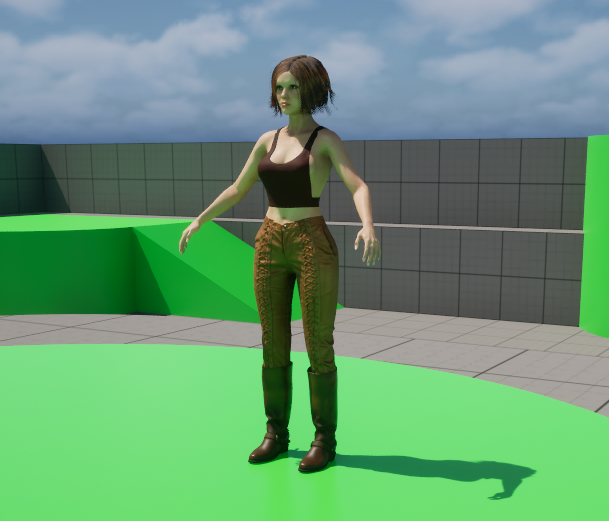
Update: Just in case it wasn’t a one off… Same character, different hair and clothes, migrated from 5.6.1 into 5.7.2 …
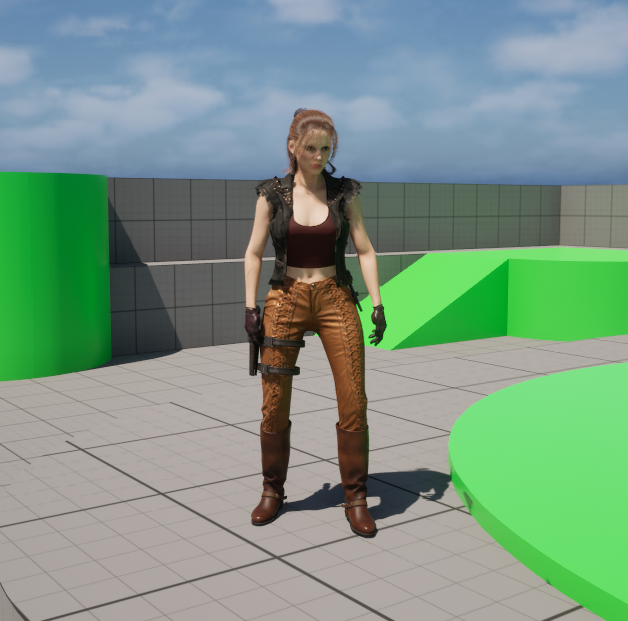
Looks good to me, Robin!
The way I currently bring my characters into UE is by exporting them as an FBX from CC (with a UE4 compatible skeleton) after converting it into a “gameready mesh”. Then I open the FBX in Blender for final preparation (I must manually seperate the head from the body). Then I export the FBX from Blender and import it into UE 5.7.2, with the unreal fbx importer. Its acutally some kind of magic/alchemy happening there 
This workflow works pretty good in UE 5.7 and also forces me to have an eye on the materials and shaders of my characters myself, instead of letting the plugin do this for me.
1 Like
Hi Robin,
We haven’t been able to reproduce this extreme slowdown or the specific hair import failure with Auto-Setup 2.0 on our end yet.
To help us investigate what might be causing this bottleneck, could you please share:
- System Specs: Your CPU, GPU, RAM
- CC Version: The exact version of Character Creator you are using.
- Project File: If possible, could you send the CC project file (or just the character with the problematic hair) to alanyang@reallusion.com?
Having the file will allow us to test the import directly.
Thanks!
Hi c68,
At the moment, it’s difficult for us to determine how this issue occurs.
Could you please share more details about your workflow so we can try to reproduce it on our side?
Additionally, could you please confirm whether you are using a GameBase character? GameBase characters should not automatically select the high-quality shader. If it still selects the wrong shader, it may be a defect. Please let me know if that is the case.
Thank you for your cooperation.
Hi,
Since having the issues, I haven’t tried using the new Auto-Setup. Since then, you;ve done a update and so has Unreal. Tried it this moring, and I managed to get a character into a new Unreal 5.7 project. (didn’t add the CC-Rig) But regardless if I did, this is the issue -
As you see, the Princess Leia look is not what I wanted.
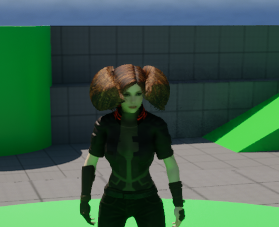
This is the exact same character in a new Unreal 5.7 project:

The only difference is that I migrated it from 5.6 using 1.41 Auto-Setup into 5.7 with your 2.0 Auto-Setup installed. When it asked to to replace the shaders, I said ‘YES’ to all. So, it’s not the assets used on the base character. The underlying issue is the 2.0 Auto-Setup. No matter what hair I use. Even if it’s reallusion hair, it’s not correct.
Thanks
Hello raytsao,
my typical workflow is like this: I create a character in CC4 then convert it to a GameBase character, export it as an FBX (for Unreal Engine, Mesh only, UE4 skeleton). This worked totally fine until UE 5.7 and the new All In One plugin, which causes the errors, I mentioned earlier.
Hi c68,
Sorry for the late reply.
I’m not entirely sure, but it might be because the character was exported using the UE4 skeleton and then used in UE 5.7. In that case, encountering issues would be expected.
In our testing, exporting with the UE5 skeleton works normally.
If the problem still occurs, we would need your FBX file or your CC project to investigate further. A screen recording of your process would also help us better understand the issue.
Please send the files to my email: raytsao@reallusion.com.
Thank you for your assistance.