when importing more than one character into maya the head rig is always named the same, therefore it cant be set to the proper character. This happens even when set up as reference. unable to change name of control rig
Hi ca_RESERVED_etonray,
Could you please let us know which version of the Maya Auto Setup you are using? It would also be helpful if you could record your workflow so we can investigate the issue further.
Please send the recording to winnerhung@reallusion.com or share a download link with us.
Thanks
I am using 1.04 although in maya it says version 1. I have tried multiple things although the proper way is to reference. no matter what i try i dont see a way to have different names for the rigs. i can get the body rig to work ,but the head rig is always named the same which obviously causes maya to only work on one character. Im sure its probably a simple fix ,but i’ve pulled my hair out trying to find the answer
Thanks for your help
Hi ca_RESERVED_etonray,
Noted. What is the version of your Maya? Could you please send your screen record of your workflow to winnerhung@reallusion.com or share a download link with us.
Thanks
Hi ca_RESERVED_etonray,
Our technical team recommends trying the following workflow to avoid duplicate naming:
Start with a single character and configure the output settings. You can then import multiple characters according to the reference to prevent naming conflicts.
Please let us know if this resolves the issue.
Thanks.
I do start with a single character. what output settings the problem seems to be the naming of the face control rig
Hi ca_RESERVED_etonray,
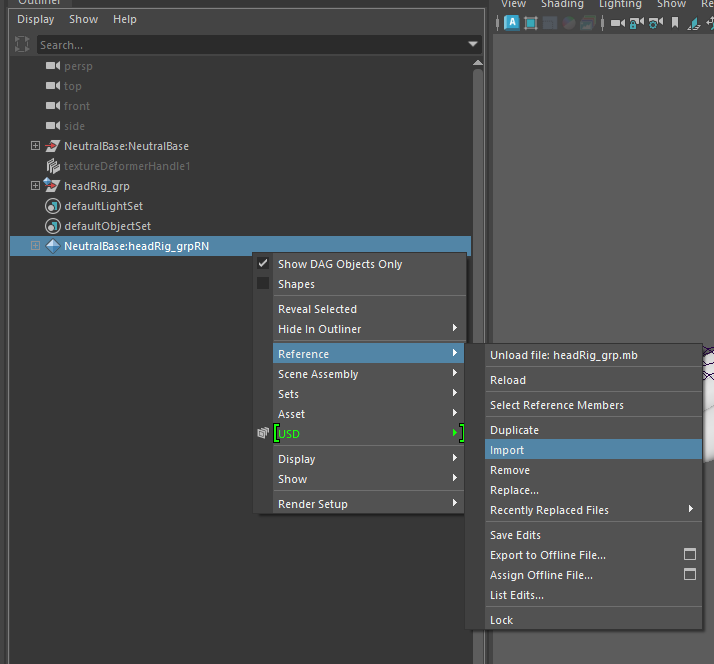
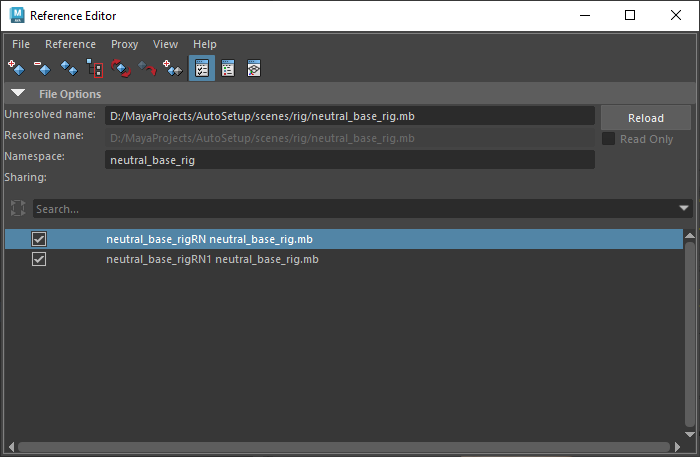
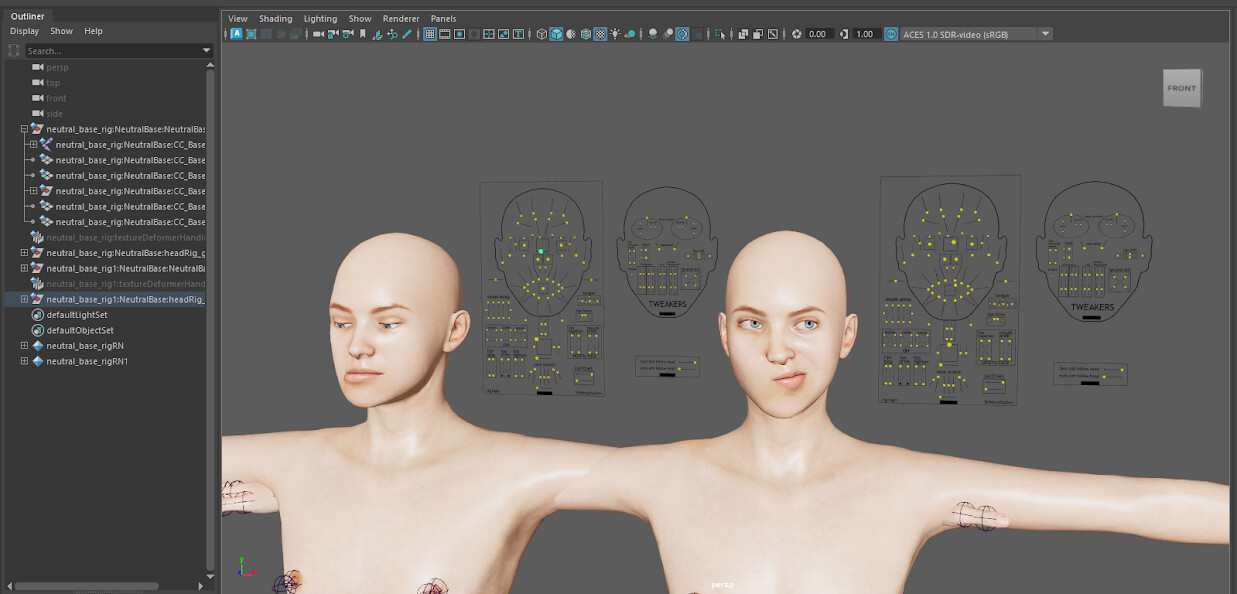
Please use Maya’s Reference Editor in bringing all characters with face rig into Maya. By using the Reference Editor, Maya will automatically assign a namespace to different reference characters, which helps prevent naming conflicts or if you can customized your own namespace.
Please refer to the images below:
Step 1: Import the single character
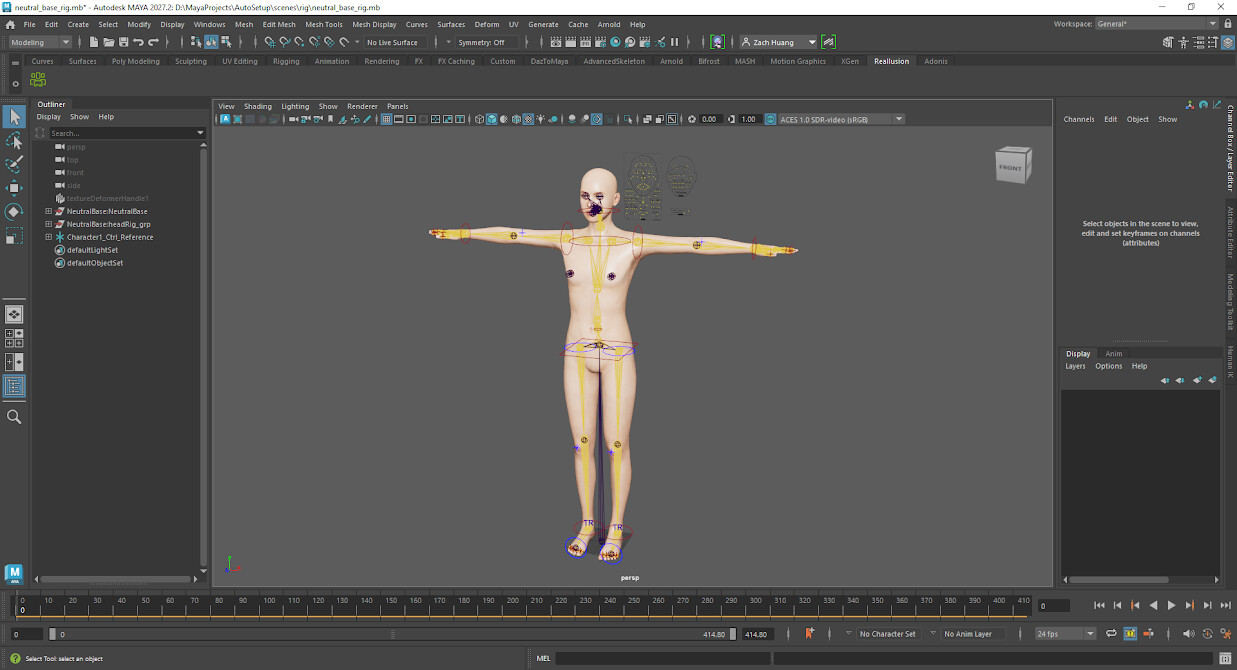
Step 2:Import the face rig by Reference Editor then Save
Step 3: Open a New Scene then use Reference Editor to reference all characters into the scence. Maya will automatically add namespace or add custom namespace
Result: Namespace shown in the hierarchy
If you have any further questions, please don’t hesitate to reply.
Regards
Just finished trying this out. yay, it’s working.
Thank you for your help much appreciated
1 Like
Hi ca_RESERVED_etonray,
Great to hear that it worked! If you have any further questions, we’ll be happy to assist you.
Regards