In iClone 8 manual, for iTree
(The Tree), it says
Clone provides you with a system to adjust the parameters of planted trees. You may plant trees on the terrain or even link or “attach” them to some other target object
But there is no way to do that. (right click hows no such attach) (Modify panel, also no attash.) The only feature is LINK. Attach is a good feature to manage a group of trees, e.g. hide or show!
Attach is ob
Hi…
iTree’s have been in iClone since the earliest versions and some functionality has changed from version to version.
In iClone 8 you can “Link” multiple trees or plants to say a dummy prop, and then move the prop to move all the trees at once. However, there isn’t an “Attach” option in iClone 8 as there is for standard Props.
You can create a new collection in scene manager. Add desired trees to that collection and then hide/show with one click.
I tried the link method, that allows to MOVE the set … but when you hide the parent, it cannot hide the trees.
I also tried to get the trees into a collection. But the collection has no UI for you to hide it (& so hide its subsets). The trees need to be set ‘hide’ one by one!
I am using Version 8 8.65.4905 (The newer one had bugs in the Scene Manager)
Thanks
It actually has…
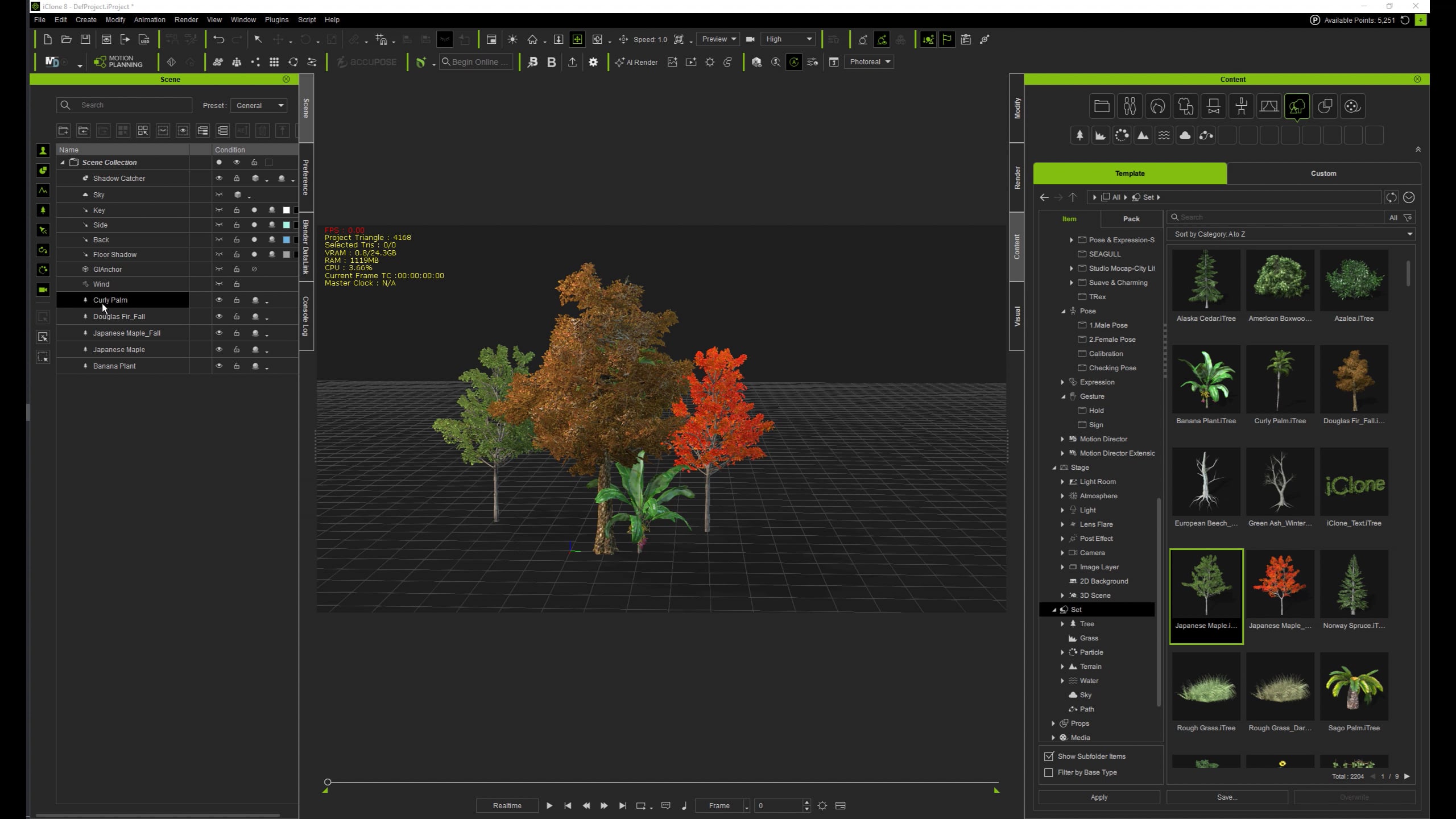
1 Like
I got that thanks, I overlooked the eye icon on the side!
thanks