I’m just beginning to use NanoB and Flux to generate graphic novel panels. I hit a censorship block on page 2, since my script calls for a kid to get bullied. It’s no more violent than any bully sequence in a typical Hollywood movie. Gemini gave me an alternate euphemistic script that provides distancing, silhouettes, and symbolic action to convey the scene, but NanoB still refuses to execute Gemini’s own script. Copilot explained the situation and provided me with a “safer” script – it got blocked, too. Now what?
I use Grok AI which is the most uncensored AI Available right now.
Additionally, I don’t let the AI write my scripts, I only use AI for image generation. And I write my own dialogue/ scripts. for my comics and graphic novels, so I’m not having any problems.
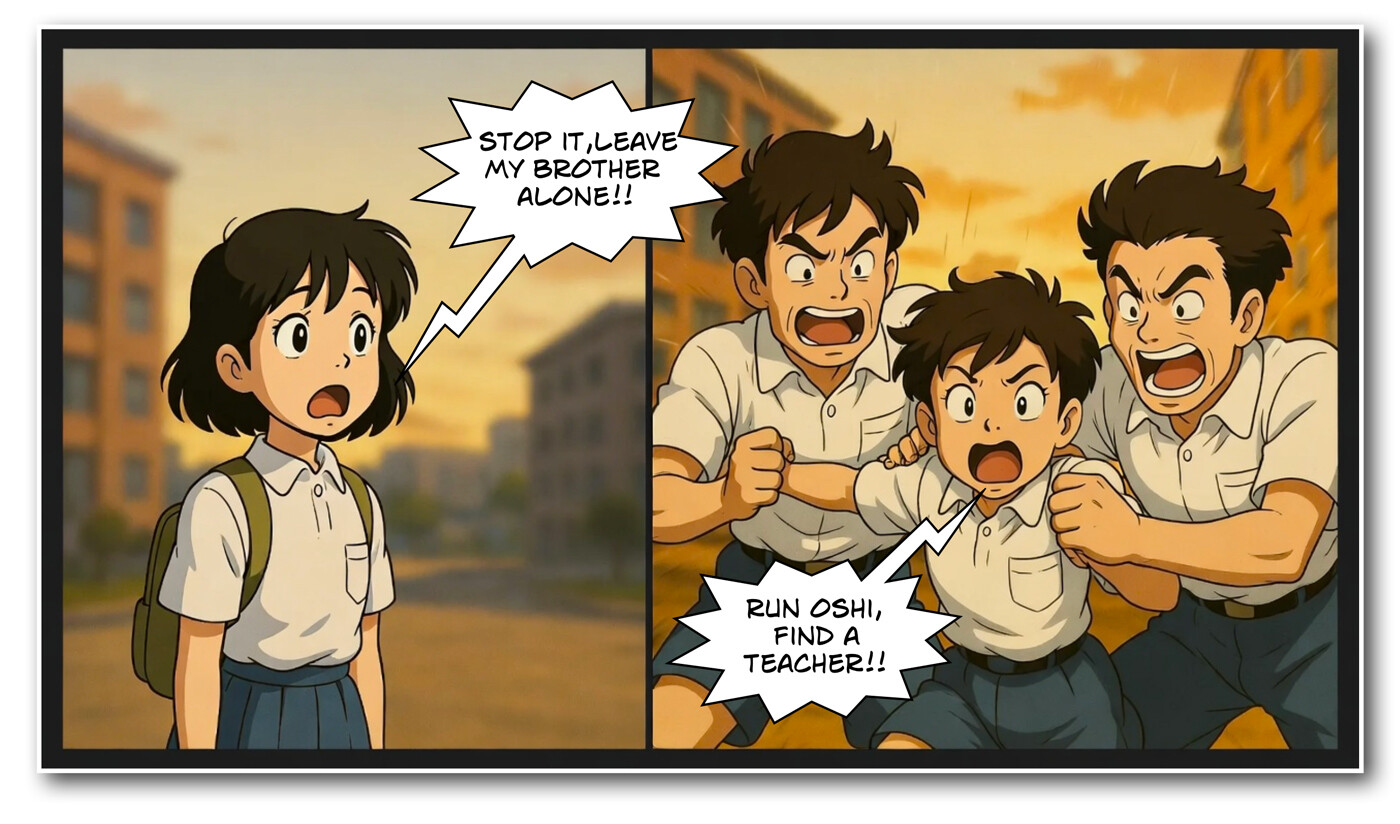
Since January, Google has implemented an additional flag, which makes it finicky. Even the most innocent queries get rejected sometimes. You just have to find ways to write around it or try another model.
just hack the intention, don’t use the word bully - turn the idea into angry rock stars aggressively performing a menacing song with fists clenched passionately. “AI - oh, that’s different!!”
To bypass persistent image generation blocks while maintaining your narrative, focus on visual metaphors, environmental storytelling, or shifting the focus of the composition away from the characters themselves. If direct prompts are triggering the safety filters, you must abstract the scene further or use “negative prompt engineering” to focus on the mood rather than the action.
Solution Steps
- Understand the Filter Logic: AI image generators often use keyword-based triggers. Words like “bully,” “kid,” “attack,” or “fight” are often flagged as high-risk regardless of context. Your current scripts likely still contain semantic triggers that the model’s safety layer rejects.
- Abstract the Scene (The “Mood” Approach): Instead of prompting for characters interacting, prompt for an atmosphere that implies the aftermath or the tension.
- Example: Instead of “a bully pushing a kid,” try “a cinematic shot of a school hallway, dramatic lighting, shadow of a looming figure over a smaller silhouette, sense of intimidation, high contrast, graphic novel style.”
- Use Environmental Storytelling: Show the bullying through objects and setting.
- Example: “A scattered backpack, school books on the floor in a messy hallway, a sense of isolation, gloomy color palette, 2D art style.”
- The “Non-Human” Substitution: If the filter is hyper-sensitive to human subjects, replace the characters with generic shapes, silhouettes, or stylized character designs that do not resemble realistic children.
- Technical Refinement:
- Remove all words related to “violence,” “harm,” or “aggression.”
- Focus on technical descriptors: “low angle shot,” “desaturated colors,” “ominous composition,” “dutch angle.”
- Iterative Testing: If you are using a local or API-based Flux implementation, check if your interface has “Safety Checker” settings that can be toggled off (if using Diffusers or Automatic1111). If you are using a hosted cloud service (NanoB), you are bound by their specific terms of service and must sanitize your prompt until the AI stops flagging it as a violation.
3 Likes