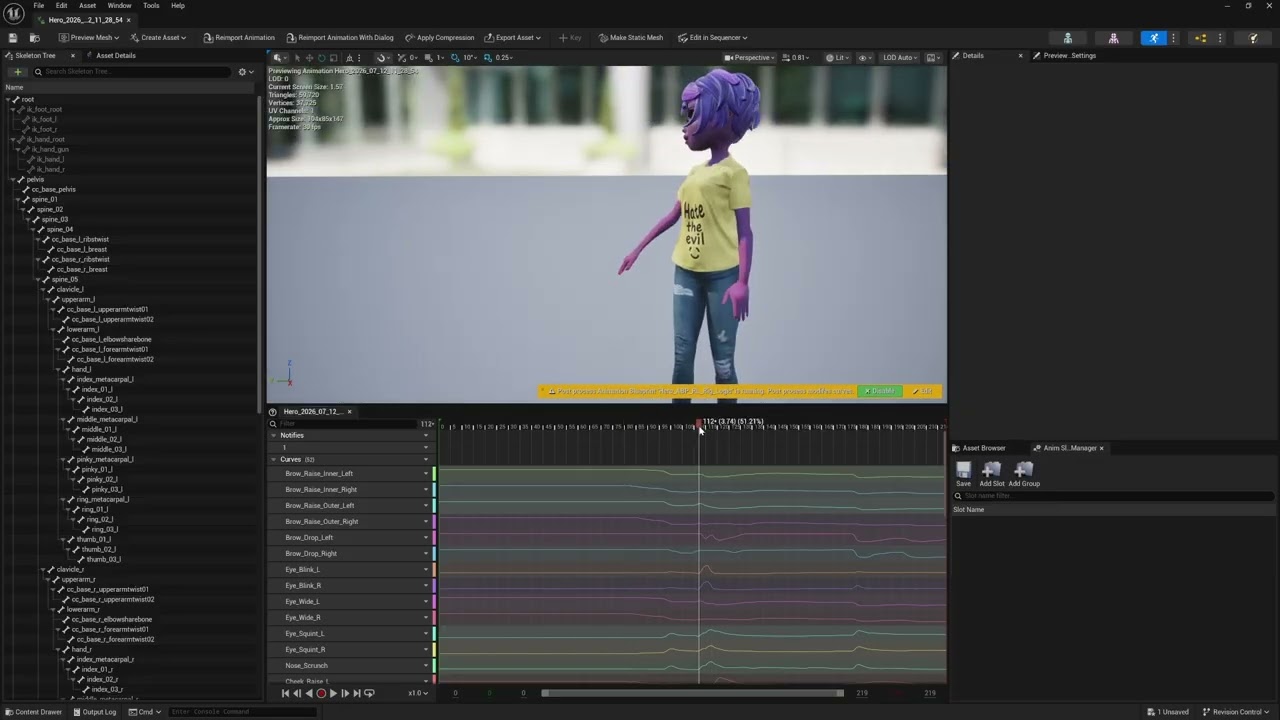
AccuFACE doesn’t work correctly in UE5 and I’m still unable to export animations, etc. Here is a video of the various issues I’m faced with preventing me from getting anything that is usable:
Please share if you have run into the same issues or if you know of any work arounds. Thanks!
Hi Ryan,
To help us investigate these issues, could you please provide your working files send it to winnerhung@reallusion.com or send us a drive link? Please include a description of the issues you encountered and a list of the specific plugins you used.
Thanks!
Character Creator 5, iClone 8, Unreal Live Link, AccuFACE
Issue 1 - The fbx exporter in iClone works on some CC5 characters while is completed broken on others, including your own characters. The exporter just tells you that it has failed when you drop on any purchased animations and attempt to export them, leaving you with no way to use your animated character.
Issue 2 - You can not export working AccuFACE animations to UE 5.7. The jaw does not open and the eyes are not moving left to right in my example.
Issue 3 - iClone AccuLIPS is unable to generate text with some audio dialogue files and breaks. What makes it worst is the tool does not let you input the words manually as a minimum requirement when it fails.
Issue 4 - The transform gizmo does not work correctly in CC5 accurig, rather than moving 1 axis it moves all of them.
Issue 5 - Unreal Live Link grouping for lighting randomly breaks all the time.
Issue 6 - iClone Face Key also does not work in UE.
Hi Ryan,
Please find our technical team’s response to each of your reported issues below.
Issue 1 – iClone FBX Export Failure
We tested the character but were unable to reproduce the issue. This may occur if the project contains unpurchased content or if an AP trial version was used.
Issues 2 & 6 – Jaw Open Data in UE Live Link
This issue is unrelated to AccuFACE. The character uses a Traditional Facial Profile rather than an ARKit profile. We found that UE Live Link is currently unable to receive the character’s Jaw Open data. Our R&D team is investigating this issue.
Issue 3 – AccuLips Syllable Detection
AccuLips may occasionally be unable to detect certain syllables, particularly when the voice has an exaggerated or cartoon-like accent. If the audio cannot be clearly recognized, an error message may appear. In this case, the user will need to follow the tutorial and manually align and adjust each section.
We have recorded a tutorial video for your reference.
Issue 4 – Using the Transform Gizmo in AccuRIG
Please refer to the AccuRIG Manual for instructions on how to use the transform gizmo correctly.
Issue 5 – Missing Light Group
This appears to be a defect. In the user’s video, the Light Group disappeared. Although we could not reproduce the issue during standard testing with the release version, it occurred after performing a particular combination of operations. The related code may require further review, and our R&D team is currently investigating the issue.
We will keep you updated on any further developments.
Regards