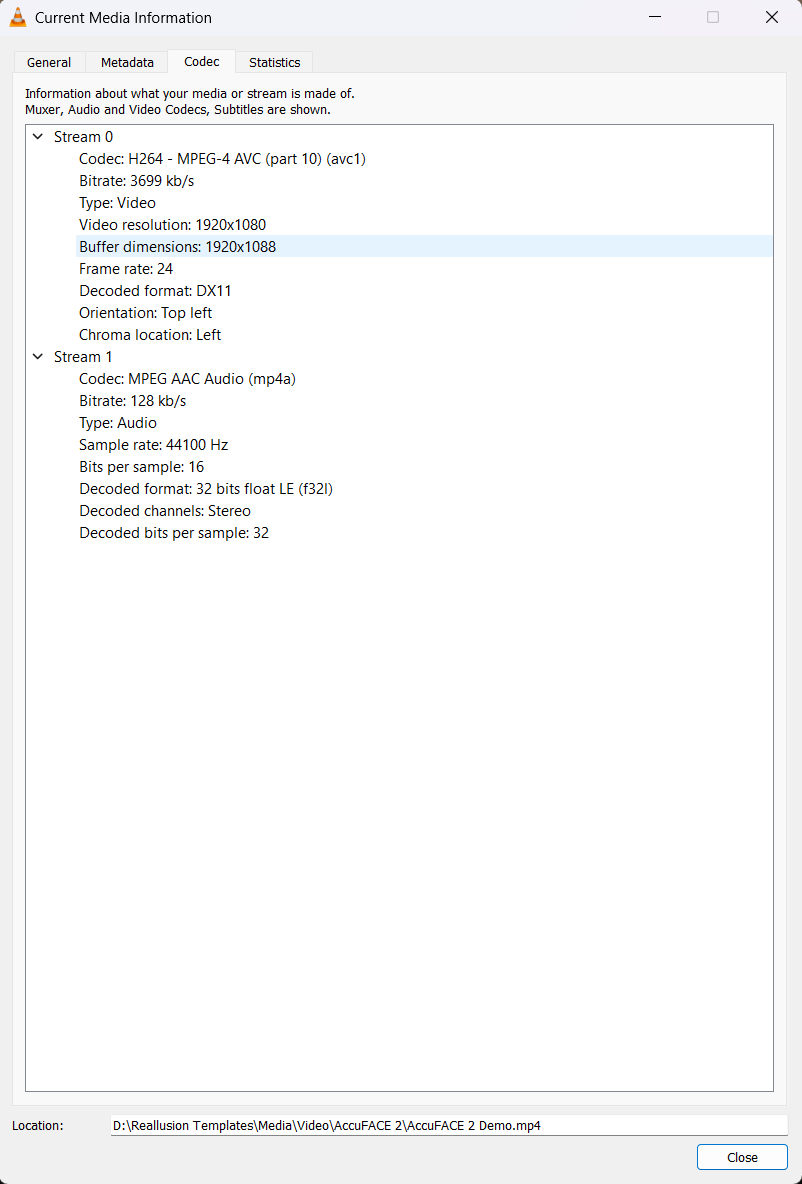
I’m really at a loss as to why I get a codec error when using a video with Accuface 2.
Why? The file from the demo is a .mp4 file. This file plays perfectly if I click on the file from my file folder using windows media player. If I do a take using Accuface 2 it saves it as a .mp4 file to my file folder. Again, this file plays perfectly from file folder. I’ve even checked the file format from your demo .mp4 to my recorded from webcam .mp4 inside of Sony Vegas and the file formats are the same.
This error message inside of Accuface 2 is complete nonsense about not having the correct codecs surely? If I didn’t have the correct codecs then windows media player wouldn’t even be able to play the .mp4.
That k-lite website seems ancient and surely an unnecessary download for a modern computer running windows 10/11 to need anything additional to run or process a basic .mp4 file.
I’m very confused. I tried to convert the .mp4 into a .wmv file inside of Sony Vegas and all this does is crash Accuface 2.
Can we or I have some proper clarification on this and exactly what is needed to use this product.
I had the same problem with another plugin and I also was under the impression that the K-Lite codec pack was unnecesary. However, another user has success, so I installed the K-Lite Basic pack and that did the trick. The Basic pack seems quite harmless.
That said, I would also be interested to learn the reason why we need this.
@Marty3DGuru I wouldn’t recommend to install any codec pack. These can interfere with video and audio editing software severely and in the worst case, you might need to reinstall Windows.
Better check the video file with MediaInfo to find out it’s codec and if it has, for example, a variable frame rate. Then use a tool like a Handbrake to convert it into a useable MP4 file or use Vegas.
Thanks for your comments. I can’t understand why the information is so vague about this and why you need extra codecs and which ones exactly.
Also it mentions about converting it into a suitable format. Well which one exactly? In Sony Vegas I can render I don’t know how many different .mp4 formats, so which one is suitable and why?
I would like more in depth information for this product, not a very minimal manual.
But I never use 24fr/sec. I prefer 30 and 60.
In the reallusion world prefer using what they said without understanding and why. They have their own way of operating and they are very discreet about their technology and programming. I too have all codecs because I work with Davinci and Premiere. But I dowloaded the K-Lite codecs and never get an video error message with Accuface2.