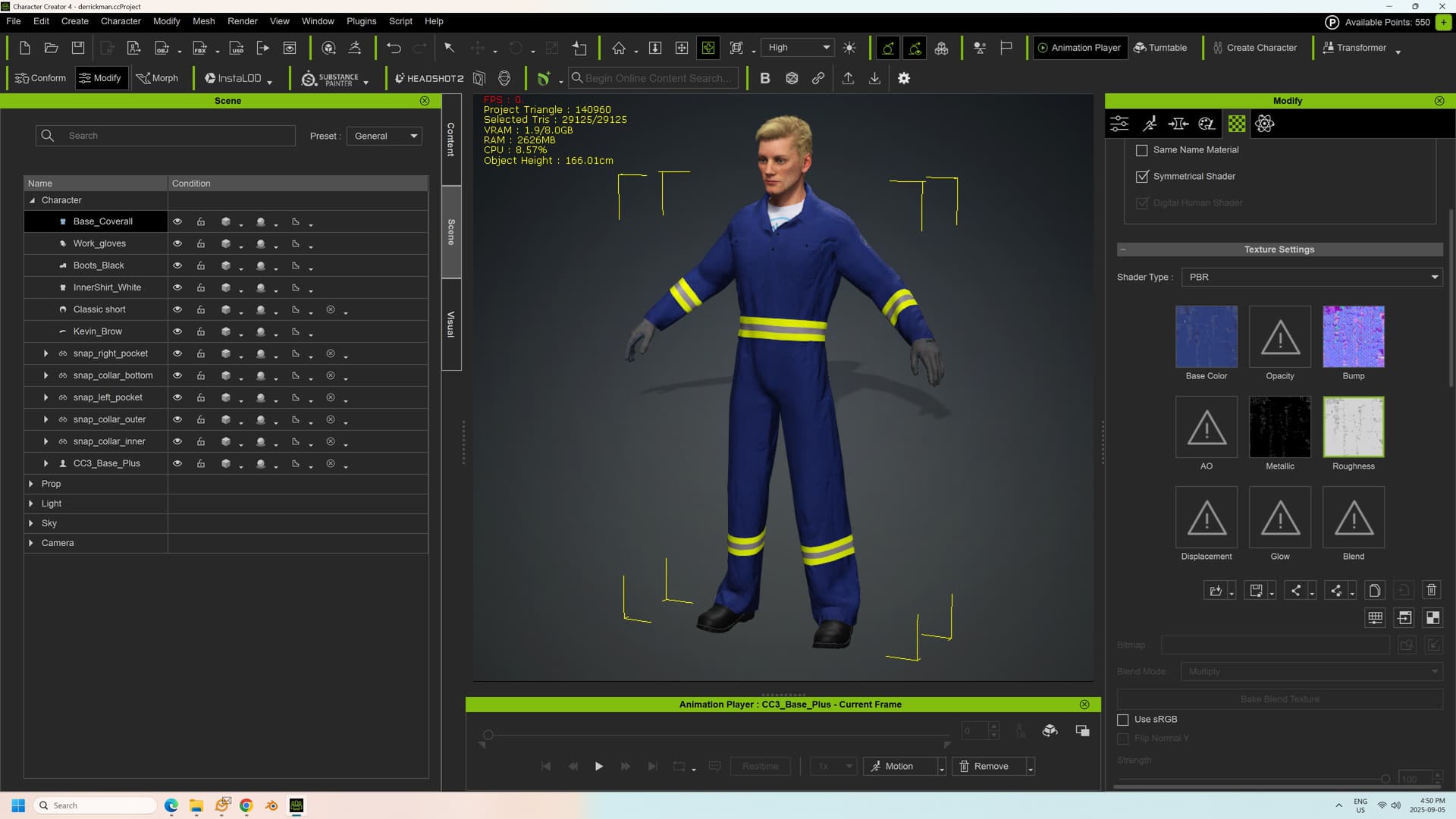
I’m trying to create a custom outfit (a set of coveralls) to bind to multiple characters in Character Creator. (I’m modeling in Blender).
I had created some separate parts and joined them to the main mesh. I parented this clothing to the character in Blender, then imported back into CC4. However, while all the vertex groups were inherited, CC4 only seems to apply vertex weights to one part of the mesh when I import it. All of the other little bits, (like the reflective ribbons, pocket tabs, snaps, etc. just hang in space).
Also, the character I created seems to have lost all his materials when I imported him back in. Is that supposed to happen?
I had to upload the image separately to get it to work. See below. Don’t mind the janky materials, I haven’t baked the textures yet.
Can someone tell me what I’m doing wrong? I’m baffled and frustrated.
I think I’ve figured this out - some bad geometry in the mesh, so even though I have applied paint weights in Blender, doing so again in Character Creator breaks everything.
Thanks very much for your help. I did use the plug-ins, but the issue was with the fact that the mesh had multiple layers. I merged into a simple, clean mesh.
Now I have another issue with the skin weight transfer getting messed up when I try to bind to a T pose. I’ll put that in a separate post.
I got the mesh and the weight painting working at last. My weird vertex pulling was fixed with the lateral division tool. Thanks again for your help on this.
Chris Ivey